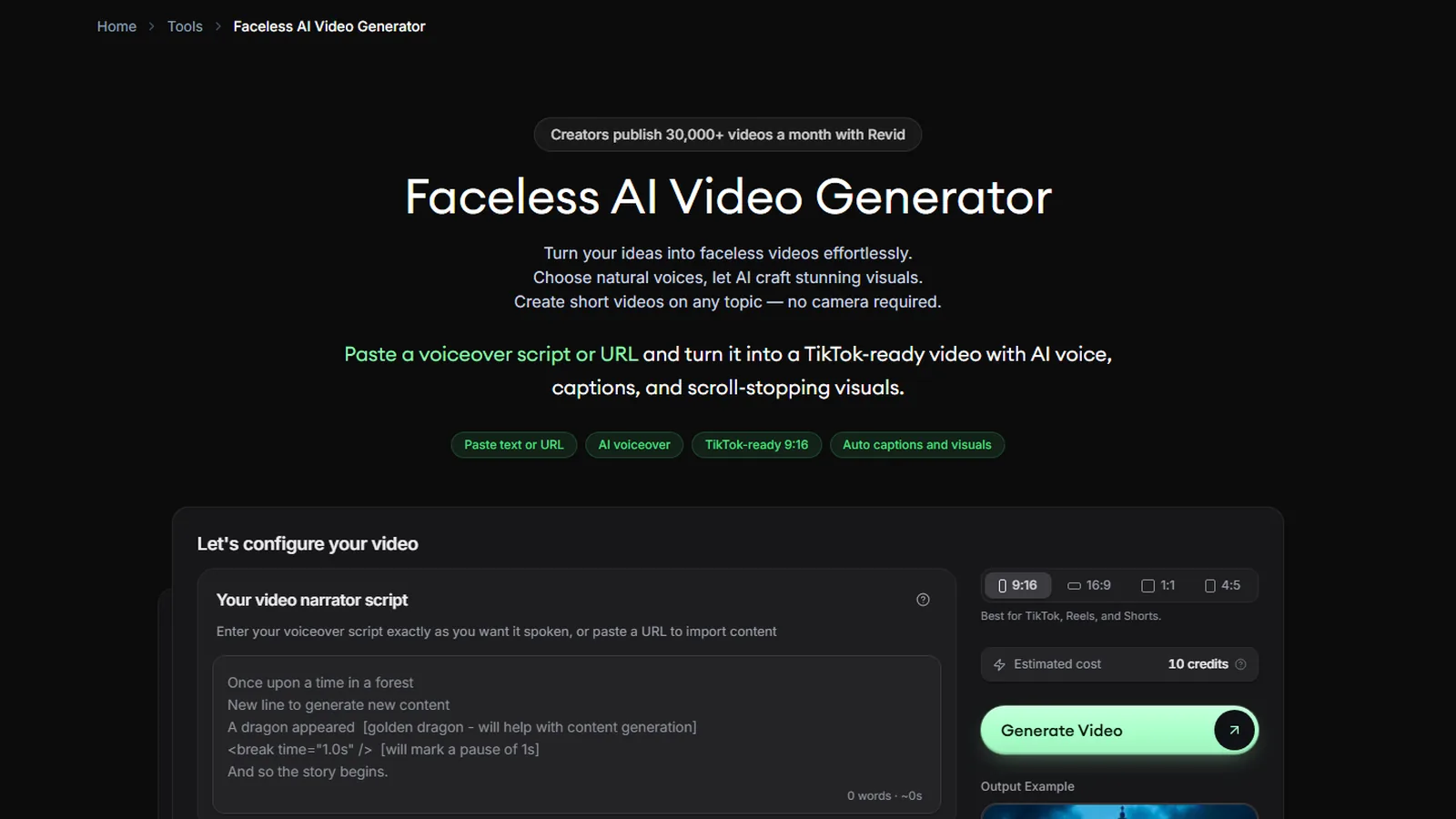
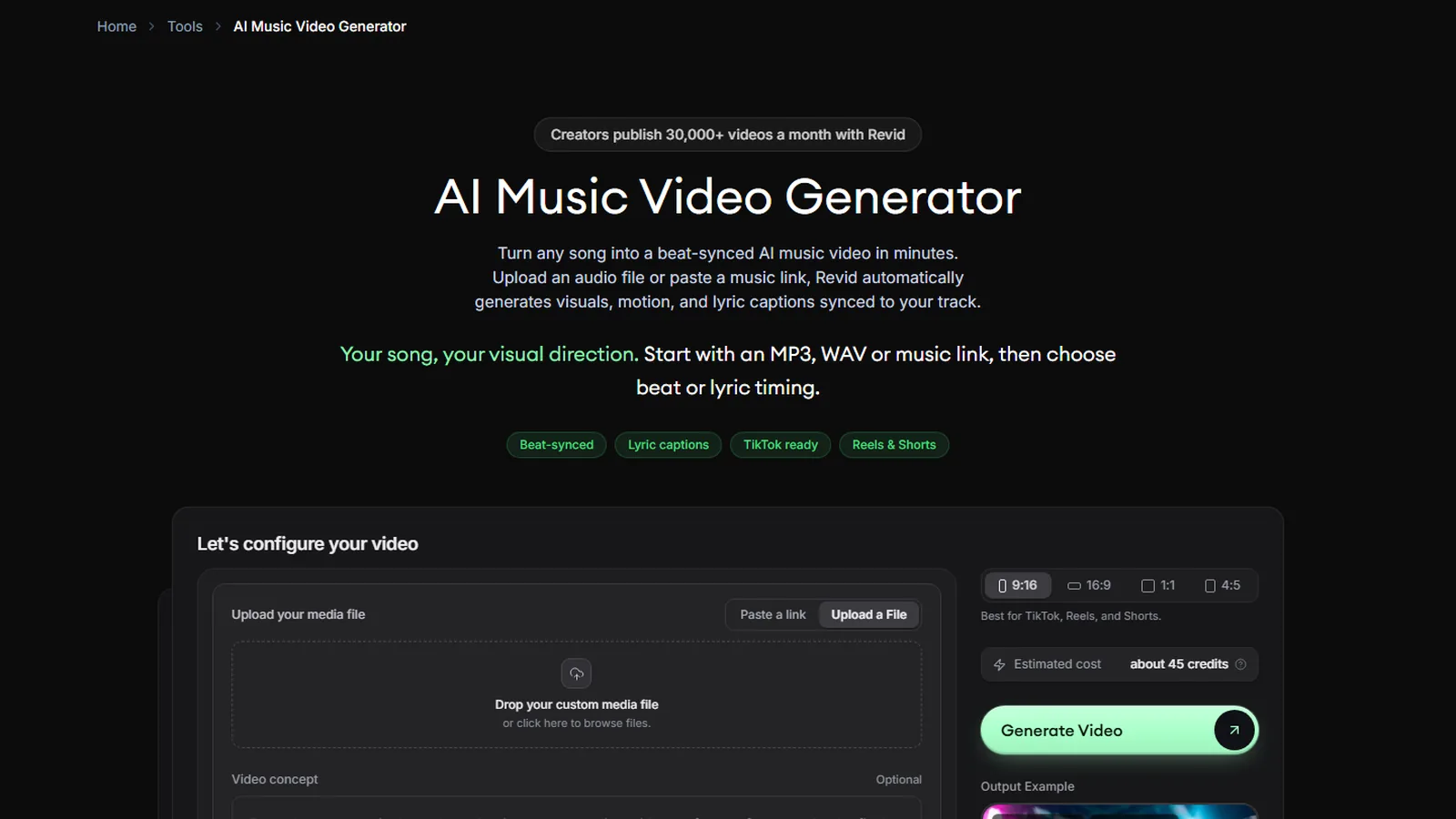
Short answer: Revid’s AI music video generator turns a song into a finished music video in three choices: the song (MP3, WAV, or a Spotify, Suno or SoundCloud link), the sync (scenes follow the lyrics or the beats) and the look (animated AI images, AI video, stock or your own media, in one of 62 styles). The page shows an estimated cost of about 45 credits before you add a song, and the real price depends on the media type, because AI video costs far more than animated images.
Based on Revid’s public tool pages and documentation, read on October 24, 2026, plus one screenshot Revid supplied; we have not generated a music video yet. This page contains affiliate links (disclosure).
See the estimate for your own song. Add a track to the music video tool and read the credit cost before you decide. New subscribers get 20% off the first month with code BEKOE.
What is Revid’s AI music video generator?
Revid has several music tools that share one engine. The main page is titled AI Music Video Generator and is aimed at people who already have a song. A sibling, the AI Lyrics Video Generator, starts from lyrics or a description. Around them sit genre-flavored pages for Lofi, Hip Hop, EDM, Phonk, Metal, Rock, Techno, Drill and Jazz, a Rap Video Generator, an Instrumental Music Visualizer, an Audio Waveform Generator, a Music Videos for Kids page and converters for Spotify, SoundCloud and Suno links. Revid’s tools directory counts them in its Music family.
In an April 2026 screenshot of the in-app catalog, the Music category listed Music to Video, Lyrics to Music Video (marked New), Animated Lyrics Video and an instrumental visualizer, among 22 music tools in a 150-tool catalog. The live tools page now shows a Music group of 21.

How does the Revid music video generator work?
The public tool page walks through three steps, and the form behind them has a few more switches. Here is the flow as the page presents it.

Step 1: Add your track
You upload an audio file or paste a music link. The page says to start with an MP3, WAV or music link. Revid’s documentation lists Spotify, Suno and SoundCloud links, and it also lists YouTube and TikTok links for its separate Audio to Video tool. It does not publish a maximum track length or accepted formats beyond MP3 and WAV, so check before you prepare a long file. There is an optional field for a video concept, with an example of a neon noir chase through rainy streets that ends with a rooftop performance.
Next to the upload sits a segment control: full song, or an excerpt. The page says a minimum of 10 seconds applies. That matters for teasers. You can build a 15-second vertical clip from the chorus and not pay for the whole track.
Step 2: Choose beats or lyrics
This is the choice that shapes the video. According to the page:
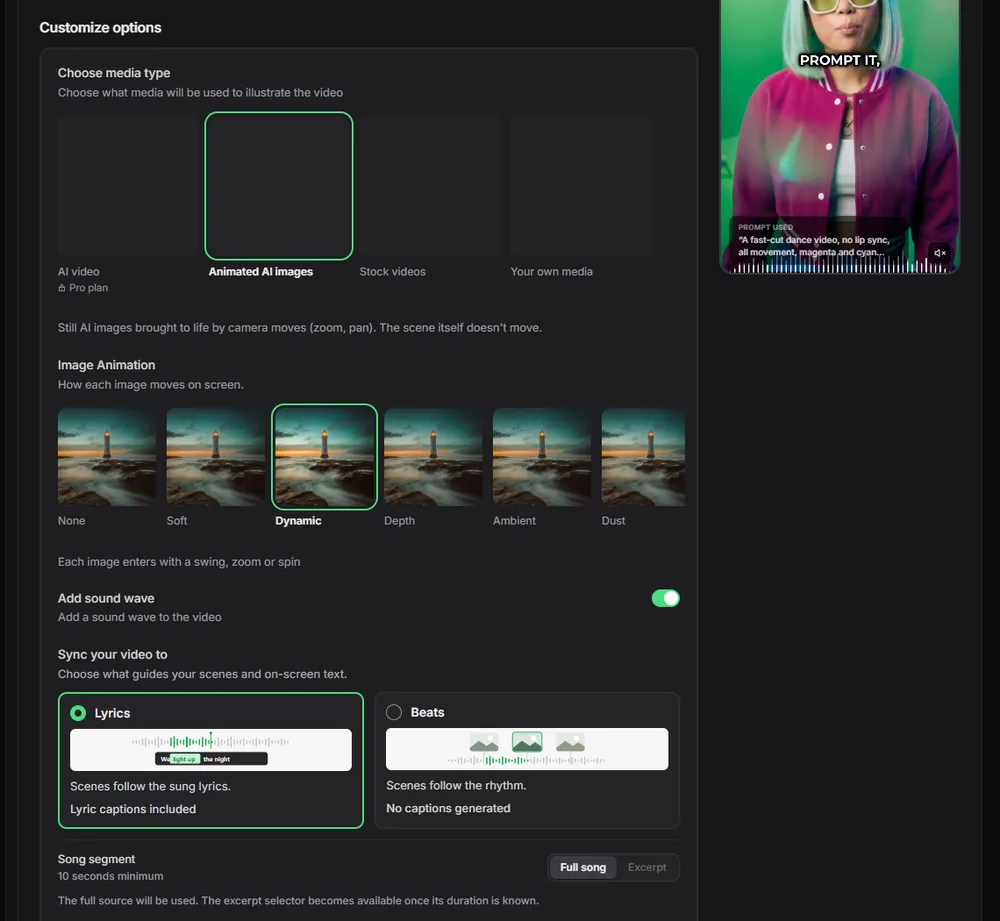
- Lyrics: scenes follow the sung lyrics, and lyric captions are included.
- Beats: scenes follow the rhythm, and no captions are generated.
An “Add sound wave” switch overlays a waveform that pulses with the music, which is the classic visualizer look. On the lyrics side, Revid’s lyrics tool also lists a “Singer Lip Sync (beta)” option that requires lyrics sync and AI video media, and a “use custom singing voice” option for a saved singing voice. We have no view on how well either works.
Step 3: Pick the media, the style and the model
You choose what illustrates the video:
- AI video: marked as a Pro plan option on the page.
- Animated AI images: still images brought to life with camera moves such as zoom and pan. The page is clear that the scene itself does not move. Image animation presets are None, Soft, Dynamic, Depth, Ambient, Dust, Hook and Eco.
- Stock videos: licensed clips matched to the song.
- Your own media: upload photos or clips, with a toggle to use only what you provided. The lyrics tool says scenes that show an artist, a place or an object keep them as they are.
Below that, a generation preset menu lists 62 styles, such as Default, Pixar, Ghibli Studio, Ultra Realism, Realist, Movie, Claymation, Lego, Minecraft, Pixel Art, Anime, Manga, Ukiyo-e, Risograph, Whiteboard and Charcoal. Some of those names refer to well-known brands or studios, so treat them as looks, and check you are comfortable with the result before publishing under your name. A “visual direction for the whole video” box takes up to 2,000 characters and offers quick chips such as Dark and moody, Golden hour, Muted palette, Cinematic wide shots, Shallow depth of field and Film grain. Revid says it applies to every scene when the scenes are written, and that the story goes in your prompt. A generation model switch offers Low, Pro and Ultra, with Low priced at 1 credit per image and Ultra locked on the page we saw.
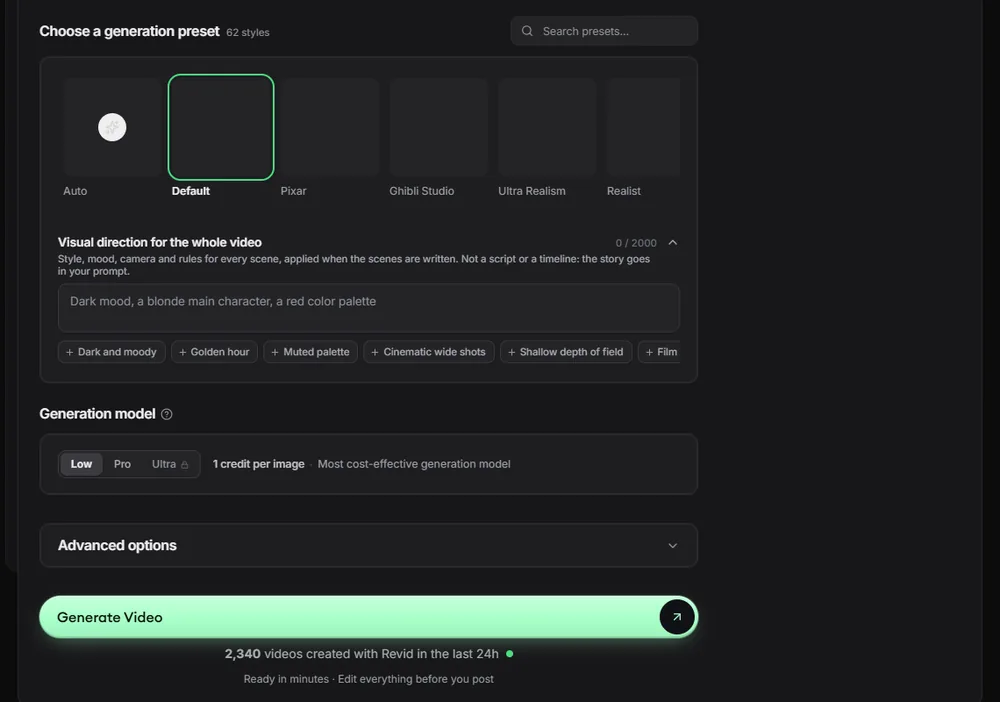
You can then generate, and Revid says it is “ready in minutes”, with everything editable before posting. Aspect ratios are 9:16, 16:9, 1:1 and 4:5.
How much does an AI music video cost on Revid?
This is where you need to be careful. Revid’s documentation puts it in one sentence: a music video costs roughly one media clip per 4 seconds of music, at your chosen clip price. It does not give a single price, and the tool page shows only an estimate. The page we captured showed about 45 credits. The lyrics-video page showed 16 credits before any lyrics were entered.
Here is our arithmetic for a three-minute song, which is 180 seconds, or about 45 clips. It is an inference from Revid’s sentence, not a quote, and it assumes each clip is billed at the per-second rate from the credit table:
| Media for each clip | Credits per clip (4 s) | About 45 clips | Cost at Growth’s monthly price |
|---|---|---|---|
| Animated AI image, Low (1 credit) | 1 | 45 | about $0.90 |
| Animated AI image, Pro (4 credits) | 4 | 180 | about $3.50 |
| Animated AI image, Ultra (16 credits) | 16 | 720 | about $14 |
| AI video, Low (15 per 5 s) | 12 | 540 | about $10.50 |
| AI video, Pro (50 per 5 s) | 40 | 1,800 | about $35 |
| AI video, Ultra (100 per 5 s) | 80 | 3,600 | about $70 |
The first row lines up with the page’s “about 45 credits” estimate for a roughly three-minute song with Low images, but Revid does not state that assumption, so do not rely on it. The takeaway holds either way: animated images are cheap, AI video is not. A 3,600-credit Ultra video is more than Growth’s whole 2,000-credit month. Dollar figures use $39 for 2,000 credits, about 1.95 cents a credit.
Other costs, from Revid’s credit reference as of October 2026:
| Item | Credits |
|---|---|
| AI music generation | 20 per generation |
| Lyrics generation | 16 |
| Built-in music library (199 tracks) | 0 |
| Sound effect | 1 each |
| 4K export | 10 |
| AI video upscaling | 5 per second |
| Character training | 200 |
If you also write the song with Revid, add 16 for lyrics and 20 for the track. A full Revid generation, from a described song, with Low images, would be on the order of 80 credits for a three-minute track on those assumptions. That is a plausible number; the estimate next to the Generate button is the one to trust.
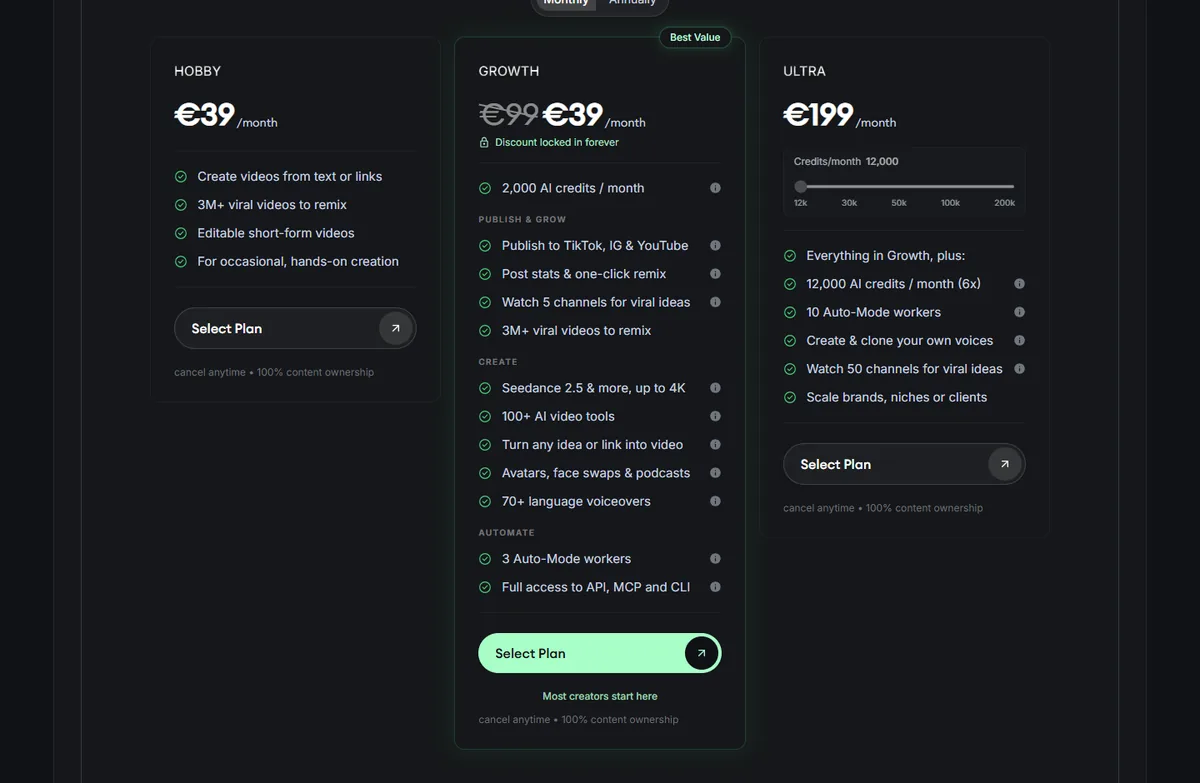
And a plan comparison: Growth is $39 a month, or $32 billed yearly, for 2,000 credits. Ultra is $199 a month for 12,000. Booster packs start at $49 for 1,000 credits. Hobby shows $39 too, with no credits listed. Our Revid AI review has the full pricing table and cost per credit.
Is the Revid AI music video generator free?
The video generation is not free, but the preparation is. Without an account, Revid lists a BPM and key finder that reads the tempo of a file in seconds, an MP3 to MP4 converter that makes a simple video of the song with its cover art, and a music video shot planner that turns your track length and BPM into a timed shot list. Signing up is free, needs no card and gives starter credits, and our free account showed 70 on October 24, 2026. On paper that covers a default music video at the about-45-credit estimate, with Low images. See our Revid AI free guide for everything that works without paying.
Who should use it?
- Independent musicians who need a vertical teaser or lyric clip for TikTok, Reels or Shorts without hiring an editor. Excerpts of 10 seconds or more fit that job.
- Suno and AI music creators who produce songs and need visuals. Revid has a dedicated Suno to Video page.
- Lofi and study-music channel runners who publish long loops. The Lofi and visualizer pages are built for that.
- Faceless channel operators who add music-driven formats to their mix. Our faceless channel guide shows how the rest of the pipeline works.
- Small labels and promoters making event or release teasers at volume.
Who should look elsewhere?
- Anyone who needs a cinematic, story-driven music video with consistent characters. Revid offers character training at 200 credits, but consistency across a whole video is unproven, so treat it as a high-risk use.
- Anyone who needs frame-accurate choreography or real lip-sync performance. The lip-sync option is labeled beta.
- Anyone using music they do not own. Rights are your responsibility, on any tool.
- People who need precise per-minute pricing before they start. The estimate is the only number, and it changes with settings.
What are the limits and risks?
- Quality is unverified here. We cannot say how well scenes track lyrics or beats. Treat the first render as a test.
- Credit cost climbs fast with AI video. Check the estimate after every setting you change.
- Style names reference known brands. Be thoughtful about what you publish.
- Copyright. Uploading a commercial track does not give you the right to publish a video with it. Platforms run automatic matching.
- AI music disclosure. YouTube asks creators to disclose realistic AI-generated or altered content, and its list includes creating music that is the main focus of a video. Check the current rules on the platform where you publish. This is general information, not legal advice.
- Missing details. Revid does not publish a maximum song length on the pages we read.
Revid AI music video generator alternatives
Revid lists several music video competitors on its own comparison pages, including Neural Frames and Freebeat, but those are the vendor’s pages, not neutral comparisons. From our own coverage:
- Kaiber: a canvas-based tool for artistic music visuals. Read the Kaiber AI review.
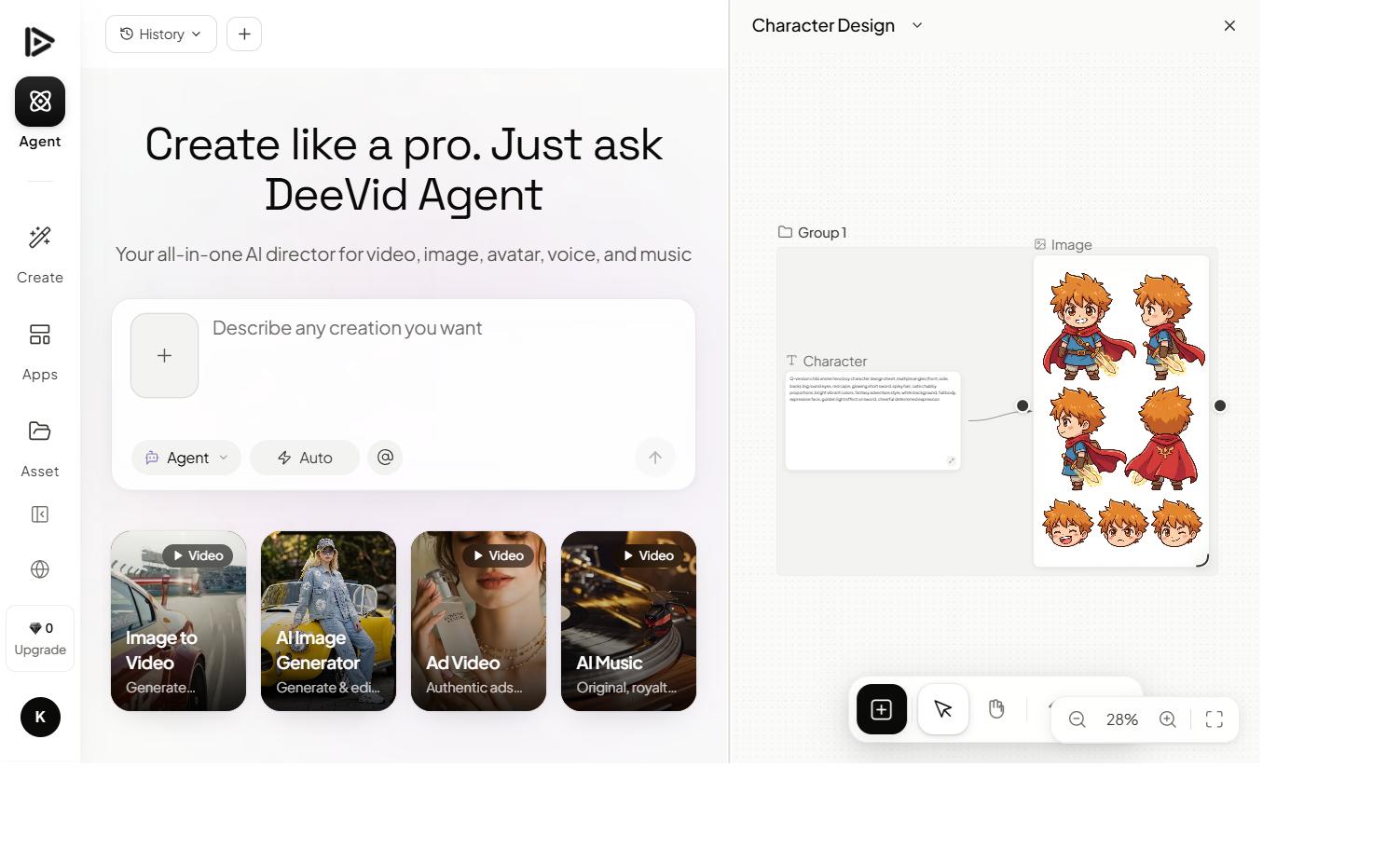
- Deevid AI: generates cinematic clips from many models that you can cut to a song in an editor. See our Deevid AI review.
- Other Revid-style tools: see the seven Revid AI alternatives, which cover clipping, captions and faceless video, and the Revid vs Opus Clip vs Submagic comparison if your music video is part of a larger clip workflow.
Our verdict
Revid’s music video generator is well designed on paper: a clear choice between lyrics and beats, sensible media types, a visual direction box and a cost estimate you can read before you click. The output is the part to judge yourself. Our advice is to do what the page invites: prepare with the free tools, run one excerpt with animated images at the Low model, read the estimate first, and decide from the render, not from any review, ours included.
Want to see the estimate for your own song? Open the music video tool, add a track and read the credit estimate before you decide. New subscribers: code BEKOE takes 20% off the first month.
FAQ
What is the Revid AI music video generator?
It is a set of Revid tools that turn a song into a vertical, square or landscape video. You upload an MP3 or WAV, or paste a Spotify, Suno or SoundCloud link, choose whether scenes follow the lyrics or the beats, pick a media type and a style, and generate. A separate lyrics video tool starts from pasted lyrics or a song description. The page for the main tool says videos are ready in minutes and can be edited before posting.
How much does a Revid AI music video cost?
The tool page showed an estimate of about 45 credits for its default settings before any song was added. Revid's documentation says a music video costs roughly one media clip per 4 seconds of music at your chosen clip price. By our arithmetic, a three-minute song is about 45 clips, so about 45 credits with Low images, but many hundreds or thousands with AI video. The estimate next to the Generate button is the number to trust.
Does Revid sync the video to the beat or to the lyrics?
You choose. With Lyrics, scenes follow the sung lyrics and lyric captions are included. With Beats, scenes follow the rhythm and no captions are generated. You can add a sound wave overlay that pulses with the music, and use a song excerpt of at least 10 seconds instead of the full track.
Can Revid AI make a music video from a Suno song?
Yes, according to Revid. Its Suno to Video page says you can upload the MP3 or WAV you downloaded from Suno or paste the song link, and the AI generates visuals synced to the beat or to the lyrics. Run a short excerpt first to see how closely the visuals follow your track.
Can Revid write the lyrics and the song too?
Yes. The AI Lyrics Video Generator has a Describe Your Song mode where a description of 10 to 500 characters makes the AI write the lyrics and compose the track. Revid lists lyrics generation at 16 credits and music generation at 20 credits. If you paste your own lyrics instead, the field accepts 10 to 5,000 characters with section tags such as verse and chorus.
Is the Revid AI music video generator free?
Not fully. Several supporting tools are free and need no account, such as a BPM and key finder, an MP3 to MP4 converter and a music video shot planner. Generating the video uses credits. Signing up is free and gives starter credits, and our free account showed 70 credits on October 24, 2026, so a default music video could fit on paper. Revid does not publish the amount.
Do I need the rights to the song I upload?
Yes, you are responsible for that. Publishing a video with a commercial track you do not own can lead to copyright claims on platforms. If you generate music with AI, check the terms of the tool that made it. YouTube also asks creators to disclose realistic AI-generated or altered content, and its list includes creating music that is the main focus of a video.