AI kissing video generator: two photos, one kiss.
An AI kissing generator takes two still photos and animates a short clip of the pair leaning in for a kiss. We tested the one built into Deevid AI on real photo pairs. Below is exactly how it works, which photos give a believable result, what it costs, and the honest limits, watermark and consent included.
Want to try it on your own photo?Deevid's AI Kissing effect is free to test, 20 credits on signup, no card required.
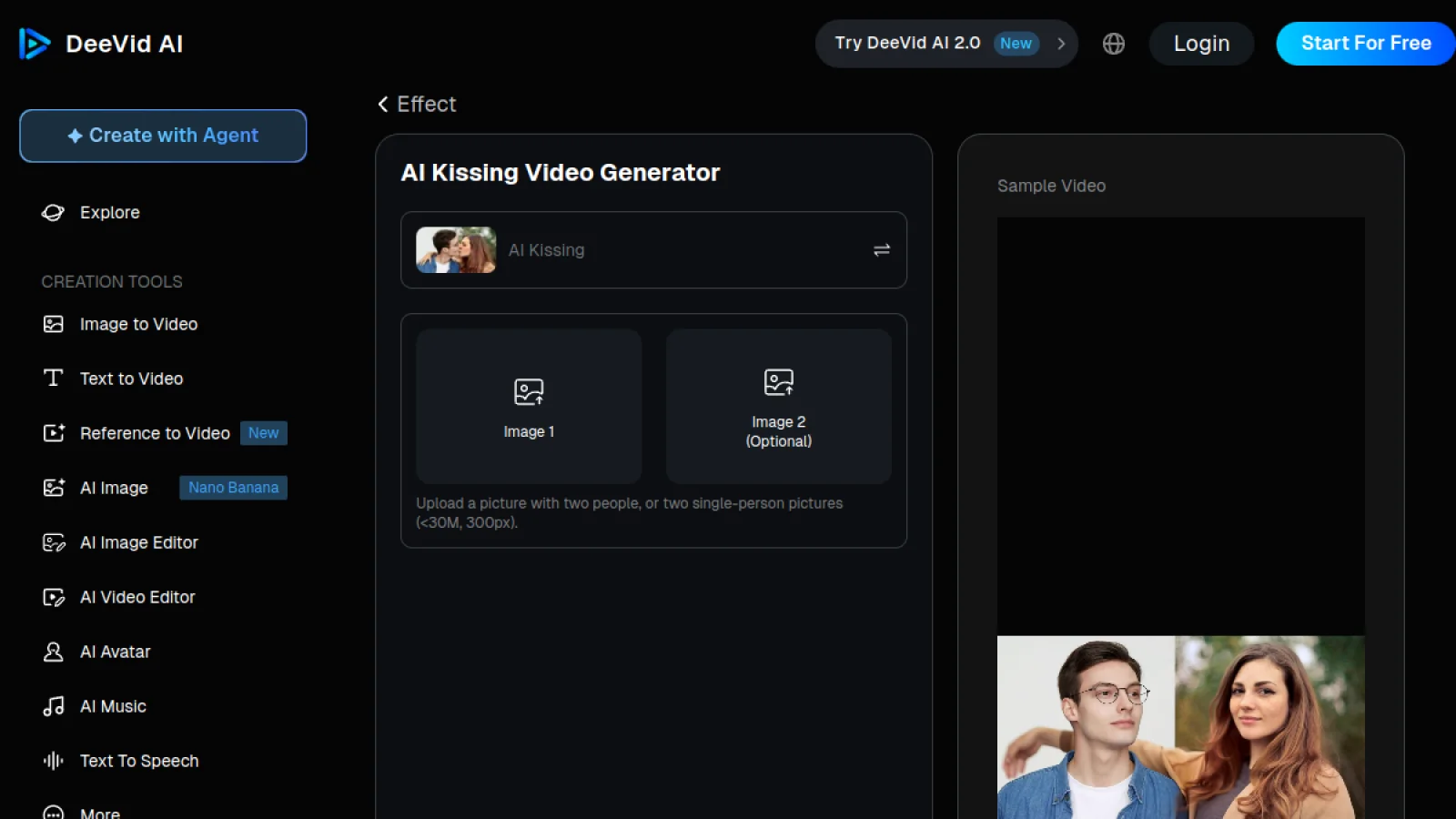
What is an AI kiss generator?
The idea is simple, and it is why the effect went viral: you feed the model a photo of two people (or two separate portraits), and it generates a few seconds of natural motion where they turn and kiss. No editing timeline, no keyframes. It is the same image-to-video engine behind any modern AI video tool, pointed at a single, well-defined motion.
That narrow scope is what makes it easy. General text-to-video asks the model to invent a whole scene, which is where results wobble. A kiss effect only has to move two faces toward each other convincingly, so even free tools land it more often than not. The differences between generators come down to how natural the motion looks, whether it preserves the faces, and how much they charge to remove the watermark.
How to make an AI kissing video from 2 photos.
This is the exact flow inside Deevid's AI Kissing screen, start to finish. The whole thing takes a couple of minutes.
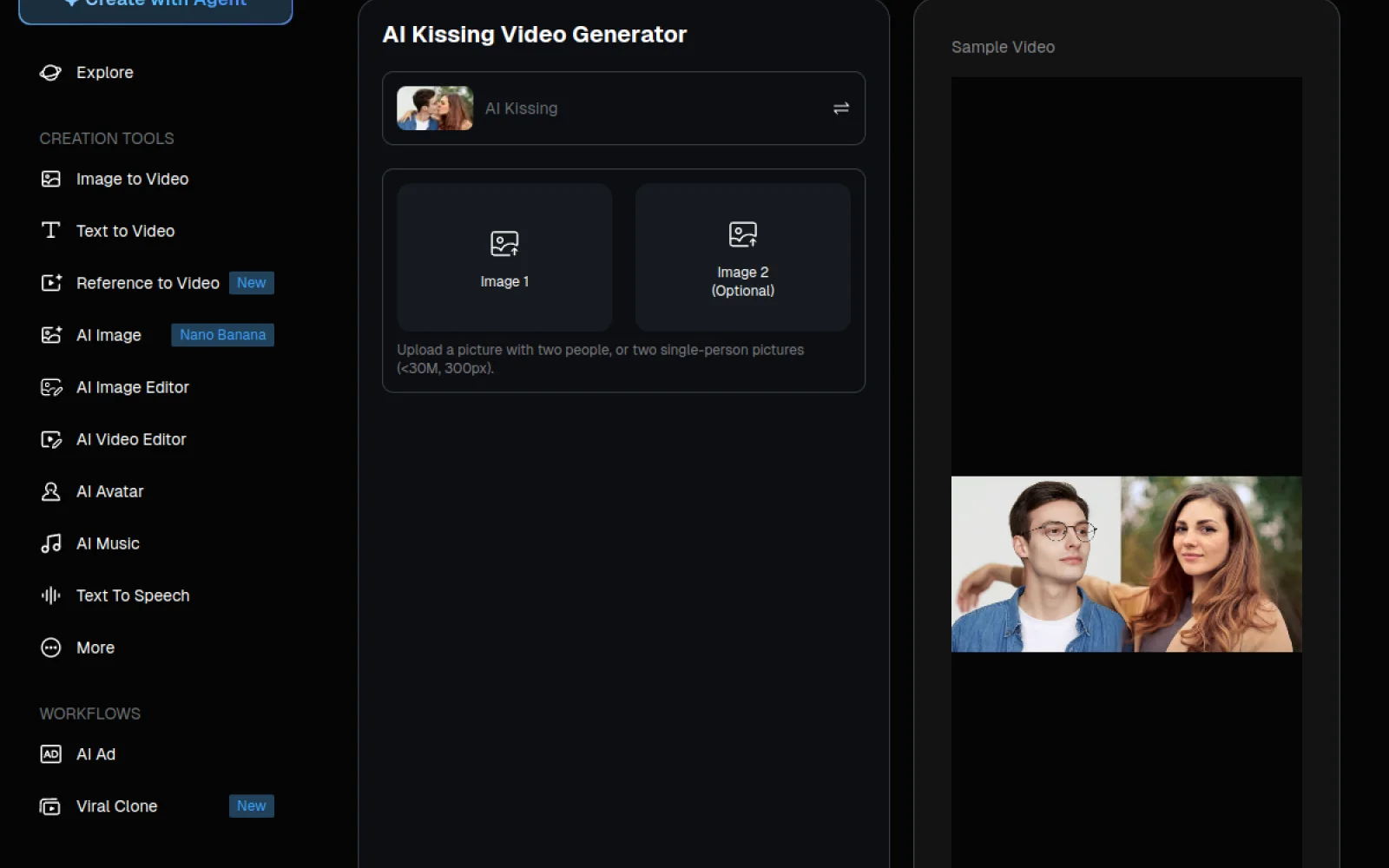
- 1Open the AI Kissing effect. Inside Deevid AI, open the Effect gallery and choose AI Kissing. It loads a dedicated two-photo screen rather than the standard text-to-video box.
- 2Upload your photo (or two). Drop in one picture that already has two people, or upload two separate single-person photos. Deevid accepts files under 30MB and at least 300px on the short side. Clear, front-facing faces give the cleanest result.
- 3Pick the kiss style. Keep the default sweet kiss, or switch to a French kiss or cheek-kiss variant if the effect list offers it. The style you pick sets how close and how long the motion runs.
- 4Set the resolution and hit Create. Choose an output resolution and press Create. A short clip renders in the preview panel on the right, usually within a minute or two depending on load.
- 5Review and download. Play the sample, regenerate if the motion drifts, then download. Free renders carry a small Deevid watermark; a paid plan removes it and unlocks a commercial license.
One detail worth repeating from the upload screen: you can pass either a single image containing both people or two single-person photos. If your only good shots are separate selfies, that second path is the one you want.
Why we point readers to Deevid for this.
The AI kissing SERP is full of single-effect sites that do one trick and gate the download behind a paywall the moment your clip is ready. Deevid does the kiss effect just as well, but it sits inside a full video studio, so the same account also gives you image-to-video, avatars, and 14+ models. If the kiss is your entry point and you later want more, you are not starting over on another tool.
- The two-photo flow is built in, no prompt-writing required to get a clean kiss.
- Free to test with 20 signup credits, so you can judge the result on your own photo before paying.
- Runs on web plus iOS and Android on one account, handy when the photos are on your phone.
- Paid plans that remove the watermark also add a commercial license, unlike most single-effect sites.
- The same account also runs the AI hug effect and dozens of others, so one subscription covers the whole trend cycle.
Test it on your own pair of photos.The AI Kissing effect is one click inside Deevid's Effect gallery. See our full Deevid AI review and pricing breakdown before you upgrade.
Is the AI kissing video generator really free?
Every result in the search box promises a "free" AI kissing generator. Here is what free actually means in practice, so you are not surprised at the download step.
A quick reality check on the common modifiers people search for: "no login" tools still ask you to sign up before the download unlocks. "Unlimited free" almost always means unlimited previews, watermarked. "APK" and third-party app downloads for these effects are a common malware vector, so stick to the official web tool or the store apps. If you only need one or two clips for a personal post, the free credits cover it. If you are making them regularly or for anything public-facing, price out the paid tiers and the free-credit math first.
Which photos give the best AI kiss video?
The generator is only as good as the input. After running a batch of pairs, the pattern is clear: the model struggles with awkward angles and hidden faces, and shines with simple, front-facing portraits.
- Face the camera. Both people looking roughly toward the lens beats profile shots. The model has to rotate faces inward, and it does that cleanly from a frontal start.
- Match the lighting. Two photos shot in similar light blend far better than a bright selfie paired with a dim one. If you can, use two frames from the same session.
- Keep faces unobstructed. Sunglasses, hands near the mouth, and heavy hair over the face all confuse the motion. Clean jawlines animate best.
- Similar scale. Crop so both heads are a comparable size. Wildly different face sizes make the kiss look off.
- Regenerate before you judge. Like any AI video, the first render is rarely the best. Run it two or three times and keep the cleanest take, the same rule we use in our Deevid prompt library.
AI kissing generator alternatives.
Plenty of tools rank for this effect. Most are single-purpose kiss sites; a few are full video platforms like Deevid. If you want to compare before committing, these are the names you will see most, and how they differ.
- Vidnoz and Vidu both offer a dedicated kissing effect with a generous-looking free preview, then gate resolution and watermark removal behind a plan. Solid for a one-off, less useful once you want more than the single trick.
- Pollo bundles many effects like Deevid does, so it is a closer comparison. We break the head-to-head down in our Deevid vs Pollo comparison.
- Single-effect sites (the ".ai" kiss pages that fill the first page of results) tend to be the thinnest option: one effect, aggressive upsell, no wider toolkit. Fine to try, rarely worth a subscription.
For the wider picture of who wins on price and output, see the full Deevid alternatives hub.
A note on consent.
Animating two people into a kiss is harmless fun between partners or friends who are in on it. It is not harmless when the people in the photo did not agree to it. Only upload images you have the right to use, and only of people who are comfortable being animated this way. Do not use a kissing generator to fake a relationship, harass, or deceive anyone. If you would not send the clip to the person in the photo, do not make it. On the platform itself, we cover trust, billing and safety in is Deevid AI legit and safe.
AI kissing generator, common questions.
Is there a free AI kissing video generator?
Can I use it without login or sign up?
Does it work with two photos, or one photo of two people?
What is the difference between a sweet kiss and a French kiss effect?
Do the free videos have a watermark?
Is an AI kissing generator safe to use with my photos?
Is there an AI kissing app for phone?
Can I use the kissing video commercially?
Ready to make one?Sign up free, open the Effect gallery, and pick AI Kissing. Your 20 credits cover the first few clips.