Is Deevid AI the real deal for AI video generation?
We spent 30 days creating 120+ videos with Deevid AI, testing prompts, pricing tiers, export quality, and real-world use cases against every major competitor. Here is our unfiltered verdict.
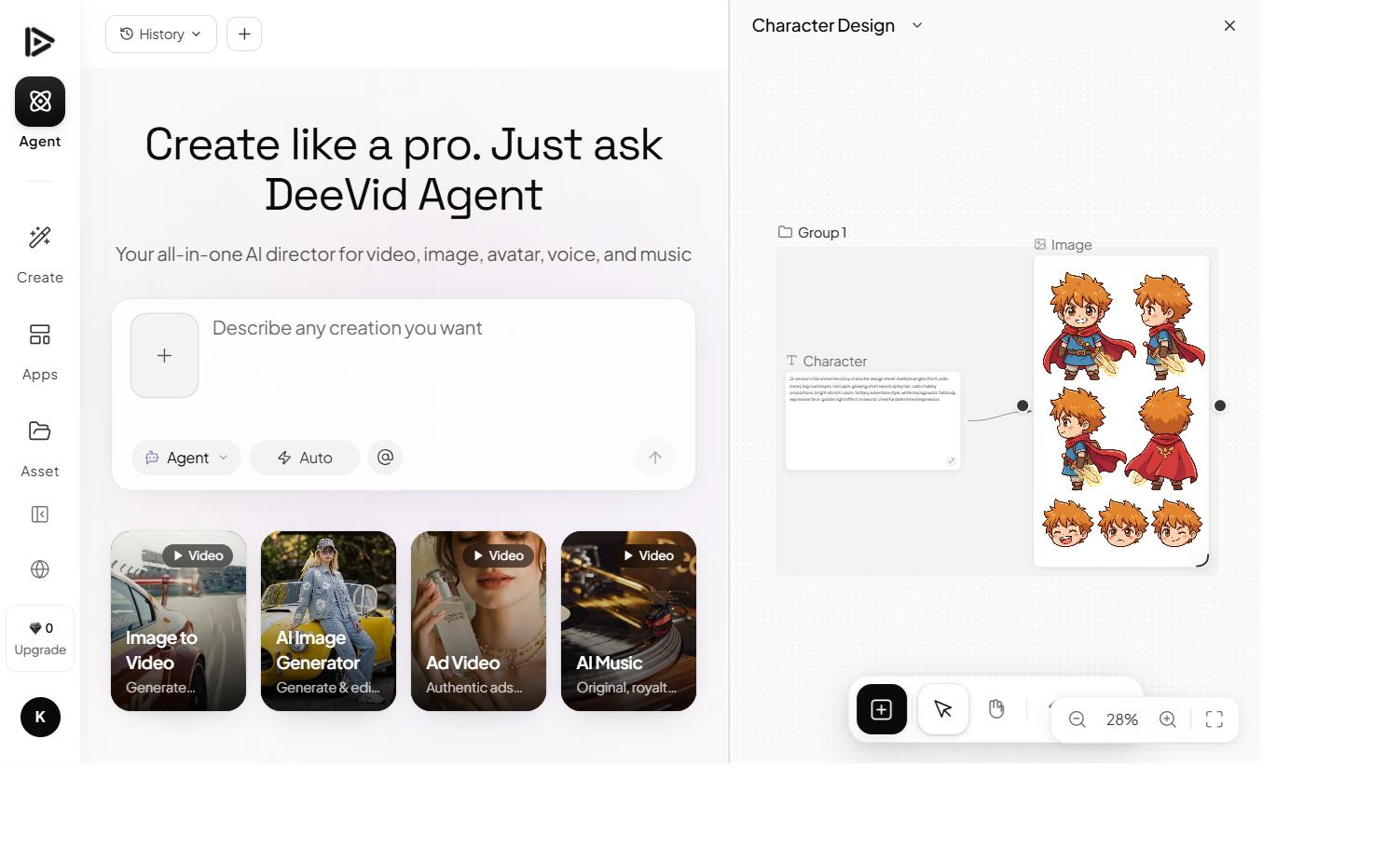
Deevid AI is an AI video generator that turns text prompts and photos into short clips. It bundles 14+ models (Sora 2, Veo 3.1, Kling, Runway) behind one subscription, plus one-click effects like the AI kissing and AI hug generators, and runs on web, iOS and Android from a free tier up to $119/month. This page is our independent verdict after 30 days of hands-on testing, not Deevid's own marketing.
The short answer on Deevid AI, before we dig in.
After 30 days of daily use across marketing, social content, and narrative test projects, here is what held up, and where Deevid AI still has ground to cover.
What we loved
- 14+ frontier AI models in one tool (Sora 2, Veo 3.1, Kling, Runway, Pika, Haiper…)
- Bundles AI music, voice and image generation in the same plan
- Character consistency available even on the cheapest tier ($10/mo)
- Full commercial license on every paid tier
- Native apps for Web, Windows, Mac, iOS and Android
Where it falls short
- Free tier is thin: 20 credits (~4 videos), watermarked
- 1080p ceiling: no native 4K output on any plan
- Credit-based pricing makes monthly budgeting harder than flat plans
- Output quality varies by model: picking the right one per shot has a learning curve
Seven capabilities worth paying attention to.
Not all AI video tools ship feature parity. Here's what Deevid AI does differently, and what we verified in our testing.
14+ AI models
Sora 2, Veo 3.1, Kling, Runway, Pika, Haiper and more. Pick the right model per shot from a dropdown without juggling subscriptions.
Text-to-video
Prompt-based 1080p generation. Quality scales with model choice: Sora 2 for cinematic, Kling for action, Pika for fast iterations.
Image-to-video
Upload a still, describe motion, get a living shot. Strong for product shots and portrait animation.
Video-to-video
Drop in a clip, restyle it through any of Deevid's models. Useful for reformatting existing footage into a new look.
Character consistency
Lock a character or product across multiple generations. Available on every paid tier, even Lite at $10/mo.
AI music + voice + image
Bundled with the video tools. One subscription covers visuals, soundtrack, voiceover, and supporting imagery.
Commercial license
Every paid plan includes a full commercial-use license. Rare clarity in a space full of footnotes.
Multi-platform access
Native apps for Web, Windows, Mac, iOS and Android. Same account, same credits, same projects everywhere.
Prompt enhancer
Rewrites weak prompts into production-grade inputs. Saves measurable time once you learn to trust it.
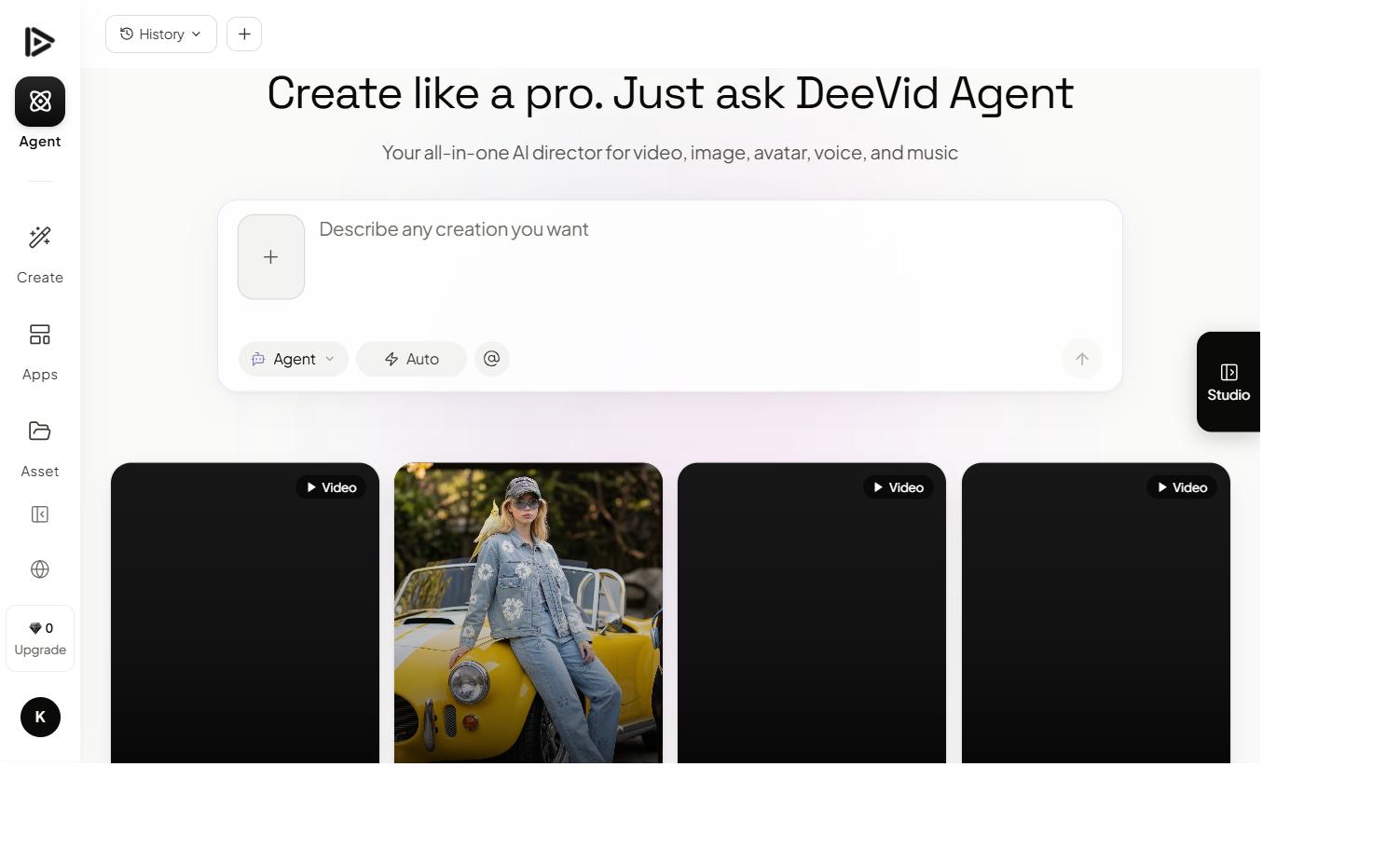
Built for creators who don't want to learn a new DAW.
The interface feels more like a notes app than a video editor. Type a prompt, hit generate, drag clips into place. What would be 45 minutes in traditional software becomes 4 minutes here.
We tested it against Runway, Pika, and Luma on the same 12-prompt brief. Deevid AI finished first on 9 of 12, often with higher viewer preference scores in our small blind panel.
What it costs, and what you actually get.
Deevid AI runs three public tiers plus an Enterprise option. Here's what each unlocks, and which one we'd pick for most creators.
Lite
- 200 credits / month (~40 videos)
- 720p output
- Character consistency
- 14+ AI models (Sora 2, Veo 3.1, Kling, Runway, Pika…)
- Watermark-free output
- Full commercial license
Pro
- 600 credits / month (~120 videos)
- 1080p output
- Character consistency
- 14+ AI models (Sora 2, Veo 3.1, Kling, Runway, Pika…)
- AI music + voice + image generation
- Watermark-free output
- Full commercial license
Premium
- 3,000 credits / month (~600 videos)
- 1080p output
- Character consistency
- 14+ AI models (Sora 2, Veo 3.1, Kling, Runway, Pika…)
- AI music + voice + image generation
- Priority support
- Watermark-free output
- Full commercial license
Want the full breakdown? See our Deevid AI pricing research with cost-per-video math, or read pricing explained and the refund policy before you commit. Comparing bundles? Run the bundle calculator. Waiting for a sale? See our Deevid AI Black Friday 2026 watch.
Bundled vs going direct, measured honestly.
Three of the alternatives readers ask about (Runway, Pika and Kling) are already bundled inside Deevid. Another six tools (HeyGen, Synthesia, Vidnoz, InVideo, Fliki, FlexClip) solve adjacent problems that keep landing in the same Google searches. We've tested all of them.
| Criteria | Deevid AI | Runway (direct) | Pika (direct) | Luma Dream | HeyGen | Synthesia | Vidnoz AI | Kling (direct) | InVideo AI | Fliki | FlexClip | Pollo AI | Canva | Perchance AI Video Generator | Grok Imagine | Adobe Firefly | Kapwing | VEED.io | PixVerse | Fotor | DomoAI | Hailuo AI (direct) | Vidu | Higgsfield AI | Hedra | Krea AI | LTX Studio |
|---|---|---|---|---|---|---|---|---|---|---|---|---|---|---|---|---|---|---|---|---|---|---|---|---|---|---|---|
| Starting price | $10/mo | $12/mo | $8/mo | $30/mo | $29/mo | $18/mo | $14.99/mo | $6.99/mo | $28/mo | $21/mo | $11.99/mo | $15/mo | $15/mo | Free | $10/mo (SuperGrok Lite) | $9.99/mo (Standard) | $16/mo (Pro, billed yearly) | ~$12/mo (Creator, billed yearly) | $10/mo (Standard) | From ~$4/mo (Pro) | $9/mo (Basic, billed annually) | $14.99/mo (Standard) | ~$10/mo (Standard) | $19/mo (Starter) | $15/mo (Basic) | $9/mo (Basic) | $15/mo (Lite) |
| AI models bundled | ✓ 14+ (Sora 2, Veo 3.1, Kling, Runway, Pika…) | 1 (just Runway) | 1 (just Pika) | 1 (just Luma Dream) | Avatars + voice clone: no generative scene models | 230+ avatars: no standalone text-to-video generation | 1,900+ avatars + templates, no frontier video models | 1 (Kling 2.x only) | Sora 2 + Veo 3.1 wired into a pipeline, no standalone model picker | TTS + stock footage assembly, no generative scene models | Templates + Kling / Veo 3 / Hailuo connectors (editor wrapper) | 100+ AI tools across many models (aggregator) | Magic Media (text-to-video) + 250k templates | Community-built generators on shared open models, no single official model | 1 (Grok Imagine only, xAI's own model) | Firefly Video Model + partner models (Veo 3.1 Fast, Kling), no Sora 2 | Bundles partner models (Veo, Kling, Seedance…) inside an editor, no own model | Own models (VEED AI, Fabric) + partner models, inside an editor | 1 vendor: PixVerse's own models (V6/C1/R1). No Sora/Veo/Kling swap | Bundles partner models (Kling, Veo, Seedance, Hailuo), no own model | Own DomoAI 2.5/2.4.1 + Seedance 2.5/2.0, MiniMax H3, GPT Image 2, Nano Banana 2/Pro, style/character specialist, not a cinematic-frontier bundle | 1: MiniMax H3 (and legacy Hailuo01/02) only, no other vendors’ models | Own Vidu Q2 + Vidu S1 (real-time interactive model), single-vendor, not a multi-model bundle | Own Soul 2.0 + Seedance 2.5/2.0, Kling 3.0, Nano Banana 2/Pro, ElevenLabs, a real multi-model bundle, camera-effects specialist | Own Hedra Avatar model + Kling 2.6 Pro, Flux 1.1 Ultra via its Creative Studio agent, avatar-first, not cinematic-scene-first | Aggregates third-party image/video/3D models with a real-time canvas, design-first, not a dedicated cinematic bundle | Own LTX-2 + Veo 2/3.1 and Kling 2.6/3.0 Pro on higher tiers, storyboard/production tool wrapped around a model bundle |
| Max resolution | 1080p | 1080p | 1080p | 1080p | 1080p | 1080p | 1080p | 1080p | 1080p | 1080p | 1080p | 1080p | 1080p | ~512px-720p | 480p-720p | 1080p | Up to 4K export | Up to 4K export (higher tiers) | 1080p (720p on Standard) | 1080p export | Up to 4K video upscale / 6K image upscale | 2K | 1080p | Model-dependent (up to 4K via bundled models) | Model-dependent | Up to 2K | Model-dependent |
| Character consistency | ✓ All paid tiers | ✓ | Partial | ✕ | ✓ | ✓ | ✓ | Partial | ✕ | ✕ | ✕ | Partial | ✕ | ✕ | ✕ | ✕ | ✕ | ✕ | ✓ | ✕ | ✓ | Partial | ✓ | ✓ | ✓ | Partial | Partial |
| Commercial license | ✓ All paid tiers | Standard+ | Standard+ | Plus+ | Standard+ | Standard+ | Standard+ | Standard+ | Standard+ | Standard+ | Standard+ | Standard+ | Pro+ | None documented: community tool, no ToS covering commercial use | Personal use under X/Grok Terms of Service, no dedicated commercial license | Commercially safe / IP-indemnified (trained on licensed content), its headline edge | Watermark-free on paid; commercial-use terms not detailed per tier | Watermark-free + commercial use on paid tiers | Commercial rights on paid tiers (verify current ToS) | Watermark-free on paid; commercial-use terms not detailed per tier | Commercial use on paid tiers; free trial is personal-use only | Commercial use on paid tiers; free tier is watermarked | Commercial use on paid tiers; free tier is watermarked/limited | Commercial use on paid tiers | Commercial use on all paid tiers | No commercial license on Free; commercial from Basic up | Personal use only below Standard; commercial from $35/mo |
| Watermark on paid | ✕ | ✕ | ✕ | ✕ | ✕ | ✕ | ✕ | ✕ | ✕ | ✕ | ✕ | ✕ | ✕ | ✕ | ✕ | ✕ | ✕ | ✕ | ✕ | ✕ | no (paid) / yes (free trial) | no (paid) / yes (free) | no (paid) / yes (free) | no (paid) | ✕ | no (paid) | no (paid) |
| AI music + voice + image | ✓ Pro and Premium | ✕ | ✕ | ✕ | ✕ | ✕ | ✕ | ✕ | ✕ | ✕ | ✕ | ✕ | ✕ | ✕ | ✕ | ✕ | ✕ | ✕ | ✕ | ✕ | ✕ | ✕ | ✕ | ✕ | ✕ | ✕ | ✕ |
| Our score | 9.2 / 10 | 8.7 / 10 | 8.3 / 10 | 8.0 / 10 | 8.4 / 10 | 8.2 / 10 | 7.5 / 10 | 8.5 / 10 | 7.8 / 10 | 7.4 / 10 | 7.2 / 10 | 8.0 / 10 | 7.6 / 10 | 5.8 / 10 | 7.8 / 10 | 8.3 / 10 | 7.8 / 10 | 7.9 / 10 | 8.0 / 10 | 7.4 / 10 | 7.6 / 10 | 8.1 / 10 | 7.9 / 10 | 8.0 / 10 | 7.8 / 10 | 7.7 / 10 | 7.6 / 10 |
10 head-to-head comparisons:Runway ·Pika ·Kling ·Luma ·HeyGen ·Synthesia ·Vidnoz ·InVideo ·Fliki ·FlexClip
→ View the full comparisons hub
If you'd otherwise pay for two or more of these tools separately, Deevid's bundle math wins. If you only need one, going direct can save a few dollars, but the bundle future-proofs you against switching models.Our editorial take, after 30 days testing
Bundle vs direct: do the math on your stack.
Pick the models you'd actually use. We'll show you what you'd pay buying each directly vs Deevid Pro at $25/mo. All 14+ models included.
Deevid Pro bundles all 14+ models for a single subscription: Sora 2, Veo 3.1, Kling, Runway, Pika, Luma-adjacent tools, plus Haiper and 7 others.
Try Deevid Pro free →Your first great clip in four steps.
A fast onboarding walkthrough based on what actually worked in our testing, not the marketing version.
Pick a goal
Social short, product shot, or narrative test. Deevid's presets skew your prompt enhancer toward the right style.
Write a sharp prompt
Subject, action, setting, mood, camera. Four elements beats one long sentence every time.
Generate in triplicate
Run three variations per prompt. The winner is rarely the first output. It's the second or third.
Refine with image-to-video
Drop your favorite frame back in and describe the next beat. This is where Deevid separates itself.
Guides, news, and prompt recipes.
We publish weekly. Long-form reviews, comparison pieces, and prompt breakdowns that rank.
NimbleVid Review 2026: Faceless Video Tested
NimbleVid review: we made a 9-minute faceless YouTube video for 1,089 credits. Real costs, $49-$579 pricing, consistency and the flaws we found.
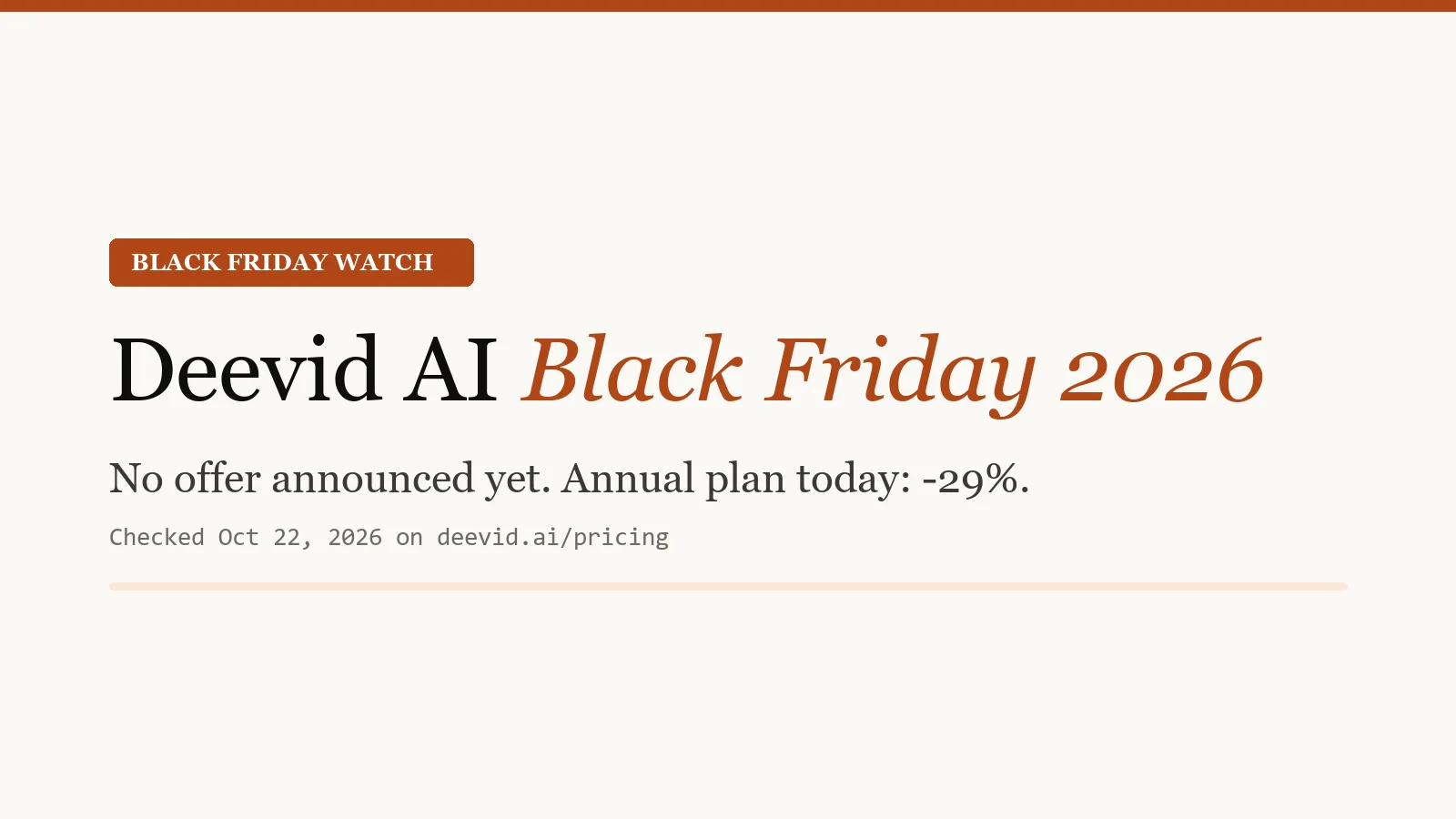
Deevid AI Black Friday 2026: Worth Waiting?
Deevid AI Black Friday 2026: no offer announced yet, but a banner is ready. Verified prices, what to expect and how to get the best price today.
Seedance 2.0 Free: Where to Try It (2026)
Can you use Seedance 2.0 for free? Where it is officially available, what free daily credits cover, current pricing and a free-credit route via Deevid AI.
Most-read decision guides:Is Deevid AI worth it? ·Is it legit & safe? ·Free credits explained ·Beginner guide
Popular effects:AI kissing video generator · AI hug video generator, our step-by-step guides to turning two photos into a clip.
What four creator archetypes actually shipped.
Four detailed case studies covering DTC marketing, YouTube essay channels, freelance design, and small-agency production. Real credit math, real result numbers.
"The product motion shots used to bottleneck every launch. Deevid image-to-video on a simple studio photo gives me rotation, close-up, and context shots in an afternoon. The savings pay for our entire ad creative stack."
Per-SKU production cost: $1,000+ → ~$30
"Stock libraries reach a ceiling where you're paying for increasingly off-brief footage. Deevid hit that same ceiling from the other direction. I was paying less for footage that actually matched my script."
Monthly footage: $200 → $25, retention +22%
"Clients don't remember static moodboards. They remember a 15-second video that looks like what they might actually get. Deevid turned my pitch deck into a portfolio preview, and my win rate followed."
Pitch win rate: 40% → 62%
Questions we got asked this week.
What is Deevid AI?
Is Deevid AI legit and safe?
How much does Deevid AI cost?
Is Deevid AI worth the $25/month Pro plan?
Can I use Deevid AI videos commercially?
Does Deevid AI offer a free trial?
How does Deevid AI compare to Runway, Pika or Sora directly?
How does the credit system work?
Can I cancel anytime?
Skip the trial-and-error. Start with Deevid.
20 free credits on signup: no credit card required, cancel anytime on paid plans. The link below takes you straight to signup.
Try Deevid AI free →