Short answer: Sea Imagine has a free image-to-video form that takes two images and a prompt, asks for no payment and puts no watermark on the result. In our test it returned a 3-second, 864 x 480 clip about 12 minutes after we hit Generate, and it was a good clip: the camera did what we asked and the last frame landed close to our end image. The catch is the wait, the length and the resolution. It is a fine way to try the idea, not a production tool.
Tested on November 12, 2026 on a free Sea Imagine account. We paid nothing, and no score or wording was promised. This page contains affiliate links (disclosure): if you buy credits through them we earn a commission.
Sea Imagine free image to video at a glance
- Cost: 0 credits. The counter on our account read 40 before the run and 40 after.
- Wait: about 11 minutes 50 seconds between the click and a finished clip. Four of our five submissions expired in the queue instead.
- Output: 864 x 480 pixels, 24 frames per second, 3.04 seconds, about 1 MB, with a stereo audio track. The page promises 5 seconds.
- Control: a first frame, a last frame and a prompt. Formats offered: 16:9, 9:16 and 1:1.
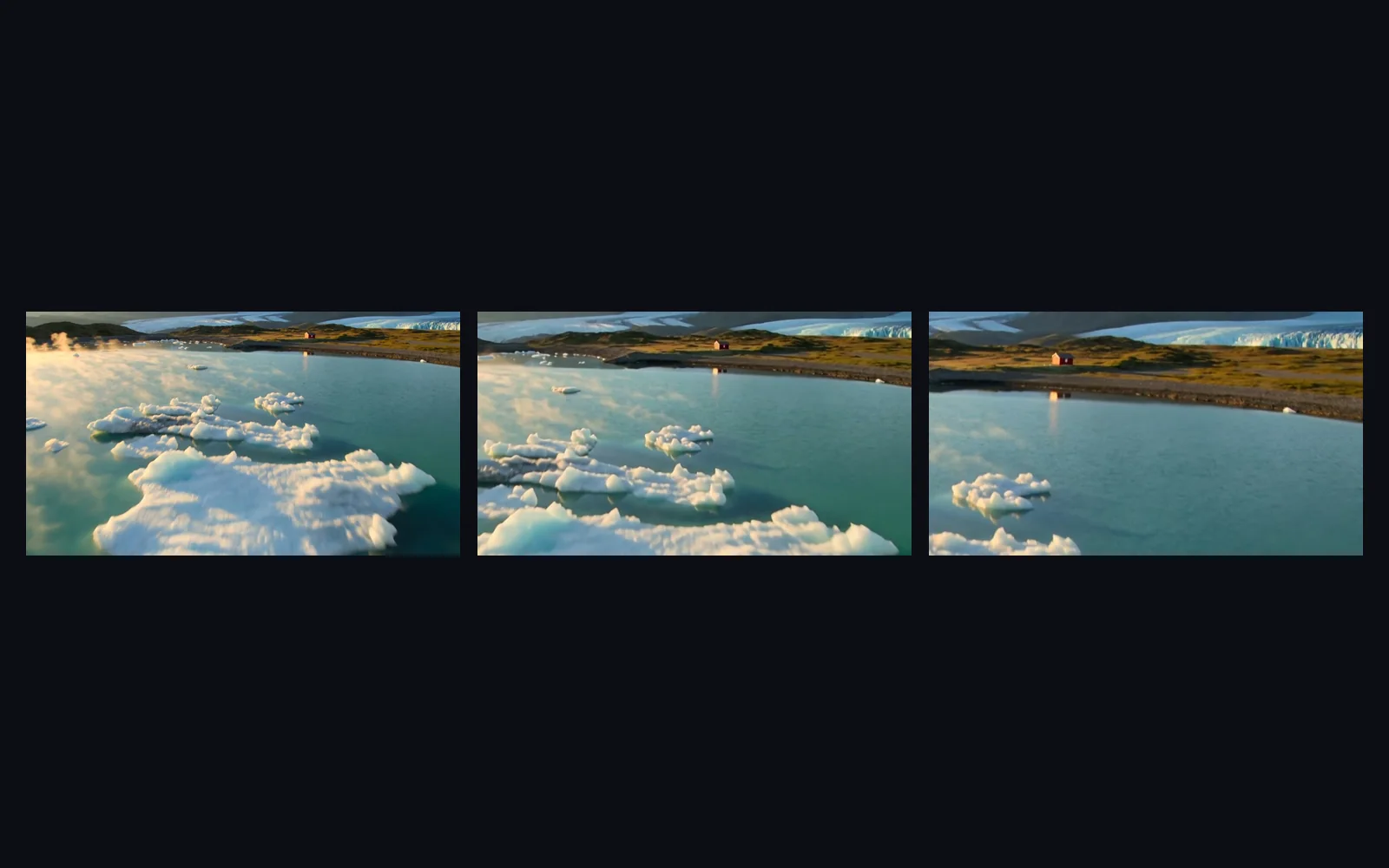
- Quality of the one clip we got: a smooth aerial move toward a red hut, ice floes drifting away, and a final frame close to the end image. Edges get soft at 480p.
- Real price of going further: 500 credits for the default paid setting, 100 credits at the very least, against $19.99 for 10,000 credits.
- Not found: any independent user review. We looked for Trustpilot and Reddit on November 11, 2026.
Try the free form with two images of your own. It costs 0 credits. Plan for a wait of several minutes and keep your browser tab open while it runs.
What does the free form promise?
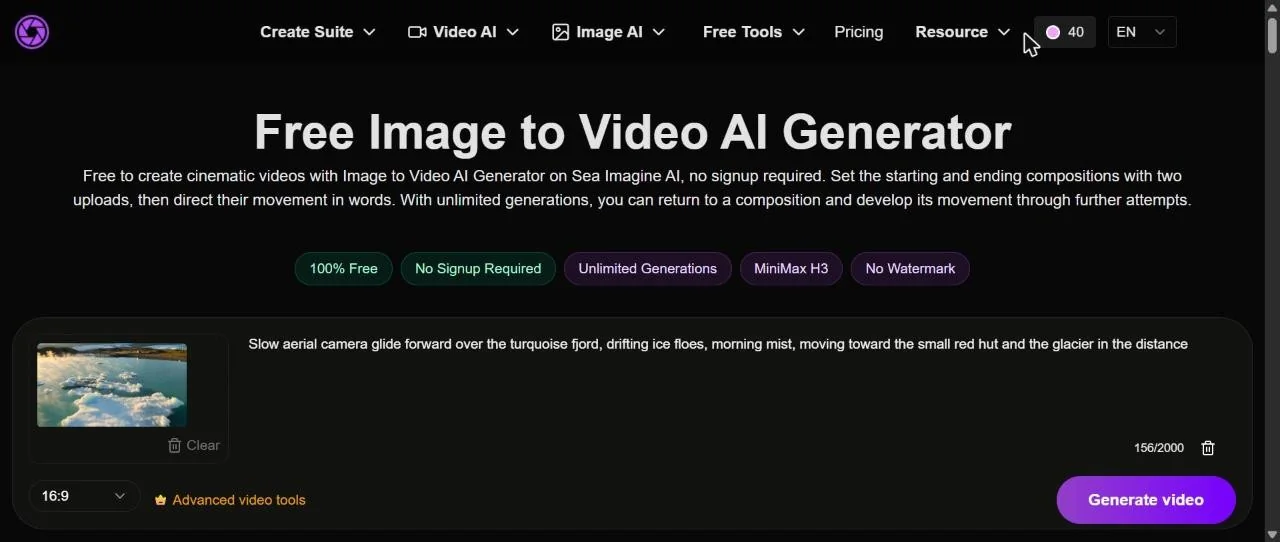
The page at seaimagine.com/free-image-to-video/ lists five badges: 100% free, no signup required, unlimited generations, MiniMax H3 and no watermark. Under the prompt box it states the output in one line, 480p / 5s · 0 credits. It also says your results are saved in the current browser, not in an account, so the history is not a library you can open from another device.
Two rules sit behind the badges. “Unlimited generations” does not remove the queue: the page itself says the promise does not remove waiting in the free queue. And before the request is sent, a Cloudflare verification window opens. On our first attempt that check hung and froze the tab, so we closed it and started again. On the next attempts it cleared by itself in under a minute.
How we tested it
We wanted a job where first and last frames matter, so we used two images of our own. The first is a wide shot of a fjord with floating ice. The second is a tighter crop of the same scene on a small red hut and a glacier. The prompt, in English, was: “Slow aerial camera glide forward over the turquoise fjord, drifting ice floes, morning mist, moving toward the small red hut and the glacier in the distance.” That is 156 characters.
The form opens a crop window for each upload, with a 16:9 frame to confirm, and then shows both thumbnails next to the prompt. We kept the 16:9 ratio, saw 0 credits on the form, and sent the job. We bought nothing and used no paid model.
Sea Imagine’s page says the free form runs MiniMax H3. We have no way to check which model really ran, so everything below is about the output, not the model behind it. If you want the model on its own, see how image-to-video generators work in general.
How long did the queue take?
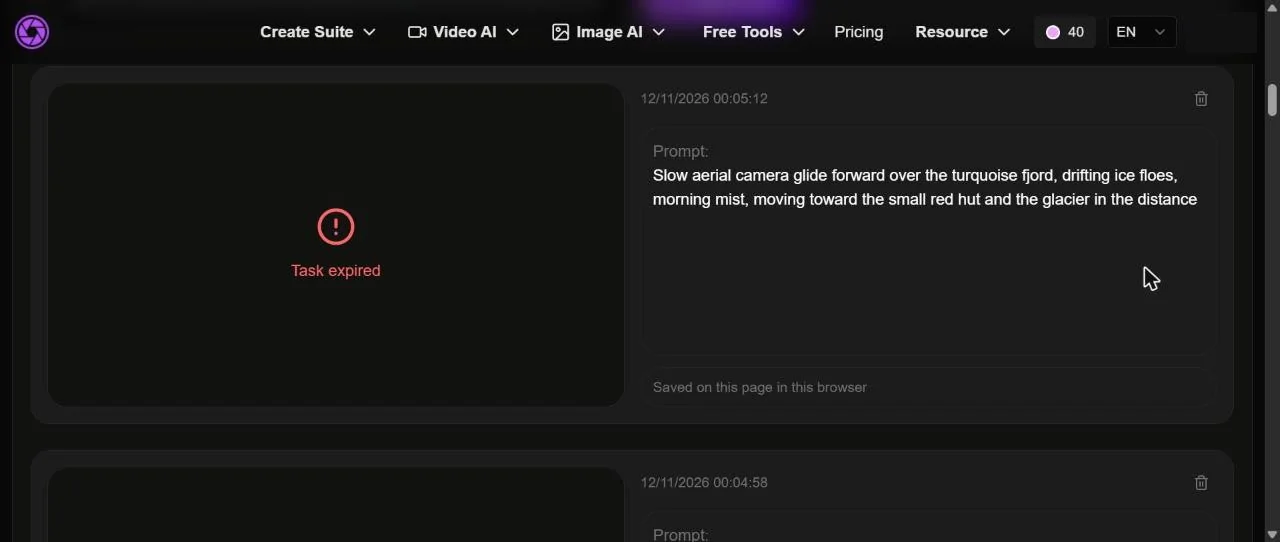
The page shows “Queued: waiting to start generation.” with a spinner, then “Generating your video…”, then a preview with a download button. We sent the same job three times within a minute, because the button gave no visible sign after our first clicks. The two earlier jobs ended as “Task expired”. The last one produced the clip about 11 minutes 50 seconds after it was sent.
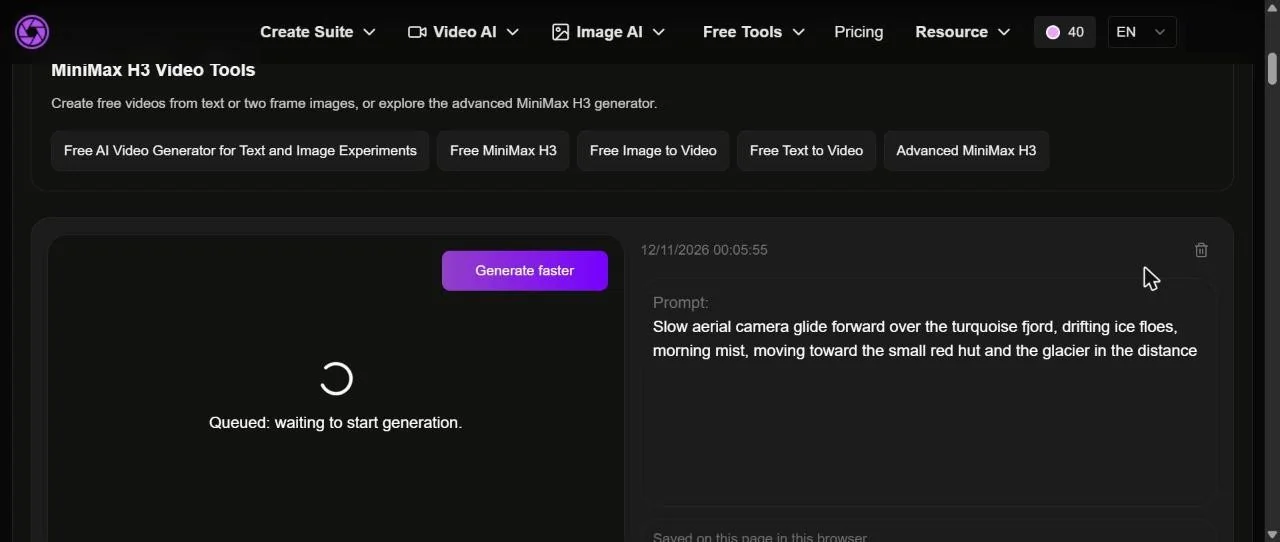
We cannot tell you what decides how long you wait, or after how long a job expires. The page does not say. What we can say is that the two jobs sent first were dropped and the one sent last was served, so do not assume that a job you have sent will come back.
What does the clip look like?
We downloaded the file and checked it with ffmpeg. It is H.264, 864 x 480 pixels, 24 frames per second, 73 frames and 3.04 seconds long. It weighs 1 MB and has a stereo AAC audio track at a mean level of about minus 20 dB. We did not judge the audio. The player on the page shows 0:03, so the length is not a measurement error on our side.
The picture is where the form earns its keep. The camera glides forward as asked, the floes slide out of the lower frame, the mist on the left fades and the red hut grows. The first frame is close to our start image, and the last frame is close to our end image: hut near the centre, glacier on the horizon, ice floes at the bottom left.
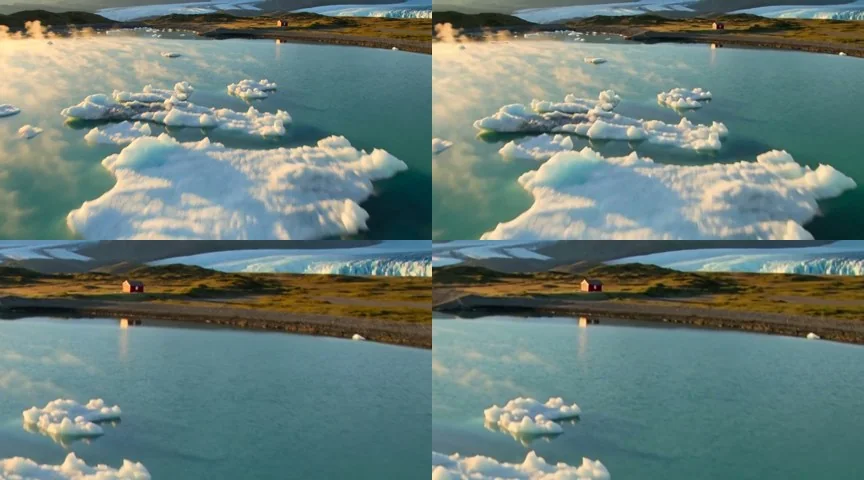
The flaws are the ones you expect from a free 480p clip. Ice edges get soft as the camera moves, fine detail on the water is lost and the picture is small. We saw no watermark in the six frames we pulled from the file.
The whole test in one short video
We also cut a short demo that shows the two input images, our prompt and the raw result, with the numbers we measured at the end.
What about vertical video and text only?
We also tried the vertical format twice. We chose 9:16 in the ratio menu, gave no image and typed a 147-character prompt in English: a baker pulling golden croissants from an oven, steam rising, warm morning light, slow push-in. The form still said 480p / 5s · 0 credits. Both submissions ended as “Task expired” after about 12 minutes, so we have no vertical clip to show you and we cannot say whether text-only generation works. The menu does offer 16:9, 9:16 and 1:1, and we did not test 1:1.
Add it up and the free form served one clip out of five submissions during our evening session: three sent with images in 16:9 (one clip, two expired) and two sent as text in 9:16 (two expired). It is a small sample from one night, but it is the reason we tell you to plan for a retry.
What does “free” cost once you leave the form?
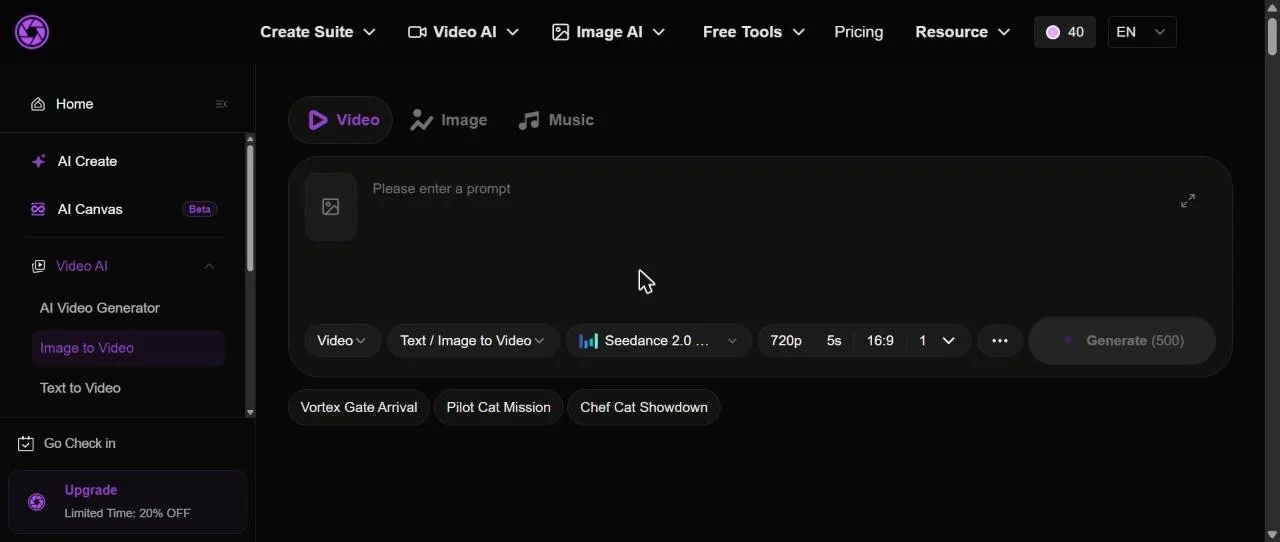
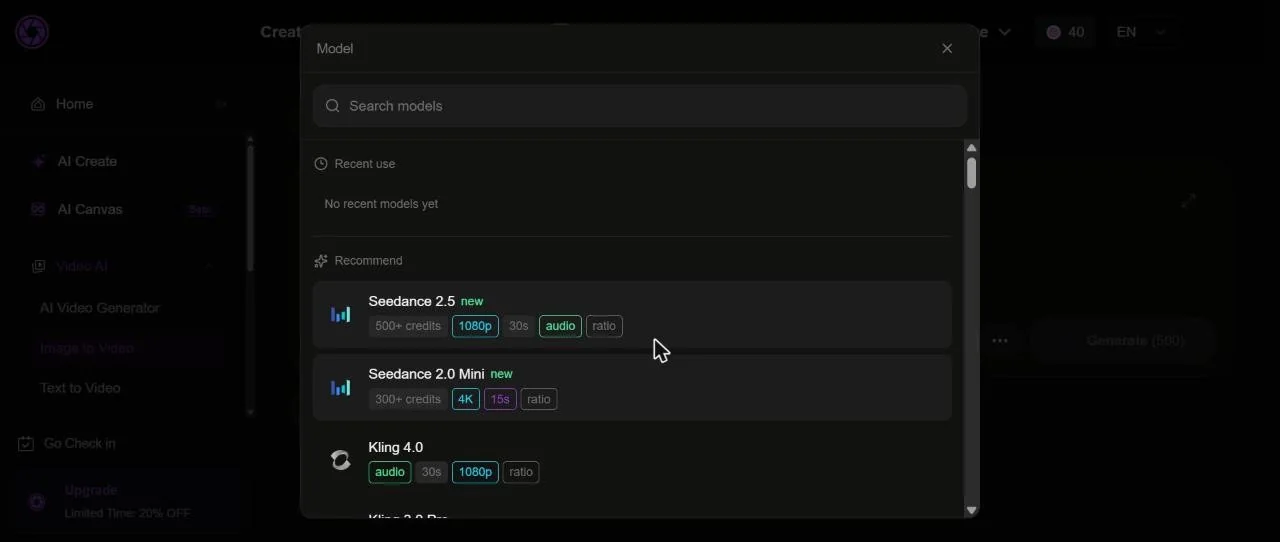
The free form is one door into a paid platform. The main Image to Video tool opens on Seedance 2.0 at 720p and 5 seconds, and its Generate button reads 500 credits. Our account had 40. We opened the model list to read the prices, and the lowest “from” price we saw was 100 credits. So with the credits on our account we could not have paid for a single clip on any listed model, and we launched none.
The prices in the model list are “from” prices, so the real cost depends on duration, resolution and audio. A selection of what we read:
| Model | Credits, “from” price |
|---|---|
| Kling 1.0 | 100+ |
| Kling 2.6 STD | 150+ |
| Hailuo 2.3 Fast | 200+ |
| Wan 3.0 | 250+ |
| Seedance 2.0 Mini | 300+ |
| Kling 3.0 Pro | 450+ |
| Seedance 2.5 | 500+ |
| Veo 3.1 | 1,500+ |
How much do the credit packs cost?
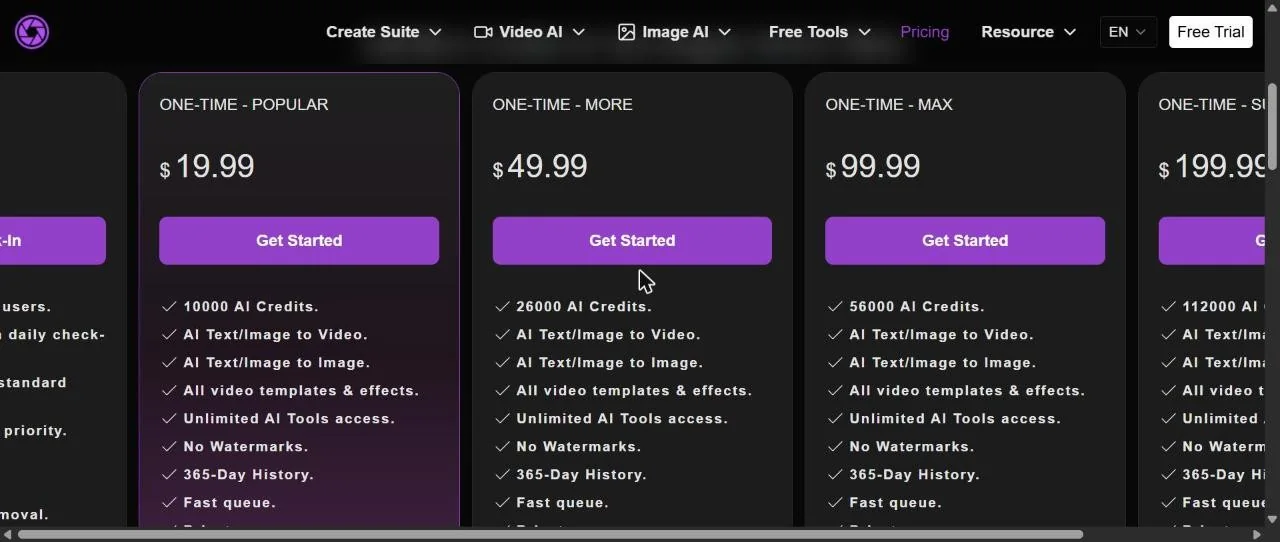
We read the pricing page on November 11, 2026. There is a free column and four one-time packs. There is no subscription on that page, and the credits are valid for one month.
| Pack | Price | Credits |
|---|---|---|
| Popular | $19.99 | 10,000 |
| More | $49.99 | 26,000 |
| Max | $99.99 | 56,000 |
| Super | $199.99 | 112,000 |
By our arithmetic, a 500-credit clip costs about $1.00 on the smallest pack and about $0.89 on the largest. The paid packs list no watermark, a 365-day history, a fast queue and a commercial license. The free column lists limited access to standard models, slower processing priority and a 15-day history, and says new users get 60 credits and 20 credits for each daily check-in. Our account showed 40, and we cannot explain the gap with the 60 on the page.
Who is behind Sea Imagine?
The footer says OPEN MAKER AI INC. The terms of service give an address in Casper, Wyoming, and say they are governed by the laws of Singapore. That is all we can say. We did not check any company register, and when we searched for user reviews on November 11, 2026, we found no Trustpilot page for seaimagine.com and no Reddit thread. Aggregator sites list the tool, but their prices disagree with each other, so we relied on the pricing page only.
What we did not test
- A visitor with no account. We were logged in to a free account.
- The model behind the form. The page says MiniMax H3. We can only describe the output.
- Paid models. We spent no credits and bought nothing.
- Commercial use of free clips. The free column of the pricing page does not include a commercial license.
- Vertical and text-only. Both of our 9:16 submissions expired, and we did not try 1:1.
- Many clips. We have one finished clip.
Is the free form worth using?
Yes, if you treat it as a sketchpad. Two frames and a sentence gave us a camera move that matched the idea, for no cost and no watermark. That is useful for testing whether a pair of images works as a transition before you spend credits anywhere, and for a quick social clip where 480p is acceptable.
No, if you work to a deadline. A 12-minute wait, a clip shorter than the one advertised and a job that can expire do not fit a production schedule. If you only want to animate a single photo, our guide to AI image-to-video generators covers the usual free options and their limits, and our Seedance 2.0 free guide shows what a free credit buys on another platform.
Test your own two frames. The form costs 0 credits. Paid credits start at $19.99 for 10,000.
FAQ
Is Sea Imagine's free image to video really free?
Yes, for the form we tested. The page says 480p / 5s · 0 credits, and our credit counter read 40 before and 40 after the generation. You pay nothing, but you pay in time: our clip came out after about 12 minutes in the queue, and four of our five submissions expired.
Do you need an account to use it?
The page says no signup is required. We tested while logged in to a free account, so we cannot tell you from experience how the form behaves for a visitor with no account at all. The form asks for a Cloudflare check before it sends your request.
How long is the free clip, and in what resolution?
The page announces 5 seconds at 480p. Our file was 864 x 480 pixels and 3.04 seconds long, at 24 frames per second, about 1 MB. The length is the biggest gap between the promise and what we received.
Can you set the first and the last frame?
Yes. The form takes up to two images, the first frame and then the last frame, plus a prompt of up to 2,000 characters. In our test the last frame of the clip came very close to the end image we gave it.
Does the free clip have a watermark?
The page says no watermark. We checked six frames of our clip and saw none. We did not test the downloaded file on other accounts, so treat this as what we saw on one clip.
How many credits does a paid Sea Imagine video cost?
On the paid Image to Video tool, the default setting (Seedance 2.0, 720p, 5 seconds) shows 500 credits on the button. The cheapest model we saw starts at 100 credits, so the 40 credits on our account did not cover a single paid clip.
How much do Sea Imagine credits cost?
Prices read on the pricing page on November 11, 2026: $19.99 for 10,000 credits, $49.99 for 26,000, $99.99 for 56,000 and $199.99 for 112,000, all one-time packs with credits valid for one month. Our arithmetic gives about $1 for a 500-credit clip on the smallest pack.
Can you use the clips commercially?
The pricing page lists a commercial license as included in the paid packs. The free column of that page does not include it, and we read no such promise on the free form, so check the terms before using a free clip in client work.
Who runs Sea Imagine?
The terms of service name OPEN MAKER AI INC, with an address in Casper, Wyoming, and say they are governed by the laws of Singapore. We did not check any company register. When we searched on November 11, 2026, the evening before the test, we found no Trustpilot page and no Reddit thread about it, so we cannot tell you what other users think.