Short answer: Higgsfield is a multi-model AI image and video hub: one credit balance that you spend on Kling, Seedance, Veo, Wan, Hailuo, Nano Banana, GPT Image and its own models. In our test, four real generations on an Ultra plan (6.5, 7.5, 35 and 7.5 credits) were all charged at exactly the price shown on the button, and two of the three videos looked good enough to use. The catch is not the output. It is how long the app takes to load and refresh, and how many upgrade offers it throws at you. Plans start at $19 a month, and the price per clip depends far more on the model you pick than on the plan you buy.
Tested on October 26, 2026 on an Ultra plan provided by Higgsfield for one month. Higgsfield did not review this page. It contains affiliate links (disclosure).
Higgsfield review at a glance
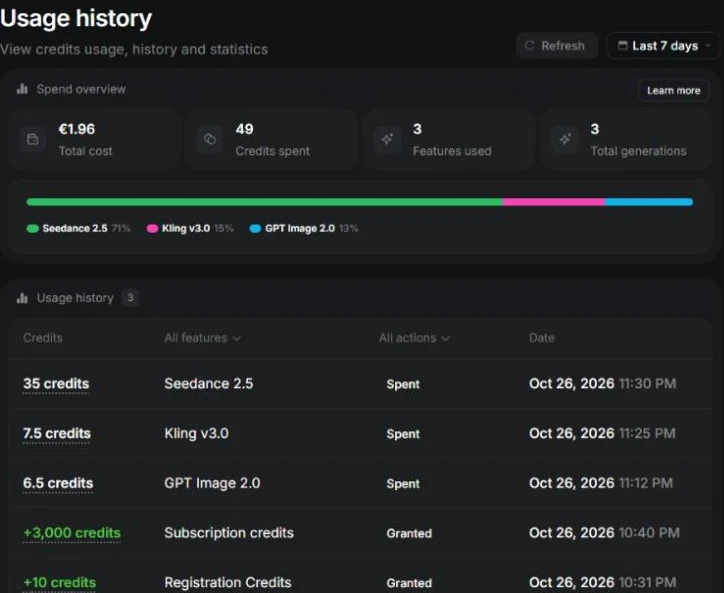
- The displayed price is the real price. Four generations, four debits that matched the button to the decimal. The usage page adds them up to 56.5 credits.
- The same model can cost 4 times more depending on defaults. Kling 3.0 opened at 4K for 30 credits. Switching to 720p brought it to 7.5.
- Output quality was solid. The Kling 3.0 and Seedance 2.5 coffee-cup clips had believable steam, soft light and a clean push-in. The image-to-video clip kept the source photo faithfully.
- Seedance 2.5 is the slow one. More than ten minutes from click to a clip we could play, and the page kept saying “Generating” until we reloaded it.
- The web app is heavy. In our Chrome session each screen took one to two minutes to become usable, and typing sometimes froze the page. This may be partly our setup, but we saw it on every page.
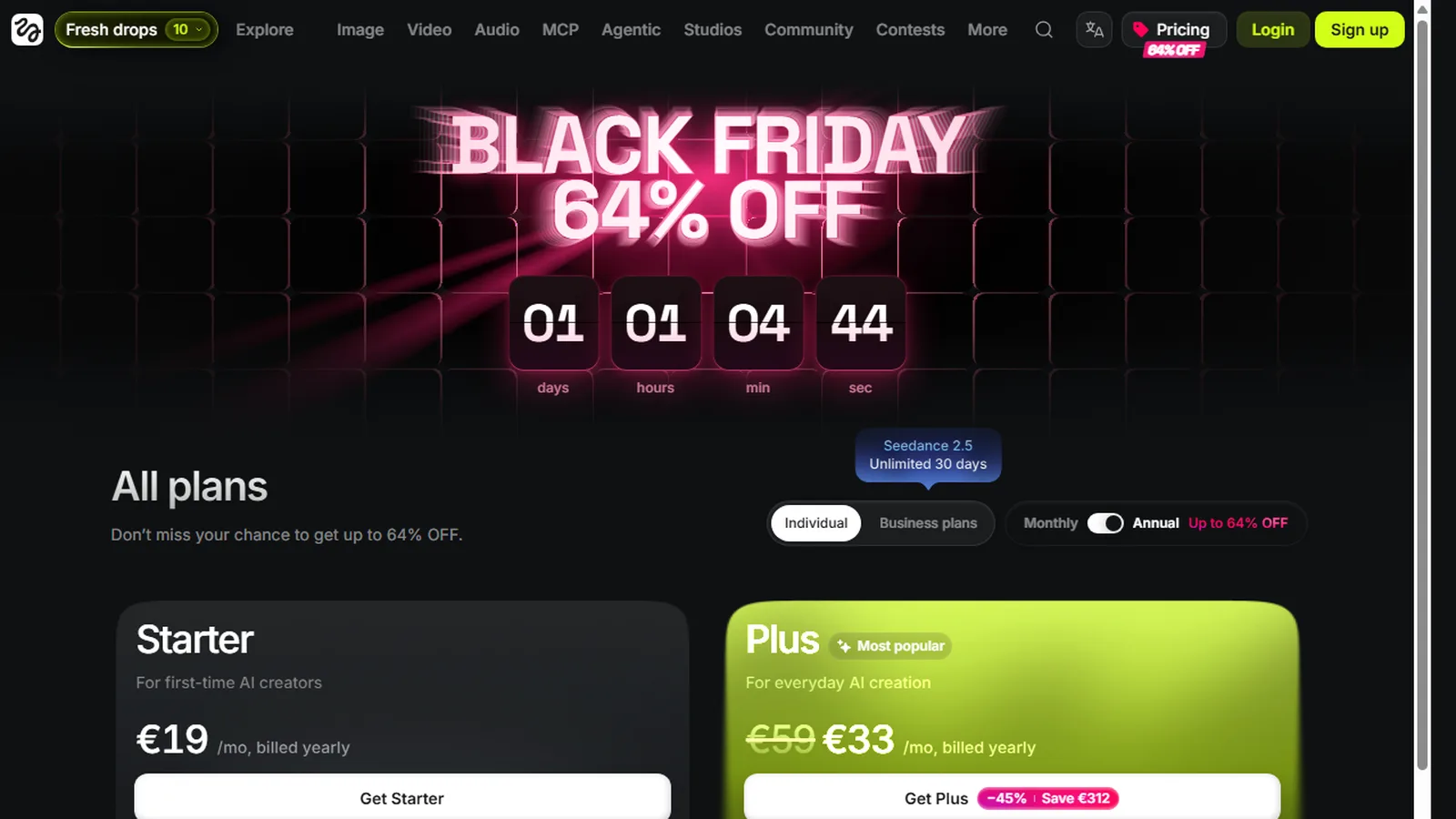
- Upgrade pressure is constant. A full-screen annual offer on load, a countdown banner, “welcome bundle” pop-ups and a Kling 4.0 announcement, all while testing.
- Not tested: Veo, Wan, Hailuo, Higgsfield’s DoP models and effects presets, lip-sync, characters, exports and any watermark question.
Check the credit price before you pay for a plan. Open the video tool, pick a model and read the number on the Generate button. It matched our debit every time.
What is Higgsfield?
Higgsfield (higgsfield.ai) is a hub that gives access to many third-party models next to its own. The navigation lists Image, Video, Audio, an MCP connector, an API, an AI Influencer tool, Ads Studio, Marketing Studio, Cinema Studio, Content Factory and more than a dozen other modules. The pricing page lists dozens of video models: Seedance 2.0 and 2.5, Kling 2.1 to 3.0 and Omni, Google Veo 3 and 3.1, Wan 2.2 to 3.0, Minimax Hailuo, Grok Video and the in-house DoP family.
The pitch is simple: you do not subscribe to each lab separately. You buy credits and spend them wherever the best model for the shot happens to be. That is the same idea behind Deevid AI, which bundles 14+ models, and our AI video pricing research now includes Higgsfield next to 12 other tools.
How we tested Higgsfield
We kept the brief small on purpose, so we could check every credit. One subject, a ceramic coffee cup on a wooden table by a window at sunrise, run through the three things people use Higgsfield for most: a still image, a text-to-video clip and an image-to-video clip. Same prompt each time, whenever the model allowed it.
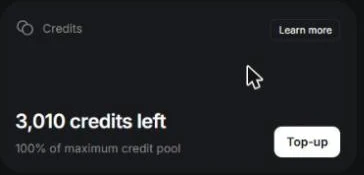
Before each generation we read the number on the Generate button. After all four we opened the usage history and compared. We started the day with 3,010 credits: 3,000 from the Ultra subscription and 10 registration credits. Everything ran in Chrome on Windows with the account opened by us, and we did not buy anything or accept any upgrade offer.
Test 1: one image with GPT Image 2 (6.5 credits)
The image tool opened on GPT Image 2 at High quality and 2K. We typed the cup prompt, added “16:9” at the end, and the button read 6.5 credits, with a higher crossed-out price next to it. The result appeared after a few minutes in Assets: a warm, believable photo of a stoneware cup with a thin line of steam and a hazy valley through the window.
It came out square. The aspect ratio was on “Auto” in the toolbar and the “16:9” in the prompt text was ignored, so if you need a ratio, set it in the interface, not in the prompt. A small point, but it cost us a clip format later.

Test 2: Kling 3.0 text-to-video (7.5 credits)
On the Kling 3.0 page the settings were 5 seconds, 16:9, sound off and 4K quality. The button said 30 credits. That is the most useful thing we learned about the interface: the default is the expensive option. We changed the quality to 720p and the button dropped to 7.5 credits, which matches the roughly 7 credits per 5 seconds that the pricing page lists for Kling 3.0 at 720p.
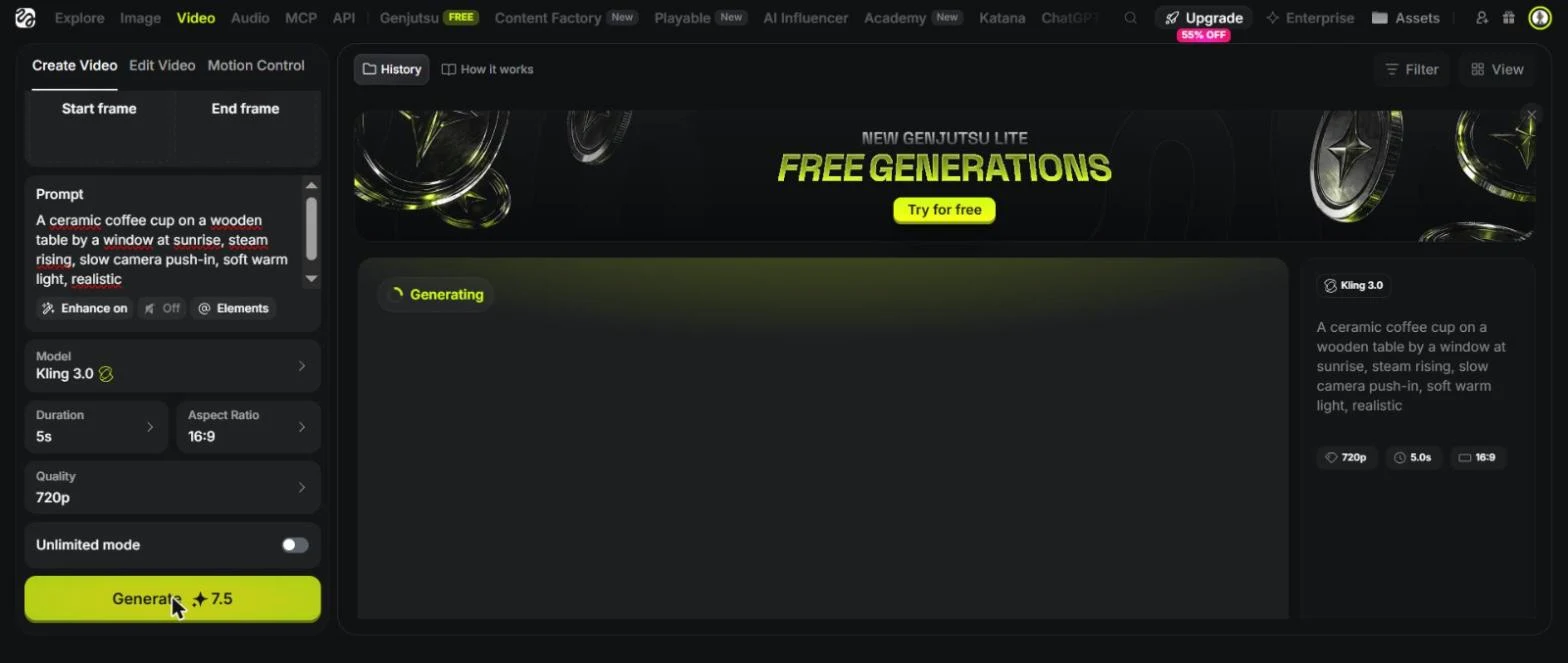
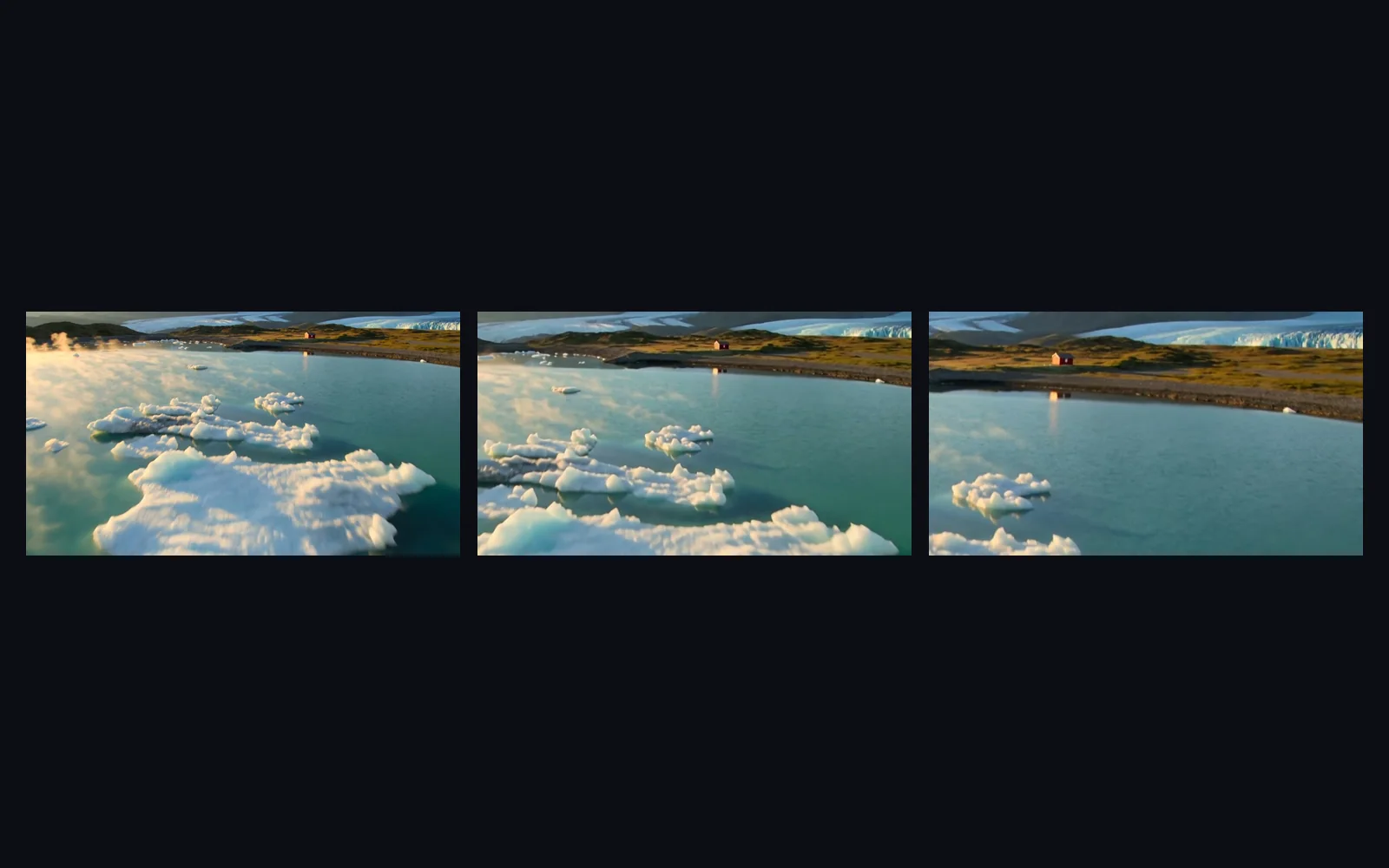
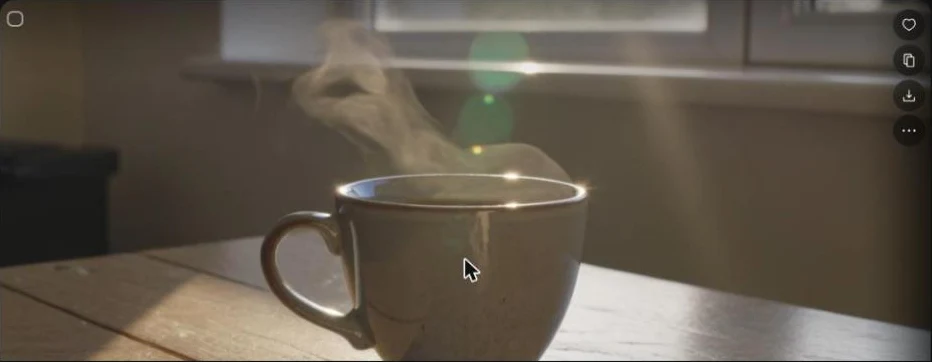
The clip took roughly four minutes of wall-clock time on our side. The result was the best of the day for a one-line prompt: a low sun flaring across the lens, a visible plume of steam that twists as it rises, a slow move toward the cup. The cup is not the same stoneware mug as in the photo test, which is expected when no image is supplied. At 720p the picture is clean but soft on fine wood grain.
Test 3: Seedance 2.5 with sound (35 credits)
Seedance 2.5 is the new flagship in the lineup. It opened at 1080p with a “High” bitrate and sound on, for 80 credits. Dropping to 720p brought it to 35 credits, the same figure Higgsfield publishes in its own pricing guide. That is a hair under five times the price of the Kling clip.
We launched it and waited. The button said “Generating” for more than ten minutes and never switched to a result. After we reloaded the page, the clip was in the history. The credits had been debited at launch, so nothing was lost, but the interface does not tell you when a job finishes, and that is a real annoyance when each page load takes a minute or two.
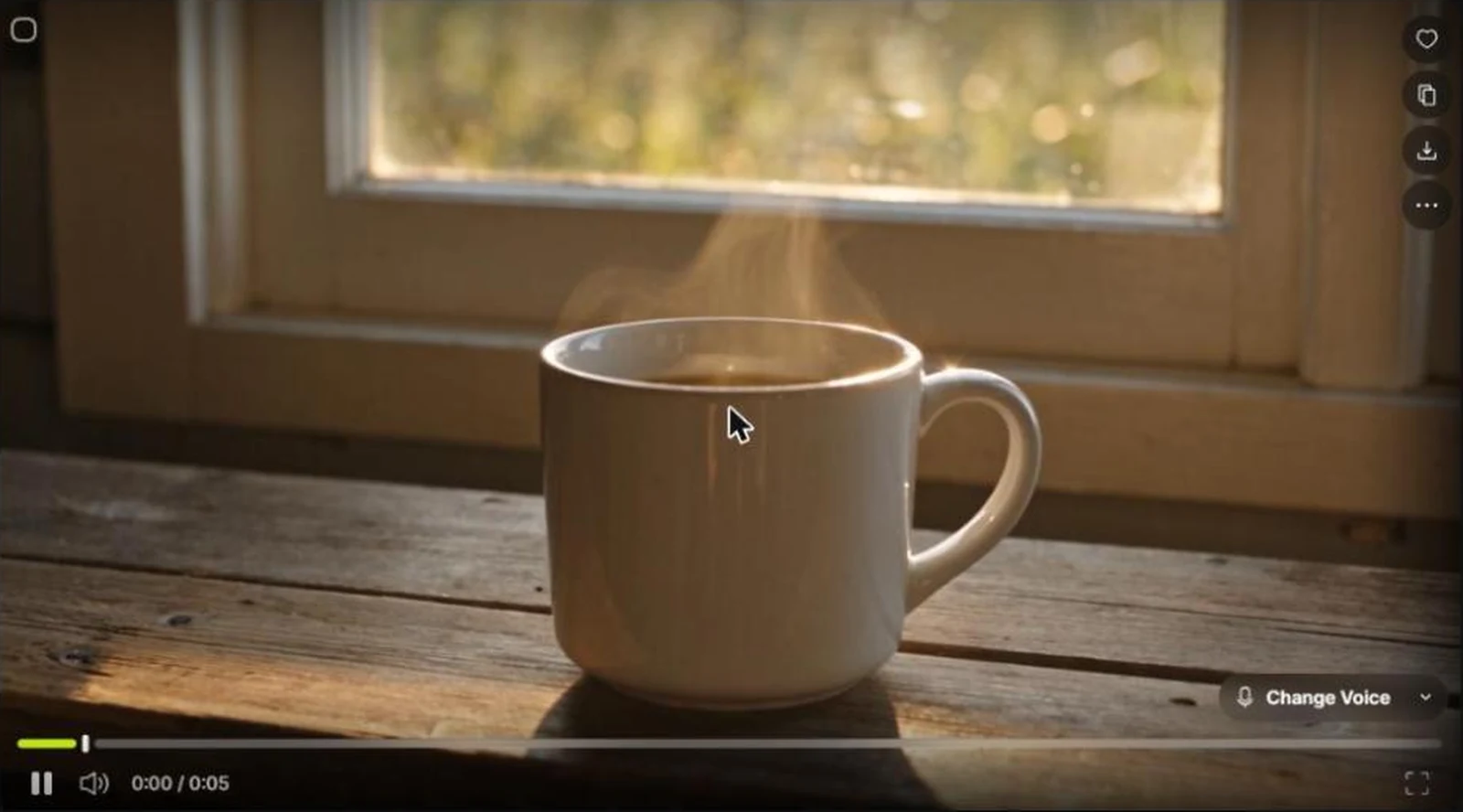
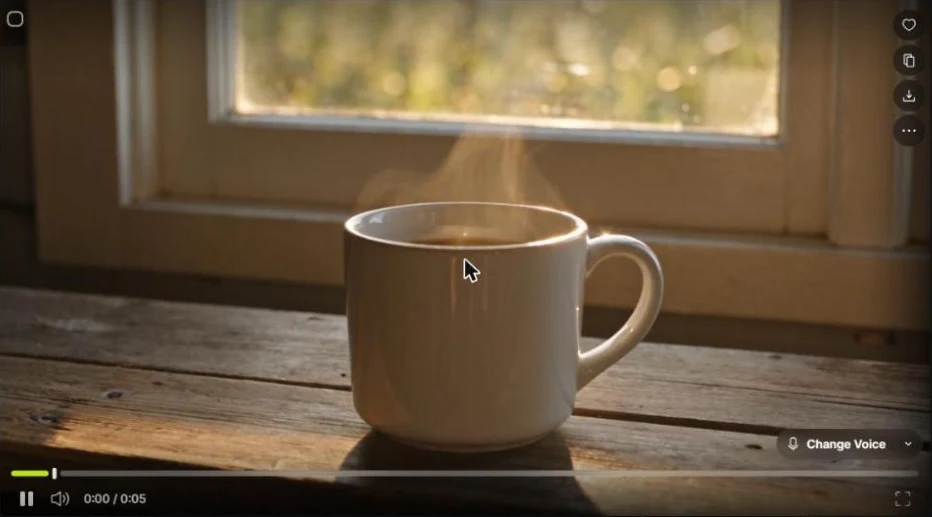
The clip itself is very good. The tone is warmer and more filmic than Kling’s, the mug is clean and photographic, the steam is gentler and the camera move is smooth. Sound was on, and the player offered a “Change Voice” control, but we judged the picture only and did not review the audio track.
Test 4: image-to-video with Kling 3.0 (7.5 credits)
For the last test we used the GPT Image 2 photo as the start frame. The picker has an “Image Generations” tab, so there is no download and re-upload step. We kept the same prompt and 720p, and the price stayed at 7.5 credits.
The clip stays faithful to the photo: same mug, same speckled glaze, same valley behind it. Steam rises, the camera pushes in and the mug grows in the frame. Because the source was square, the clip is square too, 1:1. If you plan vertical or widescreen clips, generate the still in the right ratio first.

What 56.5 credits cost in real money
Higgsfield’s usage page shows a euro value for what you spend. Our first three generations (6.5 + 7.5 + 35 = 49 credits) were valued at 1.96 euros, about four cents a credit, which matches the Ultra plan’s price divided by its credits. With the fourth clip the total is 56.5 credits, roughly 2.3 euros.
Here is what the same plans buy at the credit prices we saw. The clip counts are our arithmetic: monthly credits divided by credits per 5-second clip, rounded down, before any free or unlimited allowance.
| Plan | Price / month | Credits | Kling 3.0, 720p (7.5) | Seedance 2.5, 720p (35) |
|---|---|---|---|---|
| Starter | $19 | 270 | 36 clips | 7 clips |
| Plus | $59 | 1,200 | 160 clips | 34 clips |
| Ultra | $129 | 3,000 | 400 clips | 85 clips |
That works out to about $0.53, $0.37 and $0.32 per Kling clip, against about $2.71, $1.74 and $1.52 per Seedance 2.5 clip. The lesson matches our research page: the sticker price of a multi-model hub says little. The model you pick and the resolution you accept decide the bill.
Higgsfield pricing (read October 26, 2026)
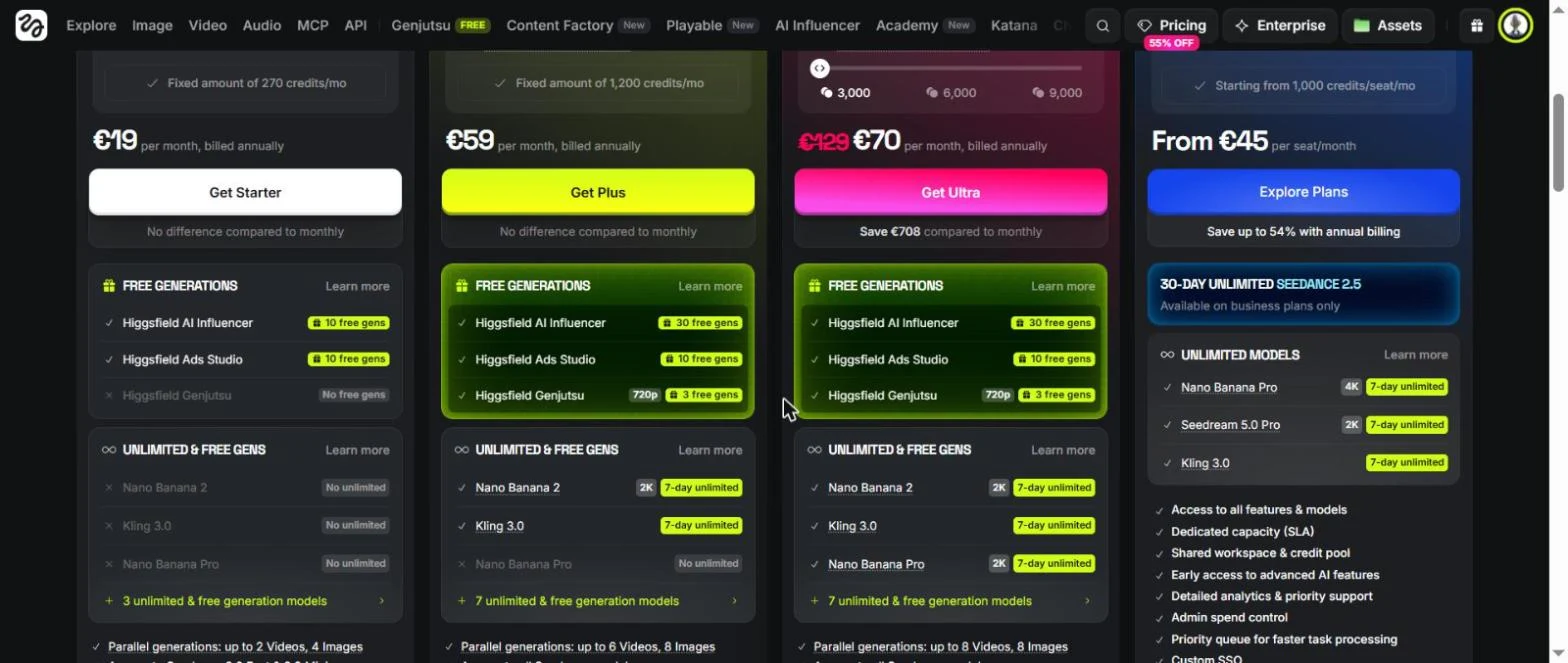
Plans and credits come from the pricing page and its comparison table. Our account displayed euro prices with a personal promotion, so we use list prices and treat the dollar and euro numbers as equal. Higgsfield’s own pricing blog, dated October 24, lists Starter at $15 for 200 credits and Plus at $49 for 1,000, so confirm the figures before you buy.
- Free: 0 credits, limited use of a few image models, one job at a time, no commercial use.
- Starter, $19: 270 credits, 2 parallel video jobs and 4 image jobs, commercial use included.
- Plus, $59: 1,200 credits, 6 parallel video jobs, more free and unlimited models, 30 free generations of the AI Influencer tool.
- Ultra, $129: 3,000 credits (a slider goes up to 9,000), 8 parallel video jobs, the longest list of 7-day unlimited image and video models.
- Team and Scale: per-seat business plans with a shared credit pool and business verification.
Annual billing lowers the monthly figure, and our account was shown a promotional annual offer at launch. The “unlimited” models are limited in scope: they are a short list, mostly for a window of seven days on monthly plans, and the pricing page notes that they do not apply through MCP, CLI, Canvas or Supercomputer.
What annoyed us
- Load times. Every page, even the account settings, needed one to two minutes before we could click. The page froze several times while we typed a prompt. Higgsfield is graphics-heavy, so a lighter machine might do better, but you should try it on yours during the trial.
- No live status. The “Generating” label never turned into a result until we reloaded.
- The interstitial. A full-screen “secret annual offer” with a countdown opens in a new session, before you can work. “Skip Special Offer” is in a corner.
- Pop-ups. A welcome bundle, a Kling 4.0 announcement, a “Free generations” banner and a yellow top bar with a countdown, in one afternoon.
- Expensive defaults. 4K on Kling and 1080p on Seedance. Check the button every time.
Higgsfield vs alternatives
If you want one model with a low entry price, a single-vendor tool will be cheaper: our pricing dataset has Kling from $6.99 and Pika from $8. If you want a bundle of models at a lower entry price, look at Deevid AI, which starts at $10 with 14+ models. Our guides on Kling and Seedance show what those models do on their own.
Higgsfield makes sense when you actually switch models, for example drafting on Kling 3.0 at 720p, then re-rendering the one shot you keep on Seedance 2.5 at 1080p.
Who Higgsfield is for
- Good fit: creators who want to try several frontier models with one balance, and who will check the credit price before each render.
- Good fit: people who start from a still image and want to animate it without leaving the app.
- Not a fit: anyone who needs a fast, light interface, or who only uses one model.
- Be careful: free “unlimited” offers are narrow and time-limited. Read the lists.
Our verdict on Higgsfield
Higgsfield does what it says on the button. The prices were honest, the Kling and Seedance clips were good, and image-to-video worked at the same cost as text-to-video. What we did not like sits around the tool, not in it: a slow web app, no status updates and a stream of upsells. We tested only four generations, so this is not a full review of every module.
Our advice: start on the cheapest paid plan that fits your month, work at 720p until a shot is approved, and use Seedance 2.5 or 1080p only for the keepers. Compare the credit price against the single-vendor alternative before you commit.
Run our test on your own subject. Pick Kling 3.0 at 720p, read the price on the button, and see whether the result earns a higher setting.
FAQ
Is Higgsfield free?
Not really. The Free plan gives 0 credits, limited use of a few image models, one job at a time and no commercial use. Paid plans start at $19 a month for Starter (270 credits), then $59 for Plus (1,200 credits) and $129 for Ultra (3,000 credits). Higgsfield's own pricing blog lists Starter at $15 and Plus at $49, so check the live page. Prices read October 26, 2026.
How many credits does a Higgsfield video cost?
It depends on the model, resolution, duration and sound. On our account a 5-second Kling 3.0 clip cost 7.5 credits at 720p without sound, and the same model defaulted to 30 credits at 4K. A 5-second Seedance 2.5 clip with sound cost 35 credits at 720p and 80 at 1080p.
Does Higgsfield charge what it displays?
In our test, yes. We noted the price on the Generate button before each of the four generations (6.5, 7.5, 35 and 7.5 credits) and the usage history showed exactly those amounts.
Which Higgsfield model should I use?
For short clips on a budget, Kling 3.0 at 720p was the cheapest good result we got. Seedance 2.5 costs about five times more per 5-second clip, and adds generated sound. We did not test Veo, Wan or Higgsfield's own DoP models.
Can Higgsfield turn a photo into a video?
Yes. We used an image generated earlier as the start frame of a Kling 3.0 clip. It cost the same 7.5 credits as text-to-video and produced a 5-second clip with rising steam and a slow push-in. The output took the image's square ratio rather than 16:9.
Is Higgsfield worth it compared with a single-model tool?
If you want to compare several models with one balance, yes. If you only need one model, the entry price is mid-table: Kling, Pika and Deevid AI all start lower in our pricing dataset. Higgsfield also pushes upgrade offers constantly, which we found tiring.
Can I use Higgsfield videos commercially?
The plan comparison table lists commercial use as included on Starter, Plus and Ultra and not included on Free. We did not export or publish any file, so read the terms before a client project.