Short answer: NimbleVid is an all-in-one faceless YouTube video generator built for long-form: it takes one idea through title, script, ElevenLabs narration, one generated image per scene, camera motion, subtitles, thumbnails and the YouTube description, then exports a finished MP4. In our hands-on test it produced a 9-minute 05-second video in 1080p, with no watermark, for 1,089 credits (about $10 to $19 depending on how you buy credits), in roughly 35 minutes from title to download. It is one of the most complete long-form pipelines we have tried. It is not a “publish without looking” tool: on-image text can be invented, outfits drift between scenes, and generative animation is locked to paid plans. Plans start at $49/month.
How we tested, and who paid. We ran two real projects on October 23, 2026, from a fresh account with no subscription. The account received the standard 600 signup credits, and the publisher then added 2,500 test credits so we could produce a long video (the account ledger labels them “Test grant”). Test credits provided by the publisher; we bought nothing, and NimbleVid did not see or approve this review. Everything below comes from that test unless we say otherwise.
Affiliate disclosure: links to NimbleVid on this page are affiliate links. If you subscribe through them we earn a commission, at no extra cost to you. See our disclosure policy.
NimbleVid review at a glance
- It really ships a finished video. Title, script, voiceover, scene images, Ken Burns motion, music, burned-in subtitles, two thumbnails and a YouTube description. Both of our MP4s (3:27 and 9:05) came out at 1920 x 1080, 25 fps, with no watermark.
- Every action shows its price before you click, and the debit matched. 487 credits for the 3-minute video, 1,089 for the 9-minute one. Failed jobs were refunded automatically.
- Speed is good. About 36 minutes end to end for the short video and about 35 minutes for the long one, because the long video’s 109 images arrived in 3 minutes 20 seconds.
- Character consistency is partial. Faces stay recognizable; outfits and small details do not always follow.
- On-image text can be wrong. We caught an inventor who does not exist and a wrong patent year. For a history channel, a scene-by-scene review is mandatory.
- No generative animation without a plan. Free credits get Ken Burns and Build-up only.
What is NimbleVid?
NimbleVid (nimblevid.ai) is a web app from NimbleVid LLC, a US company. One video is one project, and you move through it tab by tab: Title, Script, Voiceover, Visuals, Animation, Final Video, Thumbnail, Description. The whole thing is aimed at faceless YouTube channels: history, explainers, “what happened to” stories, documentary-style narration.
Its pitch is long-form, fully generated video. The official long-form page shows a 38-minute 54-second demo made from a 5,980-word script cut into 465 generated scenes, with no stock footage. That is the real difference from tools that stitch licensed clips together, like InVideo AI or Fliki: every frame in a NimbleVid video is an image generated for that scene, in one consistent style.
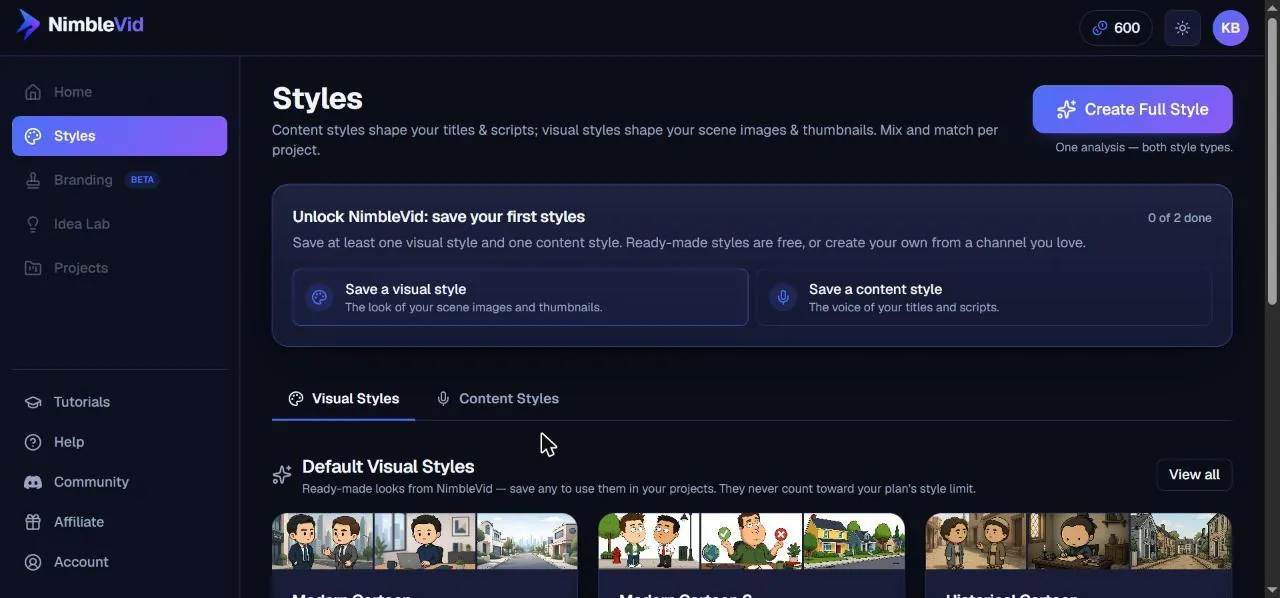
Everything starts with styles. NimbleVid separates a content style (the voice of your titles and scripts) from a visual style (the look of scene images and thumbnails). About twenty ready-made visual styles are free to use: modern cartoon, historical cartoon, stick figures, origami, photoreal documentary, parchment, archive film and more. Five ready-made content styles cover documentary narrator, punchy explainer, children’s story, casual creator and story hook. You can also clone a channel’s style from one to four of its videos.
How we tested NimbleVid
We judged NimbleVid on the job it is sold for: feeding a faceless YouTube channel. Two projects, same account, same day:
- A 3-minute 27-second explainer on the history of the office paper clip, from the first patents to its role as a symbol of resistance in occupied Norway. We asked for a recurring character, Henri, a mustached office clerk in a brown vest, to test the consistency promise. Ready-made styles: Documentary Narrator and Historical Cartoon.
- A 9-minute 05-second video on the invention of the barcode, with a content style and a visual style cloned from Simple History, a popular animated military-history channel. This one ran on the publisher’s test credits.
Our channel brief was written for a French-language channel, so the scripts and captions you see in some screenshots are in French. The interface, the 30 voices and every style are in English, so English is the native path. We did not run an English-language project, so our observations on script and voice quality come from French output.
Before each generation we noted the displayed price, then checked the balance. We timed every step, downloaded both MP4 files, checked their resolution and duration, scanned frames for watermarks, and ran the voiceover through automatic transcription to check it matched the script. Everything ran in Chrome on Windows.
Step by step: our 3-minute faceless video
Styles: four anchor images define the look
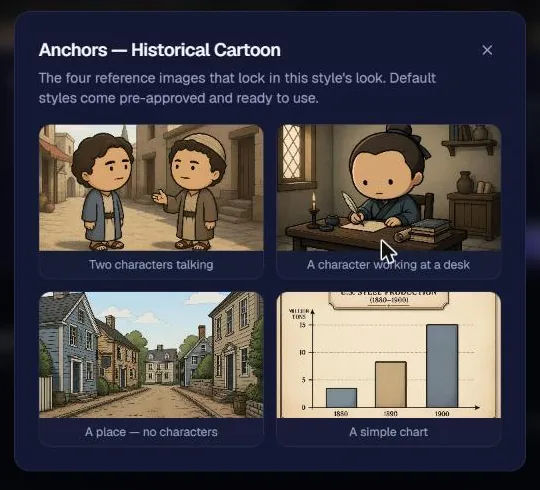
You cannot create a project until you have saved one content style and one visual style. Each visual style rests on four “anchors”, reference images that lock the look: two characters talking, a character at a desk, a place with no characters, and a simple chart. Ready-made styles come pre-approved.
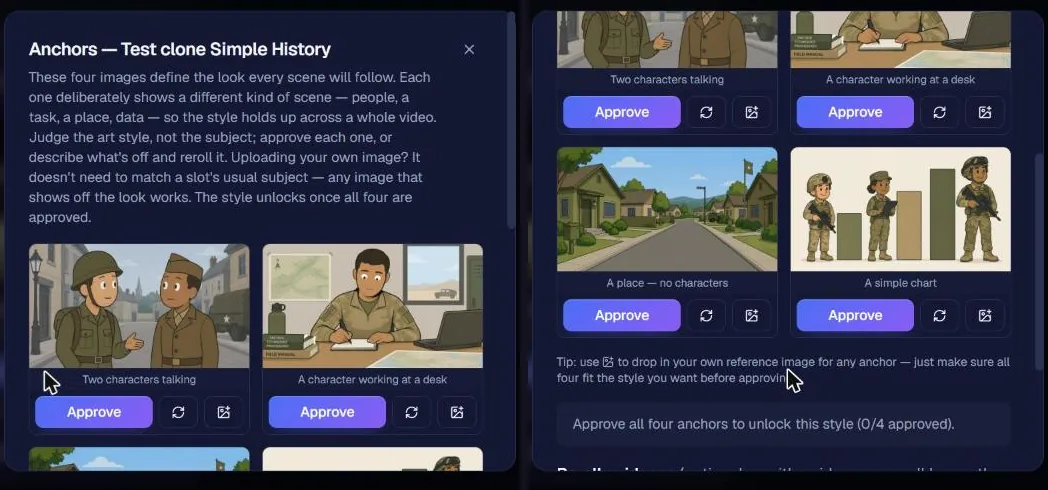
We also tested cloning. Create Full Style analyzes one to four videos from a channel and builds both styles in one pass. Watch the price: the dialog first shows only the 24 credits for the anchors, and the 81-credit analysis cost appears once you add the video links. Our clone from two Simple History videos cost 105 credits in total and was ready in about three minutes. The four proposed anchors (cartoon soldiers, a field office, a suburban street, a khaki bar chart) were clearly in that channel’s world. You approve each anchor or reroll it with a hint. What the interface does not show is what the analysis kept from the channel’s tone: you only find out in the titles and scripts.
Title and script in under a minute
When you create a project you pick landscape 16:9 or vertical 9:16 (same price) and a structure: a free-form video, an “every type of X” explainer with an icon grid, or a side-scrolling ranked comparison. We kept free-form. Ten title ideas came back in about 15 seconds for 10 credits; typing your own title is free.
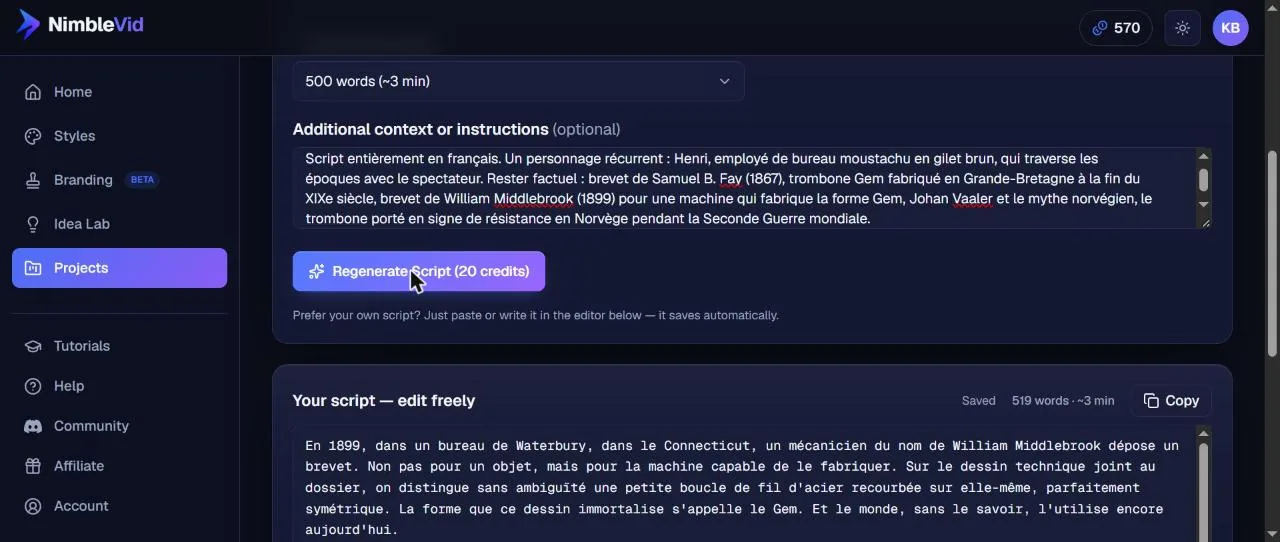
Script length is set in words, from 300 (about 2 minutes) to 2,000 (about 13 minutes) in the menu, or any custom value. We asked for 500 words and listed the facts to respect. Less than 30 seconds and 20 credits later we had 519 words in a calm documentary tone that used our facts correctly and even debunked a popular myth about the paper clip’s inventor. One typo slipped through. The script stays editable before you generate the voice.
Voiceover and music: watch the real price
Narration runs on ElevenLabs with 30 voices (narrators, accented voices, characters), plus voice cloning on Pro and Creator. There are two quality levels: Studio, the flagship model, and Standard, at less than half the price. One display issue: while the script is empty, the tab shows 20 credits. Once the script exists, the real price appears: 113 credits in Studio and 51 in Standard for our 3:28 of narration. We used the “Brian” voice in Studio; the MP3 was ready in about 70 seconds.
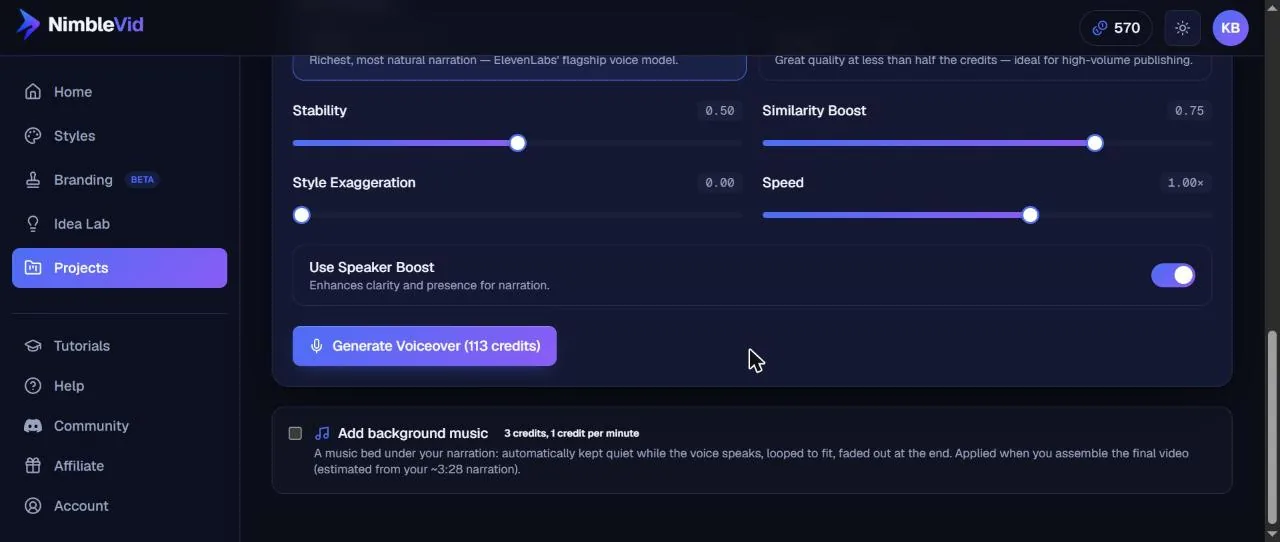
Background music sits in the same tab: ten moods (Lofi, Ambient, Epic, Chill and others), all labeled public domain (CC0), so no copyright claim risk from the library, or your own MP3, WAV or M4A up to 50 MB. Music is free under one minute, then 1 credit per minute at assembly (3 credits for us). It ducks automatically under the voice.
Scenes, recurring characters and 32 images
This is the core of the product. NimbleVid splits the narration into scenes timed to the actual voiceover, up to 82 for our video (one image about every 5 seconds by default). We chose 32 scenes, one image every 6.5 seconds or so, in Standard quality (6 credits per image; High is 12, Very High 36) at 1080p output. The split cost 20 credits and took about 2 minutes 30 seconds.
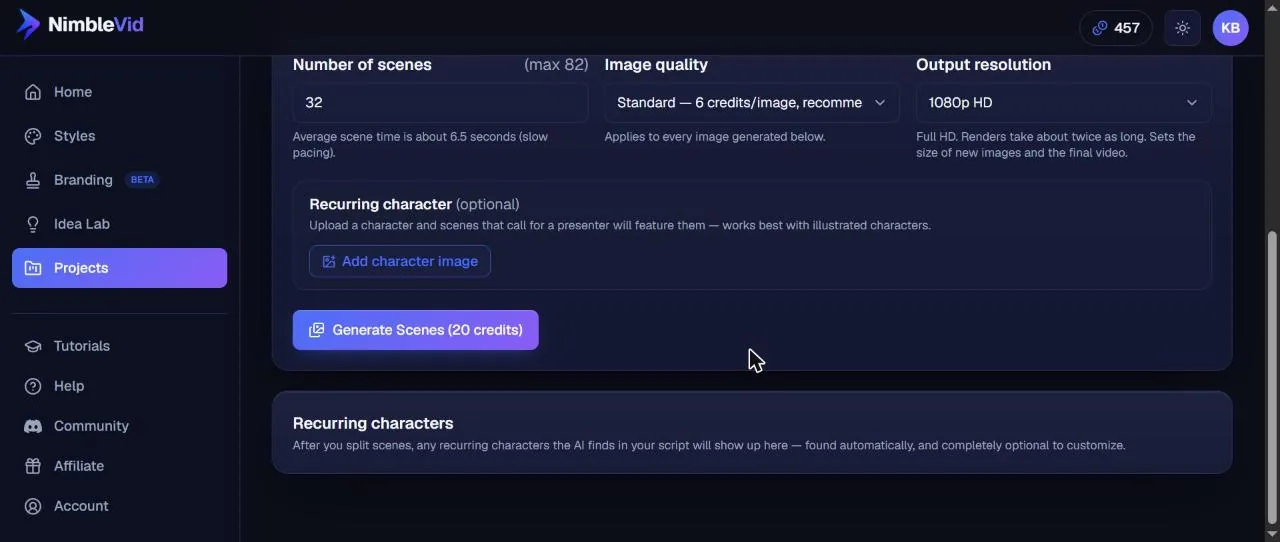
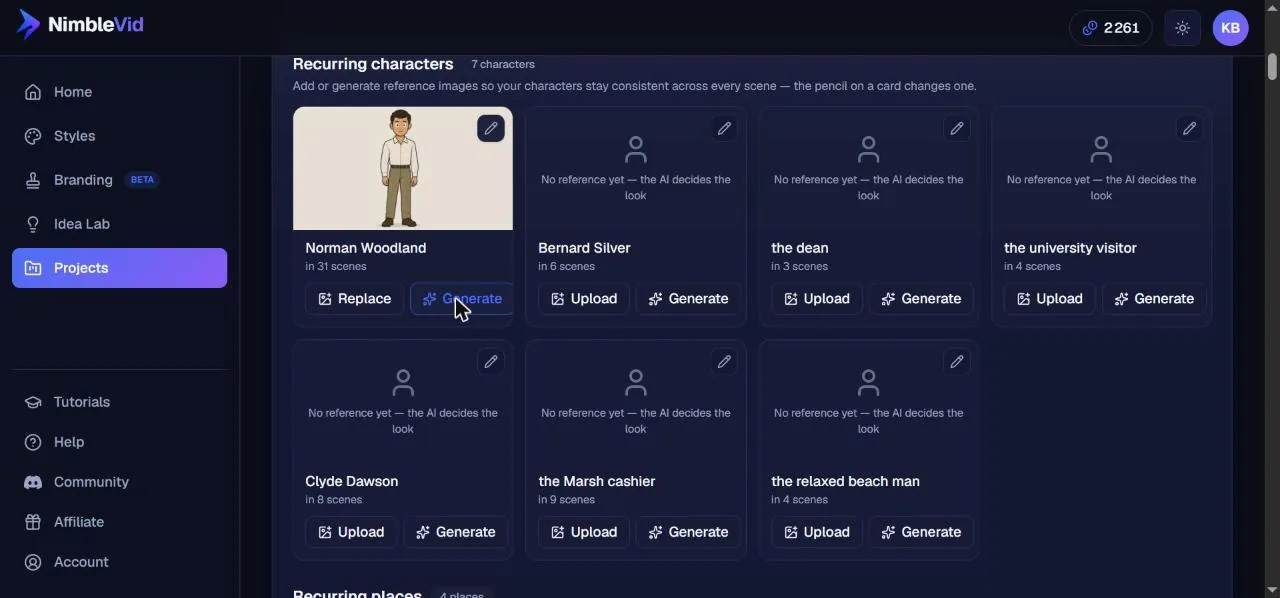
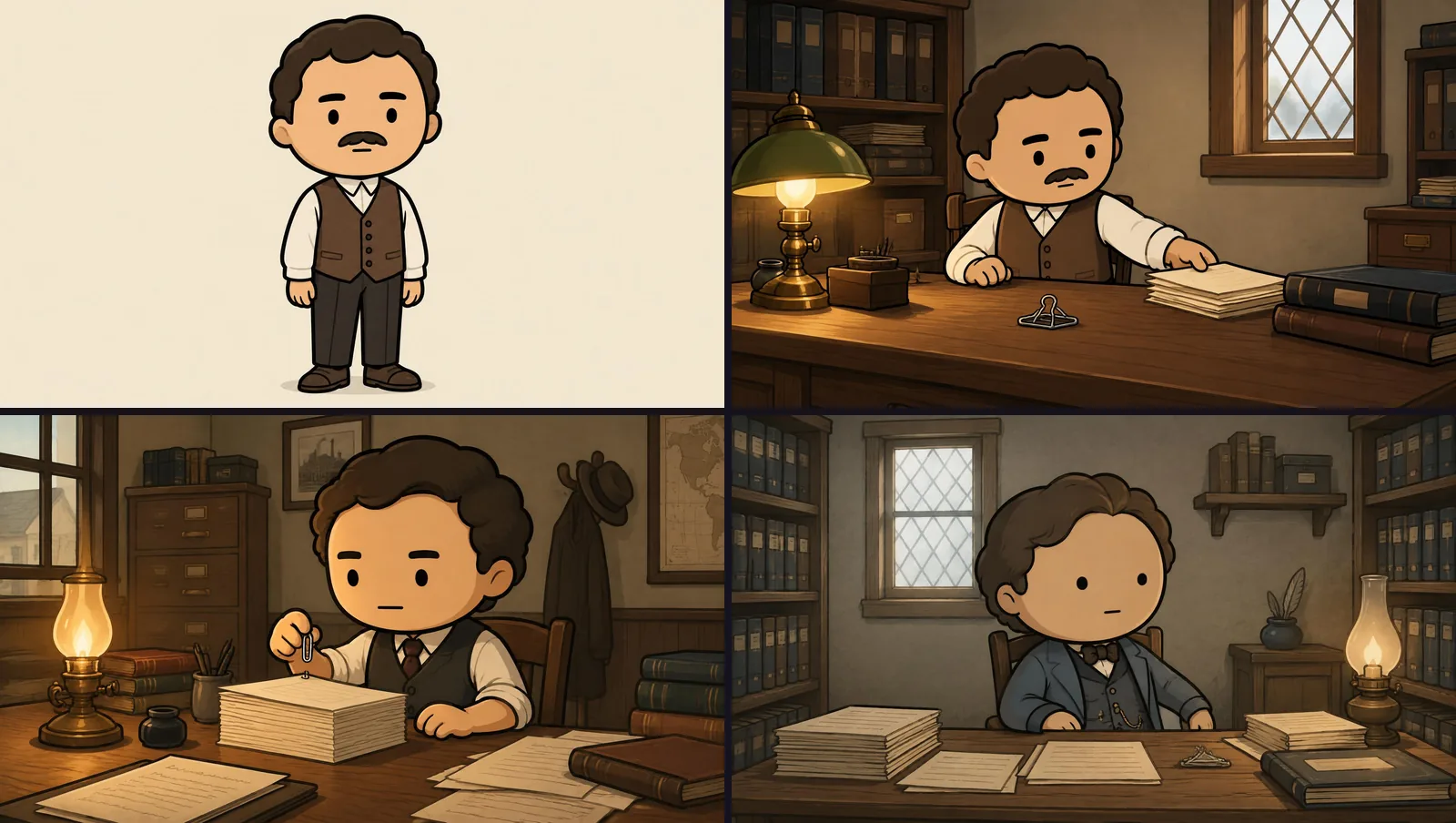
Along the way the tool read the script and detected recurring characters and places on its own, each with a text description of its look. You can keep them, tweak the description, upload an image or generate a reference. Henri’s reference cost 12 credits and about 30 seconds, and matched our brief: a small mustached man in a brown vest and stiff collar.
Generate All Images quoted 192 credits for 32 images, debited upfront. Thirty images arrived in about 70 seconds. Two scenes stayed on “Generating” for several minutes and then switched to “Failed”. The interface says failed images are not charged, and the account ledger confirmed it with a 12-credit “Refund, failed job”. Regenerated one by one, they came through in a minute or two.
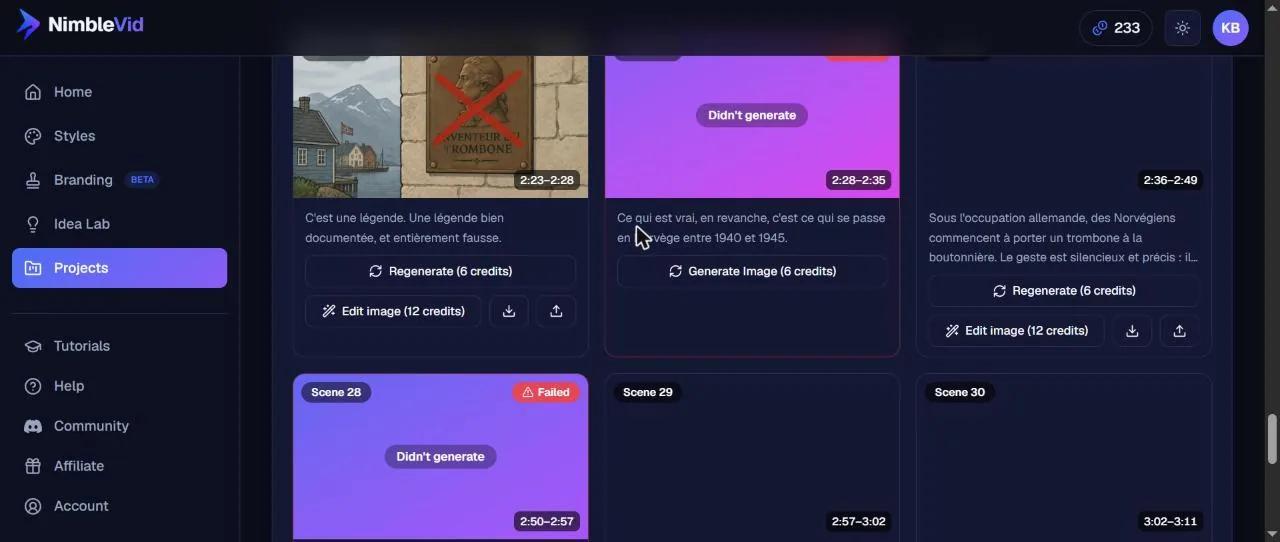
The style held from first scene to last: same line, same sepia palette, period-correct sets. Images come out at 2048 x 1152. Any scene can be regenerated (6 credits) or fixed with a targeted instruction that touches only one detail (Edit image, 12 credits in our project).
Motion: Ken Burns only without a plan
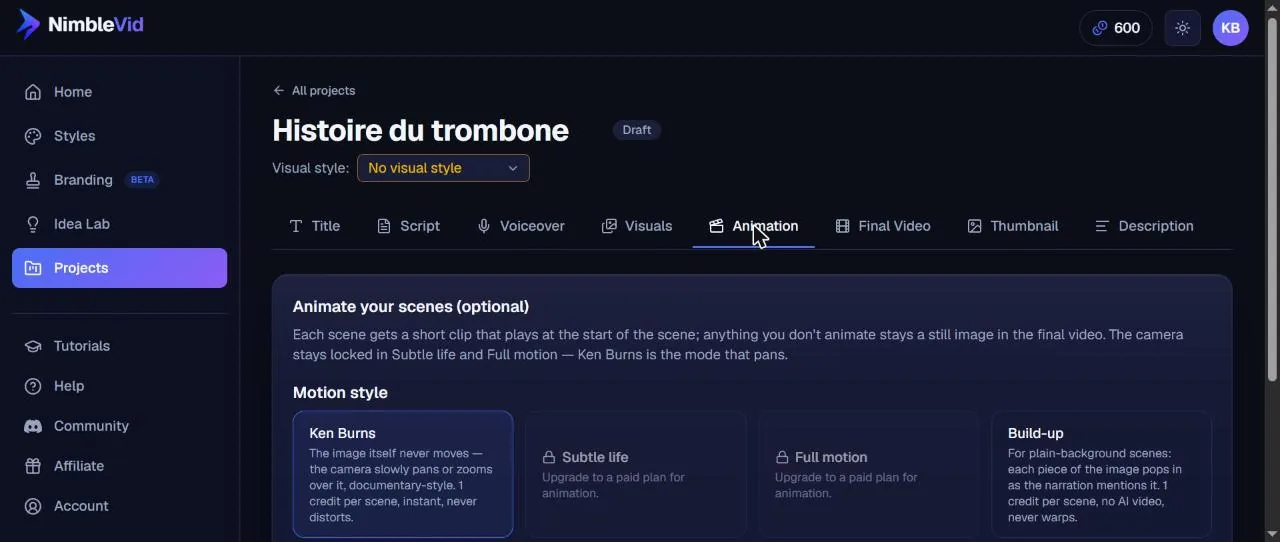
The Animation tab offers four modes. Ken Burns pans or zooms across the still image without distorting it, at 1 credit per scene. Build-up reveals elements of an image as the narration mentions them, same price. The two generative modes, Subtle life (the background moves: fire, water) and Full motion (characters act the scene), are locked: “Upgrade to a paid plan for animation.” We applied Ken Burns to the 32 scenes for 32 credits. Small inconsistency: a note says Ken Burns is free on every account, yet it was billed at 1 credit per scene.
Assembly, subtitles and export
The Final Video tab shows a checklist of what is ready. Two free options are worth switching on: burned-in subtitles (three styles including a karaoke mode where each word lights up as it is spoken, ten fonts, adjustable size, position and colors) and “emphasis text”, which pops key numbers and names from the narration on screen in large type. You can also add an intro and an end card from the Branding area, still in beta. Assembly quoted 43 credits, 3 of them for music.
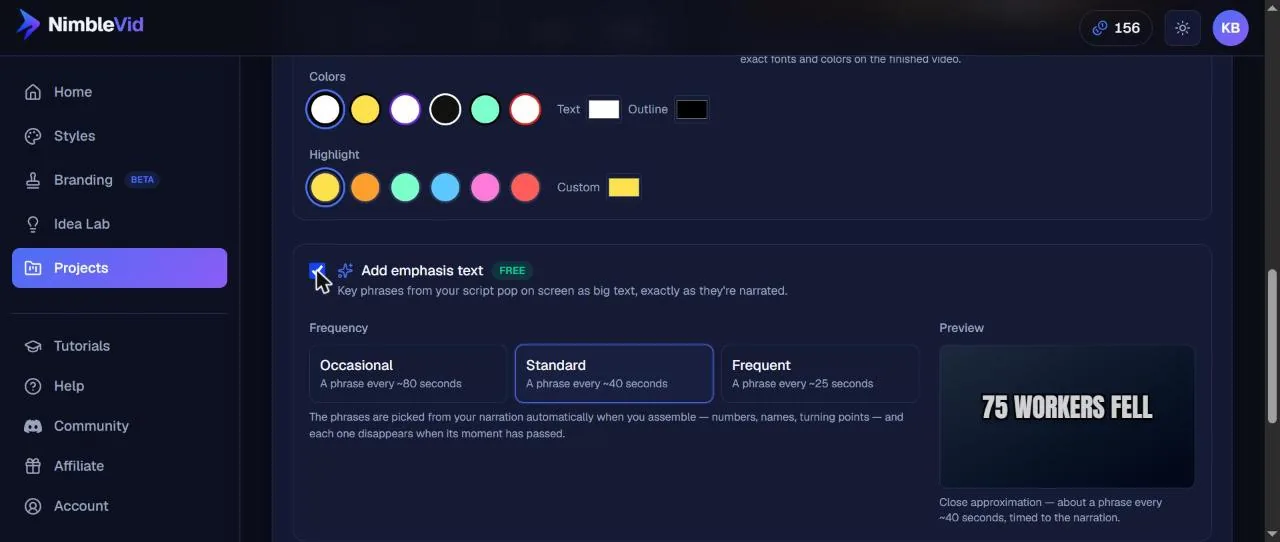
Rendering 3:27 at 1080p took about 9 minutes and runs in the background: you can close the tab and the download button appears in the project when it is done. The only snag was that the project page became very slow to load in our browser during and after the render.
The downloaded file: 41.8 MB, 1920 x 1080 at 25 fps, AAC audio, 3 minutes 27 seconds. Karaoke subtitles tracked the voice word by word and emphasis text hit the key figures on cue. The pacing is calm documentary, one image every 6.5 seconds, which is slow for YouTube, and NimbleVid itself flags it as “slow pacing”. With the 82 scenes it suggested, the video would have been livelier, for 492 image credits instead of 192.
The long-form test: a 9-minute video with a cloned style
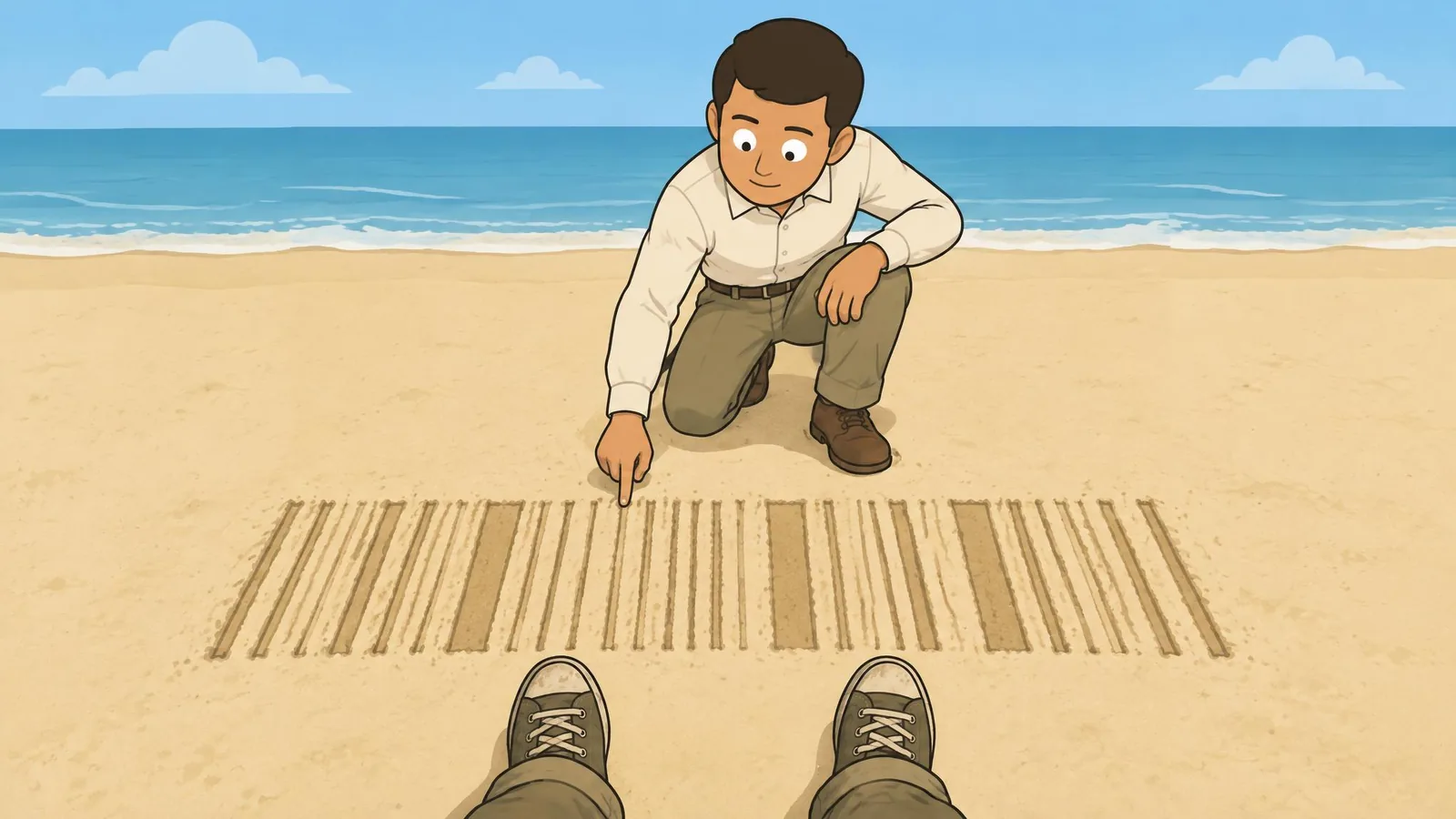
NimbleVid sells itself on long-form, so 3 minutes was not enough. With the publisher’s test credits we produced a second video on a topic from the Idea Lab: the barcode was born on a Florida beach. This time we used the content and visual styles cloned from Simple History, to see how cloning behaves in production. We typed the title ourselves, which is free.
Script. 1,483 words in under 75 seconds, for 20 credits, the same price as the short script. Every fact we imposed was respected (the Miami Beach sand, the 1949 patent filing granted in 1952, George Laurer at IBM, the first scan on June 26, 1974, in Troy, Ohio). The script added more facts, which we checked and found accurate: the cashier Sharon Buchanan, the customer Clyde Dawson, the pack of gum kept at the Smithsonian, the medal awarded to Woodland in 1992. One shortcut: it says the patent was “sold to RCA”, when it went to Philco first.
Voiceover. For 9 minutes of narration, Studio quality cost 325 credits and Standard 145. We took Standard with the same Brian voice, to compare. The MP3 arrived in under a minute and the transcription matched the script word for word. The real duration, 9:04, came in under the 9:53 estimate.
Images. At the default pace of one image every 5 seconds, NimbleVid split the narration into 109 scenes (up to 235 were possible). The split cost 55 credits, so its price grows with the scene count. The tool found seven recurring characters, including Norman Woodland in 31 scenes. All 109 images (654 credits) arrived in 3 minutes 20 seconds, with zero failures this time.
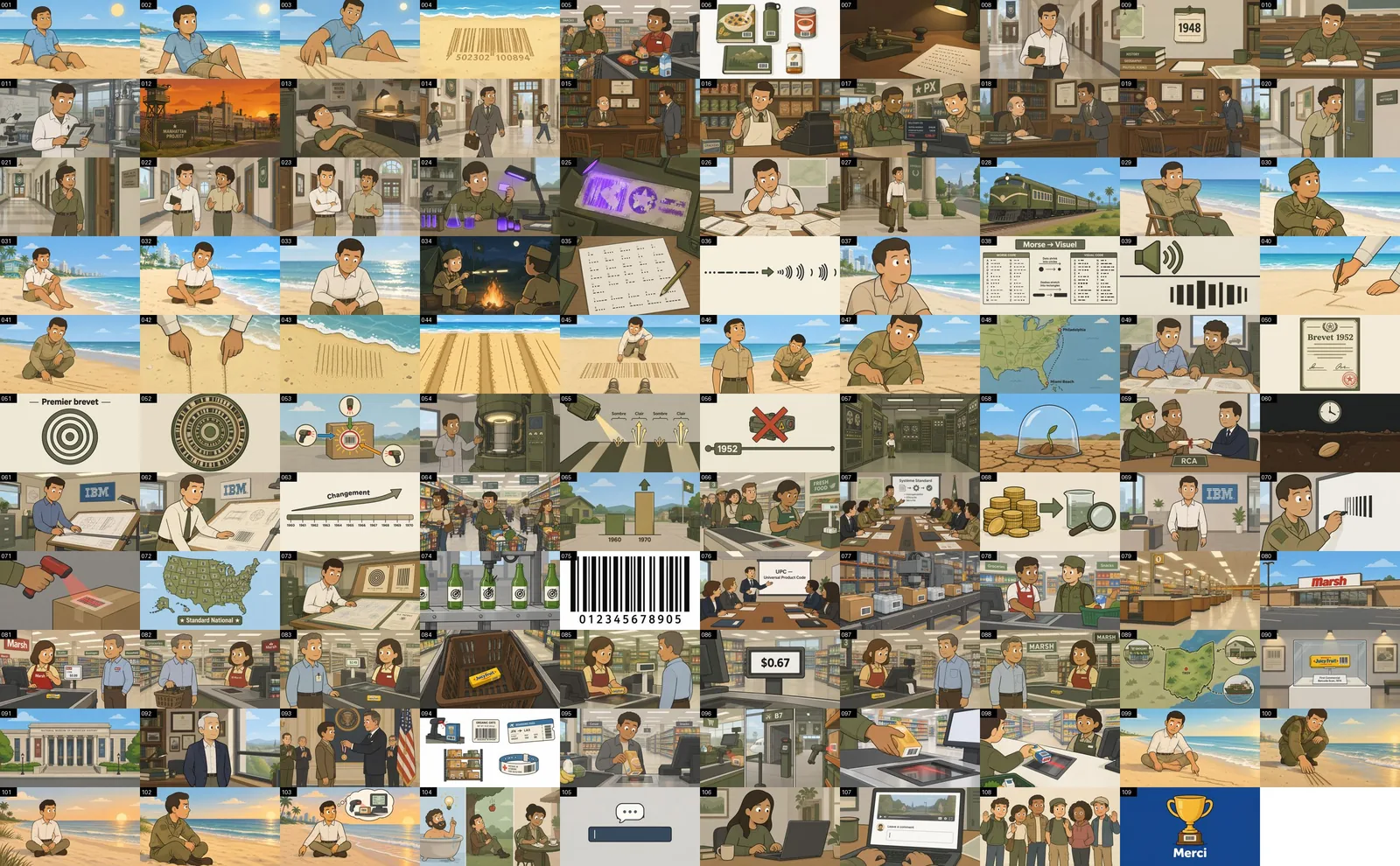
Thumbnails, description and assembly. The two thumbnails (40 credits) imitated the real thumbnails of the cloned channel: saturated colors, police officers, a soldier and a helicopter on the beach, and no text at all. Eye-catching, but unrelated to the story. The description (5 credits) included eight chapter timestamps aligned with the main sections. Ken Burns on 109 scenes cost 109 credits. Assembly at 1080p cost 49 credits, 9 of them for music: the same 40-credit base as the 3-minute video, which confirms the flat assembly price NimbleVid advertises. Rendering took about 13 minutes.

The final file: 101.7 MB, 1920 x 1080 at 25 fps, AAC audio, 9 minutes 5 seconds, no watermark. From typing the title to downloading the MP4 took about 35 minutes, 13 of them rendering. We did not make a 20-minute or longer video; based on these timings, expect more, plus the time to review every image.
Here is the video exactly as NimbleVid generated it: no edits, no retouched scenes. Our brief was for a French-language channel, so the narration and captions are in French; the pipeline is the same in English.
Does NimbleVid keep characters consistent?
This is NimbleVid’s headline promise, and our answer is: partly. The style never wavers; all 32 images of the short video look like they come from the same cartoon. Henri is more mixed. The tool tagged him in only two scenes, and in those he matched his reference: mustache, brown vest, stiff collar. In scenes where the script talks about him but the tool had not tagged him, a similar clerk appears with the same curly hair, but no mustache and a different vest. That happened in the last two scenes of the video, which are about Henri. The opening scene, meanwhile, shows a heavily mustached man who is not Henri at all, which viewers could easily confuse.
The long video showed a different problem: the cloned style bleeds into the story. Simple History is a military-history channel, and its look leaked into a topic with nothing military about it. Woodland, a student and then an engineer, often appears in khaki fatigues. Soldiers shop in a supermarket, one scene takes place in an army PX store, and Woodland and his partner hand their patent to RCA in uniform. His face, on the other hand, stays the same throughout, and the tool correctly treats him as one character.
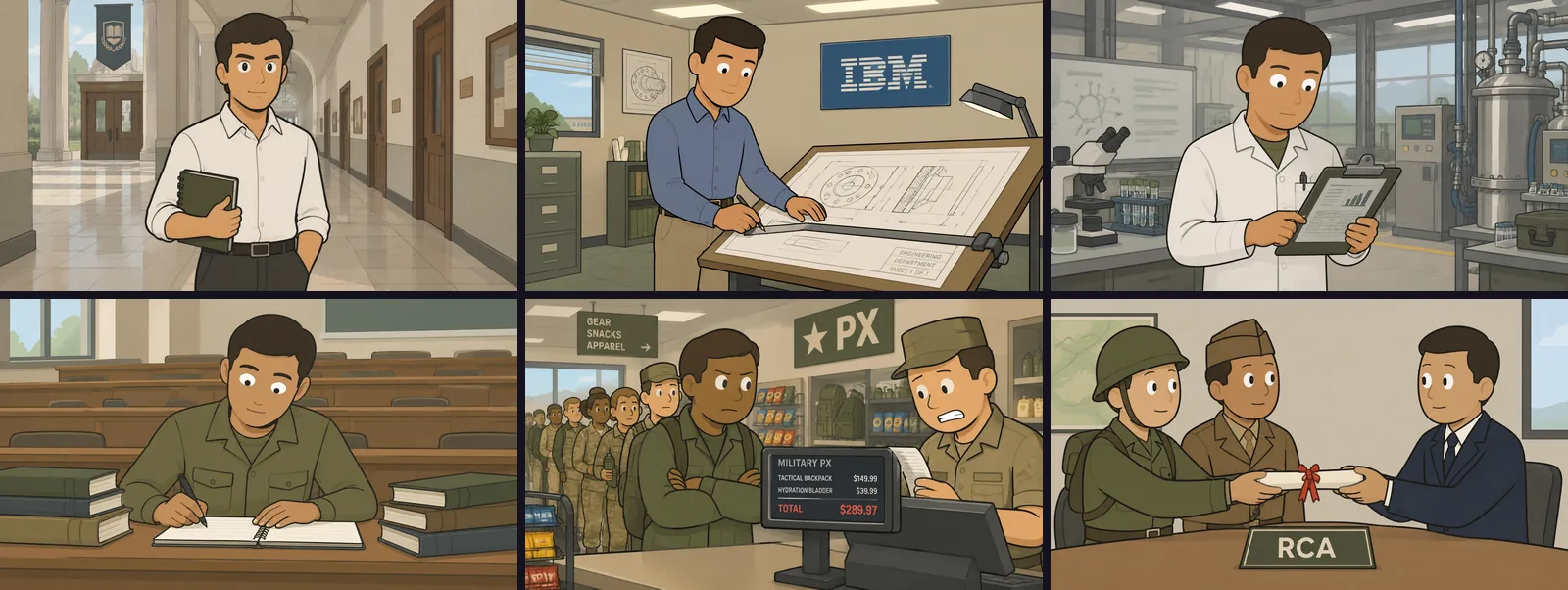
The fix exists: regenerate the scene, or use Edit image to add the mustache without touching the rest. But you have to spot the problem yourself. On a 20-minute video with 240 scenes, that review takes real time.
Invented text inside the images
More serious for a history channel: text drawn into the images is not reliable. Words are legible, often in English (“U.S. PATENT OFFICE”, “GEM CLIPS”), but several images made up facts. One patent reads “Inventor: John R. Livingston”, a person who appears nowhere in our script. Another says “Middlebrook Patent, June 12, 1892” while the script says 1899. A scene about the uncertain date of the Gem clip shows a calendar titled “U.S. Steel Production (1880-1900)”, visibly inherited from the style’s chart anchor. In the long video, a register shows $0.99 in one scene and $0.67 in another for the same pack of gum. An attentive viewer will point it out in the comments.
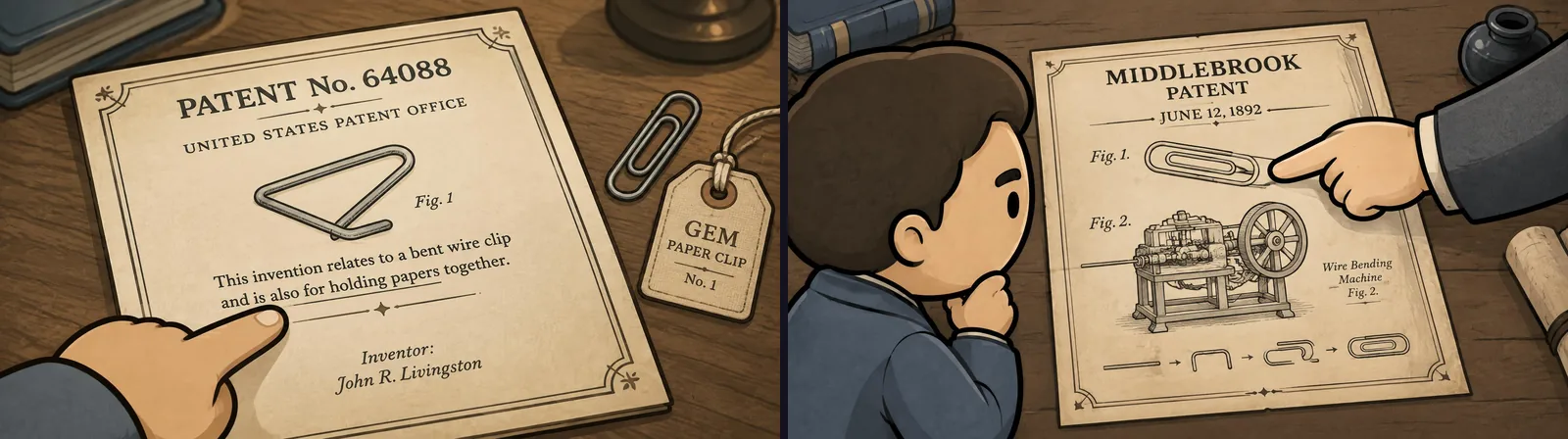
NimbleVid’s own terms say it plainly: reviewing generated content, including its accuracy, is the user’s job.
Idea Lab: finding the next video
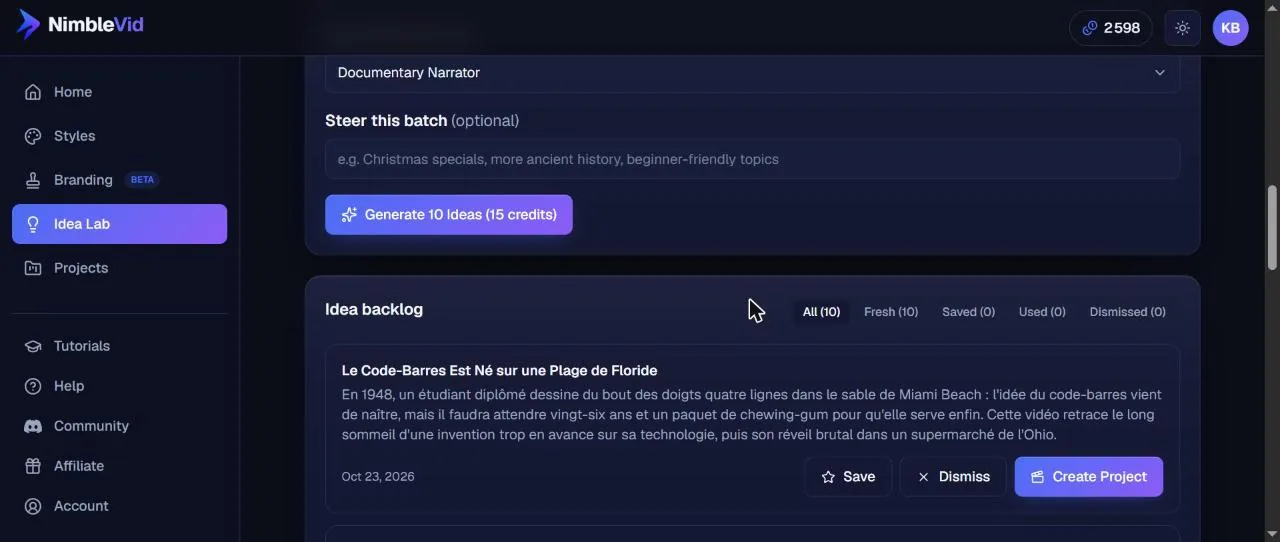
The Idea Lab answers the question that stalls most faceless channels: what do we publish next? You create a channel profile (name, a few sentences of description, usual content style, reference videos or channels, whose view counts the tool reads to spot outliers), then generate ten ideas for 15 credits. Our “objects have a history” profile returned ten topics with a summary each in under a minute and a half: the barcode drawn in the sand, the microwave born from a melted candy bar, the Post-it from a failed glue, the tin can that predates the can opener, and more. Each idea can be saved, dismissed or turned into a project in one click, and dismissed ideas steer the next batch.
How many credits does a NimbleVid video cost?
Every button shows its price before you click, big spends go through a confirmation dialog, and we saw no gap between the quoted price and the actual debit. The account ledger is basic, though: it lists grants and refunds, not each debit. Here is our log for both videos.
| Step | 3:27 video | 9:05 video |
|---|---|---|
| Title | 10 (10 ideas) | 0 (typed by hand) |
| Script | 20 (519 words) | 20 (1,483 words) |
| Voiceover | 113 (Studio) | 145 (Standard; Studio was 325) |
| Scene split | 20 (32 scenes) | 55 (109 scenes) |
| Character reference | 12 | 12 |
| Images, Standard quality | 192 (32 images) | 654 (109 images) |
| Ken Burns motion | 32 | 109 |
| Thumbnails + description | 45 | 45 |
| Assembly 1080p + music | 43 | 49 |
| Total | 487 credits | 1,089 credits |
| Time, title to MP4 | about 36 min | about 35 min |
Extras outside the videos: Idea Lab cost 15 credits, and cloning a channel’s style cost 105.
Our totals line up with NimbleVid’s own estimator, which quotes 444 credits for a 3-minute video without animation; add Ken Burns, a character reference and 1080p assembly and you land on our number. The long-form page gives the scale beyond that: about 1,240 credits for 10 minutes, 2,380 for 20 minutes and 6,966 for an hour, at one image every 5 seconds with a Studio voice and no animation. So the 600 signup credits cover one first video of 3 to 4 minutes, not more.
NimbleVid pricing (verified October 23, 2026)
NimbleVid is a monthly credit subscription. There is no permanent free plan: new accounts “in select regions” get trial credits valid for 7 days, no card required (we got 600). Prices below come from nimblevid.ai/pricing, checked on October 23, 2026, in US dollars. Paying every 6 months saves 15%.
| Plan | Monthly | 6-month billing | Credits/month | Key limits | Our 9-min video would cost |
|---|---|---|---|---|---|
| Entry | $49 | $42/mo ($250) | 2,850 | Same features as Basic | ~$18.70 |
| Basic | $99 | $84/mo ($505) | 6,500 | 4 active projects, 4,000-word scripts, 2 thumbnails | ~$16.60 |
| Pro | $259 | $220/mo ($1,321) | 23,000 | 7 projects, 10,000-word scripts, 4 voice clones, 2 seats | ~$12.30 |
| Creator | $579 | $492/mo ($2,953) | 65,000 | 15 projects, 20,000-word scripts, 10 voice clones, 5 seats, priority queue | ~$9.70 |
The last column is our arithmetic: 1,089 credits at each plan’s monthly price per credit. Our account also showed one-off top-ups at $1.75 per 100 credits (500 for $8.75 up to 5,000 for $87.50), which puts the 9-minute video at about $19 and the 3-minute one at about $8.50.
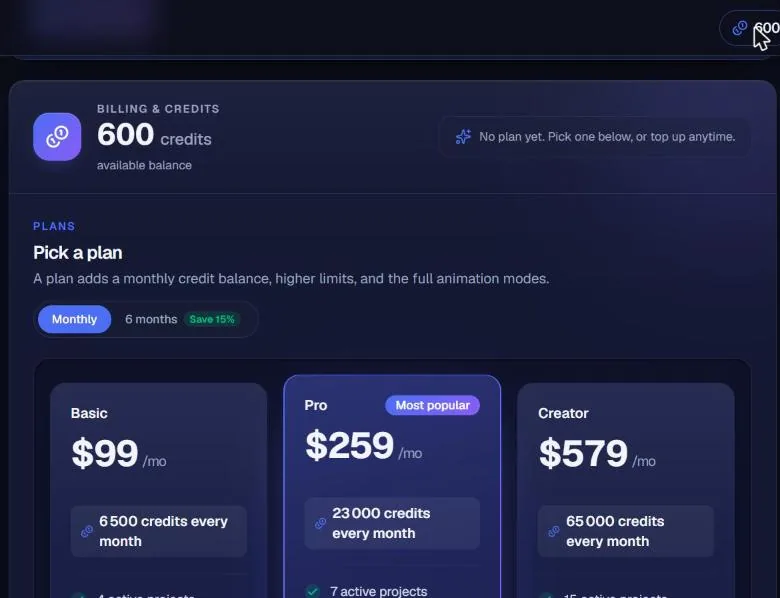
What that means in practice: at about 1,100 credits per 9 to 10 minutes, Entry covers two long videos a month, Basic about six, Pro about twenty. A 20-minute video (about 2,380 credits) costs around $36 on Basic. Without a subscription, a banner on test day offered 600 bonus credits on any plan taken within 24 hours. The terms state that payments are non-refundable, so use the trial credits before committing.
For context across the market, our AI video pricing research puts the entry tiers of 12 AI video tools side by side. NimbleVid’s $49 entry is high next to single-clip generators, but those sell seconds of footage, not a finished 10-minute video.
Want to run the same test on your own channel idea? New NimbleVid accounts in select regions get trial credits for 7 days, no card required: enough for one 3 to 4-minute video. Plans start at $49/month.
Watermark, resolution and commercial rights
Watermark: neither of our MP4s has one. We checked frames across both videos, corners included. Our account had no subscription, only free and test credits, so we cannot promise every trial account gets the same result, although nothing in the interface mentions a watermark. Our guide to AI video generators with no watermark covers how other tools handle it.
Resolution: 720p or 1080p, chosen in the Visuals tab before generating images. No 4K. Assembly was billed 40 credits at 1080p (before music) versus 25 shown at 720p, and the app warns that 1080p roughly doubles render time.
Rights: the terms of service (effective September 25, 2026) are among the clearest we have read for this kind of tool. You keep the rights to what you upload, and you own the generated videos, images, audio and text “to the extent permitted by law” once you have paid what you owe. NimbleVid warns that two users may get similar results and does not guarantee uniqueness. The music library is described as public domain. You must be 18 to sign up. Whether YouTube monetizes AI-made videos depends on YouTube’s own policies, not on the tool.
NimbleVid vs alternatives for faceless YouTube
We have covered several tools that faceless creators compare NimbleVid with. The key question is what each one actually puts on screen.
| Tool | What it builds | Entry price | Best for |
|---|---|---|---|
| NimbleVid | Fully generated scenes in one style, script to MP4 | $49/mo | Long-form faceless channels (history, explainers) |
| InVideo AI | Stock-clip pipeline with Sora 2 / Veo 3.1 inserts | $28/mo | Fast prompt-to-video with real footage |
| Fliki | Blog-to-video, TTS over stock media | $21/mo | Repurposing articles, many voices and languages |
| Revid AI | Vertical shorts from scripts, prompts or viral references, with voice, captions and publishing | $39/mo (2,000 credits) | Faceless TikTok, Reels and Shorts |
| Syllaby | Ideas, scripts, faceless/avatar video, scheduling | $9/mo | Planning and publishing short content at volume |
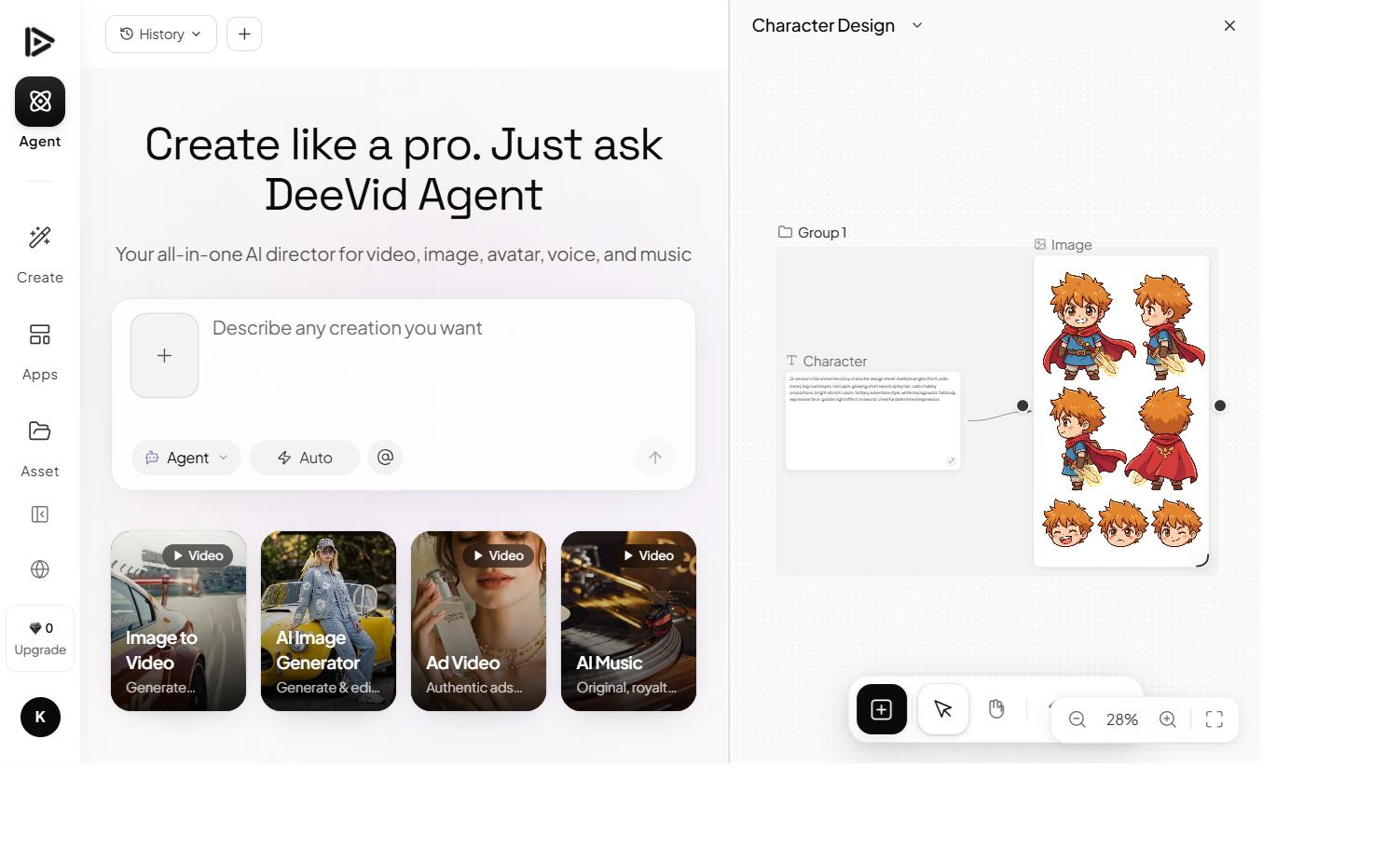
| Deevid AI | Cinematic clips from 14+ models (Sora 2, Veo 3.1, Kling) | $10/mo billed yearly | B-roll and hero shots you assemble yourself |
NimbleVid was the only tool here that we tested hands-on for this review; the other prices come from our earlier reviews and comparisons linked in the table. The pattern is clear, though. If you want original images in a consistent style for 10 minutes or more, NimbleVid is built for that job and the stock-footage tools are not. If you publish short vertical clips, Revid or our YouTube Shorts picks fit better. If you need cinematic motion, a generator like Deevid gives you real video clips, at the cost of assembling the edit yourself. For the bigger picture by channel type, see our guide to the best AI video generator for YouTube, or browse all our tool comparisons.
Who NimbleVid is for
- Yes if you are starting a long-form faceless channel (history, general knowledge, explainers, storytelling) and want everything from topic to description in one place.
- Yes if you want generated visuals rather than stock footage that other channels also use, with a look that stays constant from one video to the next.
- Yes if you like knowing the cost of every step: price display and automatic refunds were exemplary in our test.
- No if you plan to publish without reviewing: invented text and drifting outfits require a scene-by-scene check.
- No if you need generative animation without a subscription.
- Not ideal for fast-cut Shorts. Vertical format exists, but the product is designed around long-form.
Our verdict on NimbleVid
What convinced us: a complete, well-designed pipeline from topic to YouTube description; real 1080p MP4s with no watermark, in about half an hour for 3 minutes and 35 minutes for 9 minutes; a visual style that never wavers; prices shown before every action and honored; automatic refunds on failed jobs; scripts that respected the facts we gave and added accurate ones; terms that let you own your videos.
What held us back: character consistency that keeps faces but not always outfits; a cloned style that bleeds into unrelated topics, thumbnails included; invented on-image text, a real risk for history content; generative animation locked behind a plan; a misleading voiceover price while the script is empty.
NimbleVid is one of the most complete tools we have tested for producing a long-form faceless YouTube video, as long as you keep control of the review. The trial credits cover one 3 to 4-minute video, which is the right test before choosing a plan. After that, budget about 1,100 credits per 9 to 10 minutes: Entry is tight for more than two long videos a month, and Basic is the realistic starting point for a weekly upload.
Ready to try it? Start with the free trial credits, make one short video, and check every scene before you publish.
FAQ
Is NimbleVid free? No, but there is a trial. New accounts in select regions get free credits valid for 7 days, no card required. We received 600, enough for one 3 to 4-minute video. Paid plans start at $49/month (Entry, 2,850 credits), checked October 23, 2026.
How much does a NimbleVid video cost? Our 3:27 video at 1080p (32 images, Studio voice) cost 487 credits, about $7 to $8.50. Our 9:05 video (109 images, Standard voice) cost 1,089 credits, about $10 to $19 depending on the plan. Both include Ken Burns motion, thumbnails and the description. NimbleVid estimates a 20-minute video at about 2,380 credits without animation.
How long does NimbleVid take to make a video? About 36 minutes for our 3:27 video and about 35 minutes for the 9:05 one, from title to MP4 download. The longest steps were the scene split (2 to 3 minutes) and the 1080p render (9 minutes for the short video, 13 for the long one). The long video’s 109 images arrived in 3 minutes 20 seconds.
Does NimbleVid keep characters consistent across scenes? Partly. The visual style and faces stay consistent. Outfits and details vary: in our first test the main character lost his mustache in two scenes, and in the second the inventor switched from a white shirt to military fatigues because of the cloned style. Plan to check and fix scene by scene.
Do NimbleVid videos have a watermark? Neither of our exported videos (3:27 and 9:05, 1920 x 1080) had one. Our account used free and test credits without a subscription, so we cannot guarantee the same for every trial account.
Can I use NimbleVid videos commercially and monetize them on YouTube? According to the terms of service, you own the generated videos once you have paid what is due, to the extent permitted by law, and the library music is described as public domain. YouTube monetization then depends on YouTube’s own rules for AI-generated content.
Can NimbleVid copy the style of a YouTube channel? Yes. Paste one to four videos from a channel and the tool builds a content style and a visual style. With two videos, our clone cost 105 credits (81 for the analysis, 24 for the four reference images) and took about three minutes. Be aware that a strongly themed style can leak into unrelated topics.
Does NimbleVid work in languages other than English? The interface and the 30 voices are English-first. Our test brief was written for a French-language channel: titles, script, narration, subtitles and description all came out in French from instructions in French, with some foreign proper names mispronounced. There is no language setting; everything goes through the instructions.