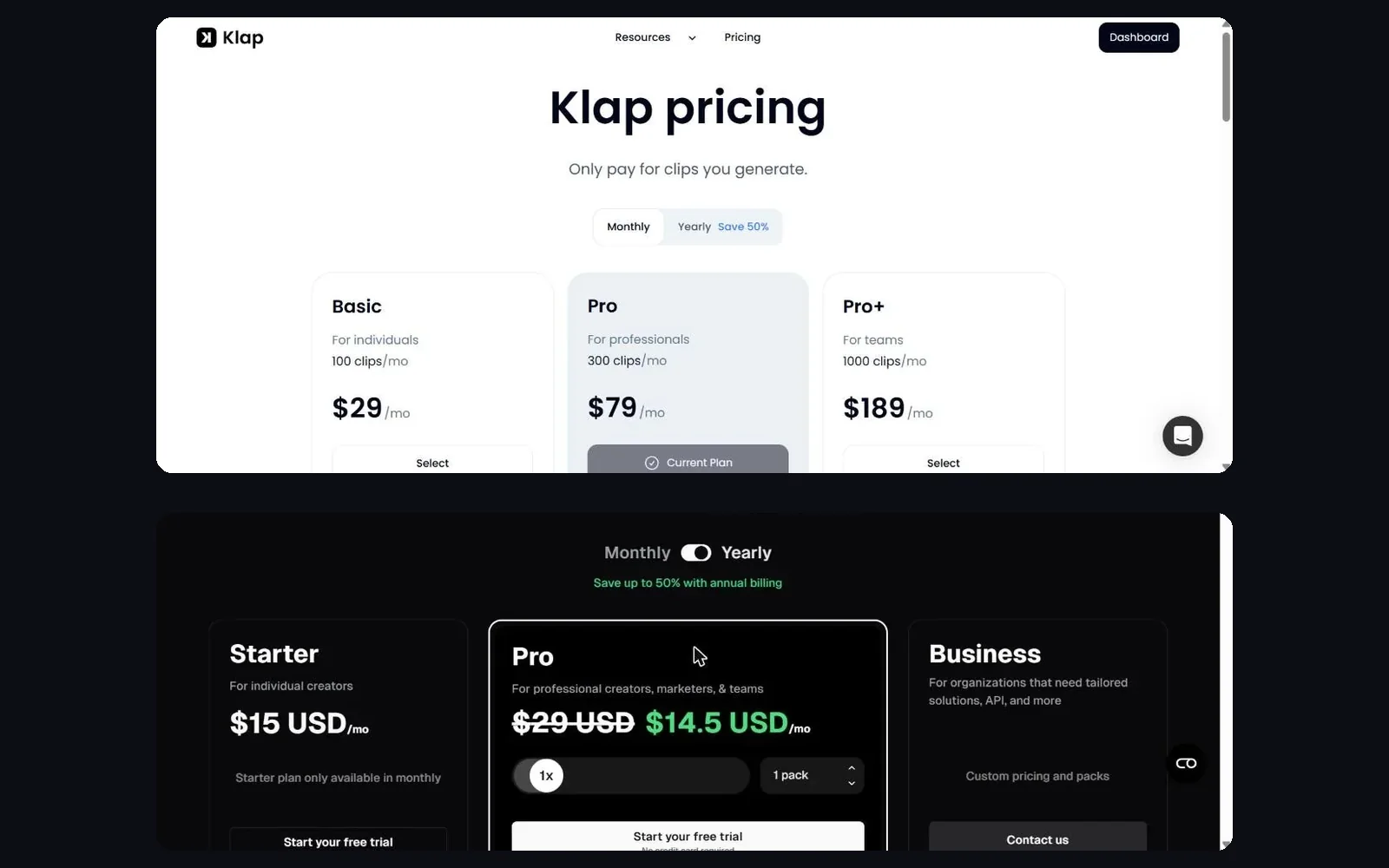

Short answer: Opus Clip is the established name in AI video repurposing, upload a long podcast, webinar, or YouTube video, and it identifies and clips the strongest short-form moments automatically. Free plan gives 60 processing minutes/month, watermarked, exports disappear after 3 days. Paid plans start at $15/mo (Starter).
What Opus Clip actually does
Opus Clip processes long-form video (podcasts, webinars, YouTube uploads) and uses AI to identify the segments most likely to work as standalone short clips, then formats them for TikTok, Reels, and Shorts. Credits are tied to the length of the source video you process, but Opus Clip does not state its exact conversion on the public pricing page, so check the credit counter in your account before planning a month of clipping. The free plan is measured in processing minutes, which is the clearest figure it publishes.
Opus Clip pricing (2026)
| Plan | Price | Credits | Notes |
|---|---|---|---|
| Free | $0 | 60 processing minutes/mo | Watermarked, exports expire after 3 days, no credit card required |
| Starter | $15/mo | 150 credits | No watermark, solo use, editing tools |
| Pro | $29/mo (or $174/yr) | 300 credits/mo (3,600/yr) | More seats, publishing/scheduling, multi-aspect export |
| Business | Custom | n/a | High-volume/team needs |
Monthly-plan credits expire after 60 days; annual-plan credits stay valid for 12 months from when granted, worth checking before committing to a billing cycle if your output volume varies month to month.
Who Opus Clip is actually for
- Podcasters and webinar hosts who want a reliable, established tool for turning long recordings into a steady stream of short clips.
- Teams needing publishing/scheduling: Pro adds multi-aspect export and scheduling on top of clipping.
- Anyone testing free first without a credit card: 60 minutes of processing is enough to judge clip-selection quality on real footage.
Who should skip it
- Anyone who needs to generate video, not extract from existing footage. Opus Clip doesn’t create scenes from a prompt or script.
- Low-volume or one-off users: if you clip video rarely, the per-minute credit cost may not justify a subscription over manual editing.
Need the source footage before you clip it? Deevid AI bundles 14+ models (Sora 2, Veo 3.1, Kling…) to generate original video, a natural upstream step before repurposing tools like Opus Clip. 20 free credits, no credit card required.
Opus Clip vs Vizard
Opus Clip and Vizard solve the same job at similar prices. Opus Clip’s free tier is measured in processing minutes (60/mo) rather than credits, and its Pro tier adds scheduling and multi-aspect export. Vizard’s edge is 4K export on its mid tier and a broader social-account management layer on Business. Both are worth testing free on the same source video to compare clip selection before committing to either.
For a three-way look at clipping and short-form creation, Revid vs Opus Clip vs Submagic compares them on price, output and who each one suits. If you are also looking at Revid, see Revid AI alternatives.
FAQ
How much does Opus Clip cost? Free for 60 processing minutes/month (watermarked, 3-day export expiry), Starter at $15/mo (150 credits), and Pro at $29/mo (300 credits/mo, or $174/yr for 3,600 credits). Business is custom-priced.
Is Opus Clip free? Yes, the free plan processes up to 60 minutes of video per month with no credit card required, though exports are watermarked and expire after 3 days.
How does Opus Clip’s credit system work? Credits are consumed by the length of the source video you process, not by how many clips come out of it. The exact credits-per-minute conversion is not spelled out on the public pricing page, so check your account’s credit counter after a first upload before you plan a month of clipping.
Opus Clip or Vizard: which should I use? Both cover the same job at similar prices. Opus Clip is the more established name with scheduling/publishing on Pro; Vizard adds 4K export. Test both free tiers on the same footage to see which clip selection fits your content better.