Short answer: Revid AI is free to start but not free to run. Its script generators, hook library, video-to-prompt tool and TikTok audit work with no account and no card, and a free sign-up adds a small pile of starter credits (our free account showed 70 on October 24, 2026). Anything that renders a video spends credits, and a regular monthly allowance only comes with a paid plan from $39 a month. If you want scripts and ideas, the free tools are enough. If you want finished videos every week, you will pay.
Tested on October 24, 2026: Revid’s TikTok and YouTube Shorts script generators, signed out, plus its documentation. This page contains affiliate links (disclosure).
Free to start, no card. The script generators work with no account. New subscribers get 20% off the first month with code BEKOE.
Is Revid AI free? The honest breakdown
Most “is it free” questions get a yes or no. Revid deserves a three-way answer, because it has three different kinds of free:
- Free tools with no account. Anyone can open them and use them.
- Free sign-up with starter credits. No credit card is needed, and you get a handful of credits to try video generation.
- Free missions. Inside the app, onboarding tasks hand out extra credits.
What is not free is the thing most people come for: generating finished videos month after month. That uses credits, and credits come with a subscription. The rest of this guide goes through each tier, what it let us do, and where it stops.
What can you do on Revid AI with no account?
This is the part we could test. Revid lists these tools as free and signup-free, and we ran the first two ourselves.
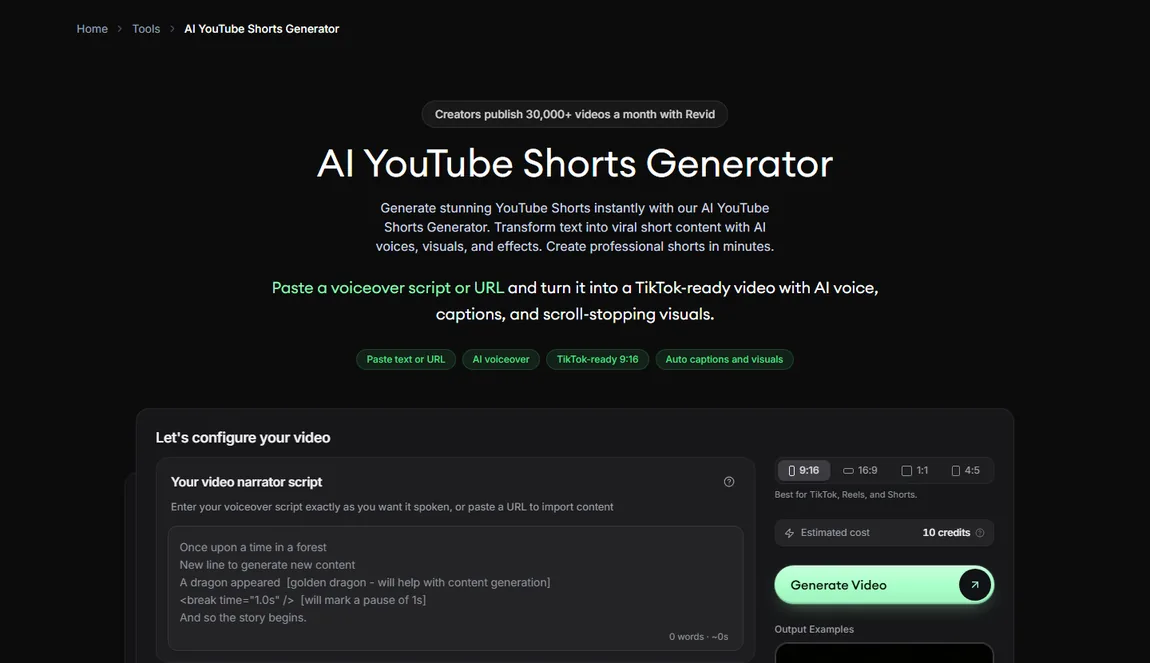
Free script generators for TikTok and YouTube Shorts
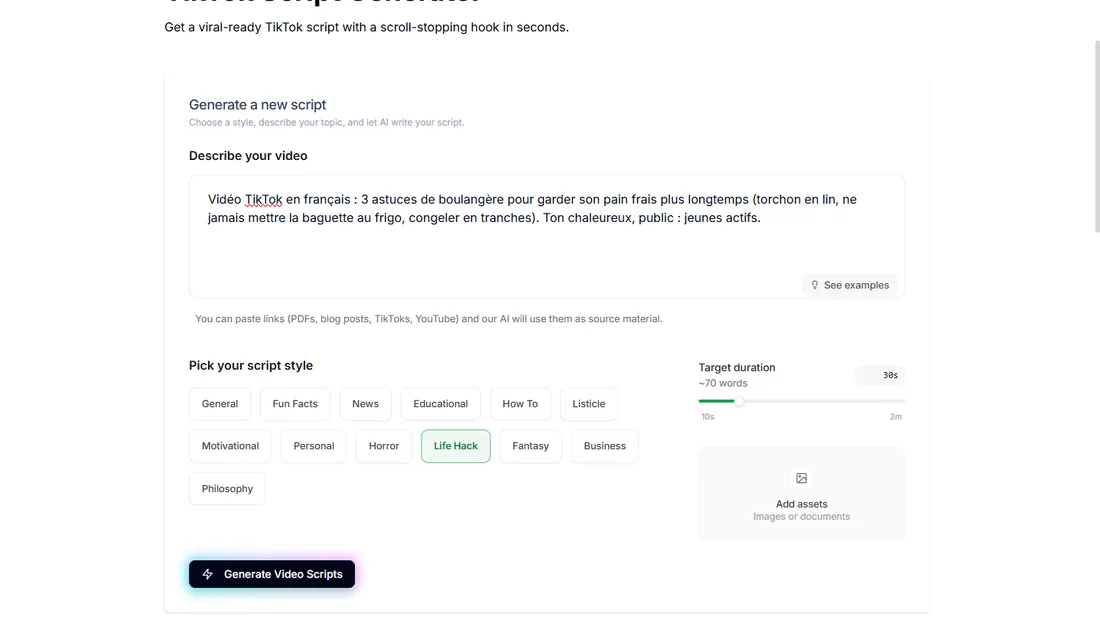
The TikTok Script Generator and the YouTube Shorts Script Generator share one engine. You describe your video, pick one of 13 styles (General, Fun Facts, News, Educational, How To, Listicle, Motivational, Personal, Horror, Life Hack, Fantasy, Business, Philosophy), set a length from 10 seconds to 2 minutes, and optionally paste a link or add a document as source material.
We ran a French brief about keeping bread fresh and an English brief about why octopuses have three hearts. Each returned three scripts in about 30 seconds, signed out, with no credit used. The structure was solid: a hook in the first sentence, short spoken sentences, our points in order. The flaw was consistent: the generator invents first-person stories and small statistics. Our French test added “mon premier patron” and “ma mère, boulangère” as made-up characters, and our English test added “I found out at an aquarium”. Read every script and cut what did not happen. Our full Revid AI review quotes the lines and details the flaws.
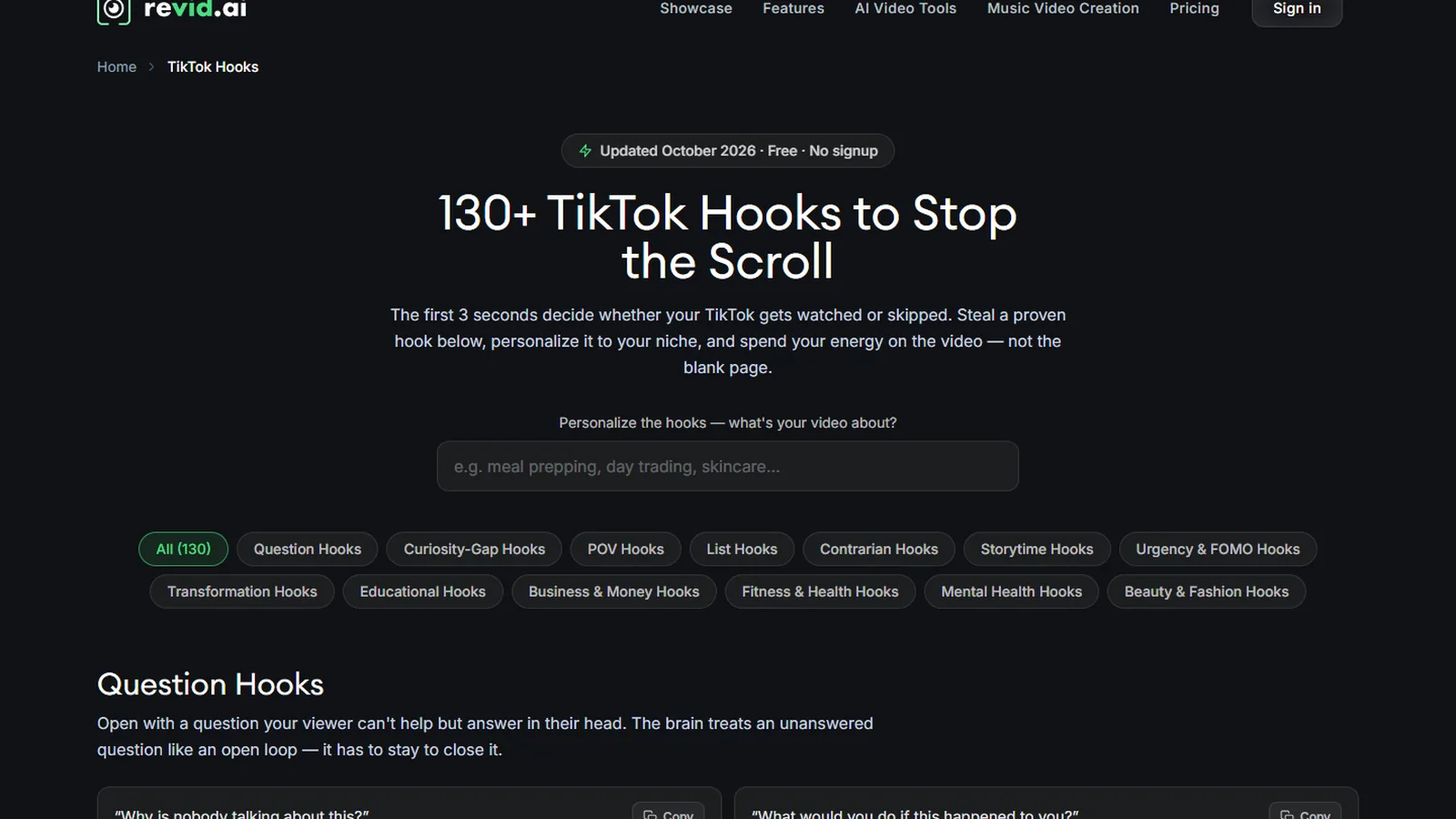
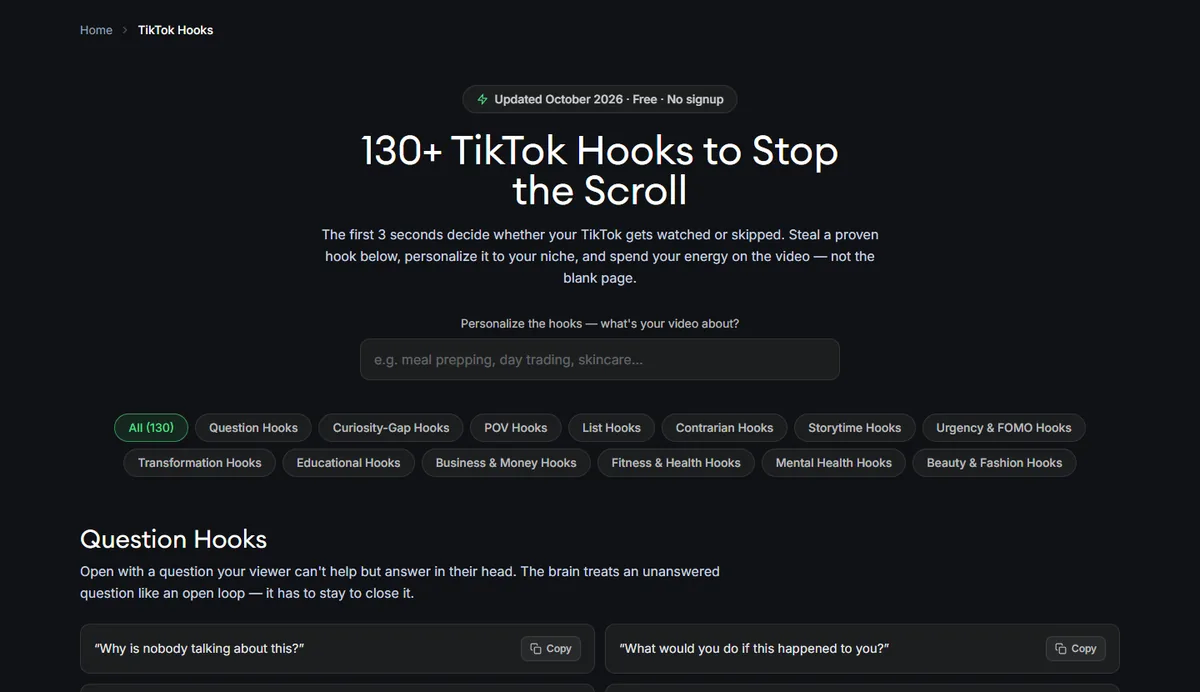
130+ TikTok hooks, free
The hooks page is a copy-and-paste library of more than 130 TikTok openers in 14 categories, among them question hooks, curiosity-gap, POV, list, contrarian, storytime, urgency, transformation and niche sets for business, fitness, mental health and beauty. A box at the top personalizes the hooks to your topic. The badge on the page read “Updated October 2026 · Free · No signup”. We captured the page but did not run the personalizer.
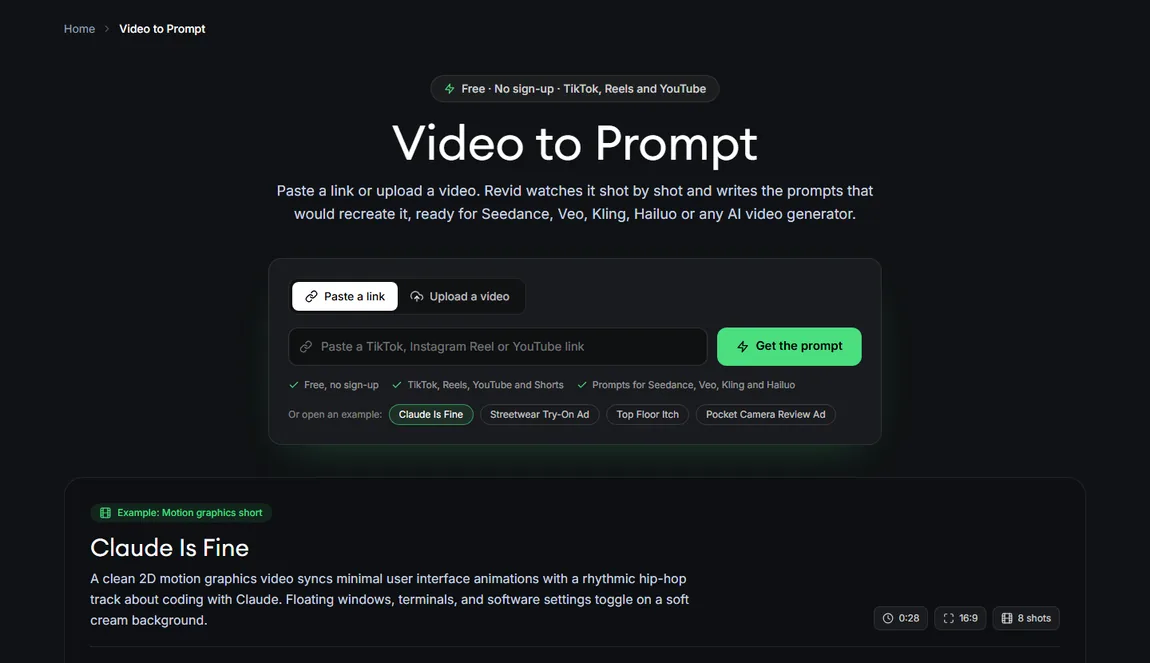
Video to Prompt
Paste a TikTok, Reel or YouTube link, or upload a video, and the tool describes it shot by shot and writes prompts that would recreate it for models like Seedance, Veo, Kling and Hailuo. The page says free, no sign-up. The examples on the page, such as a 28-second 16:9 motion-graphics short with 8 shots, show the output format: a timed shot list plus a master prompt. We did not run it, so we cannot rate the prompts.
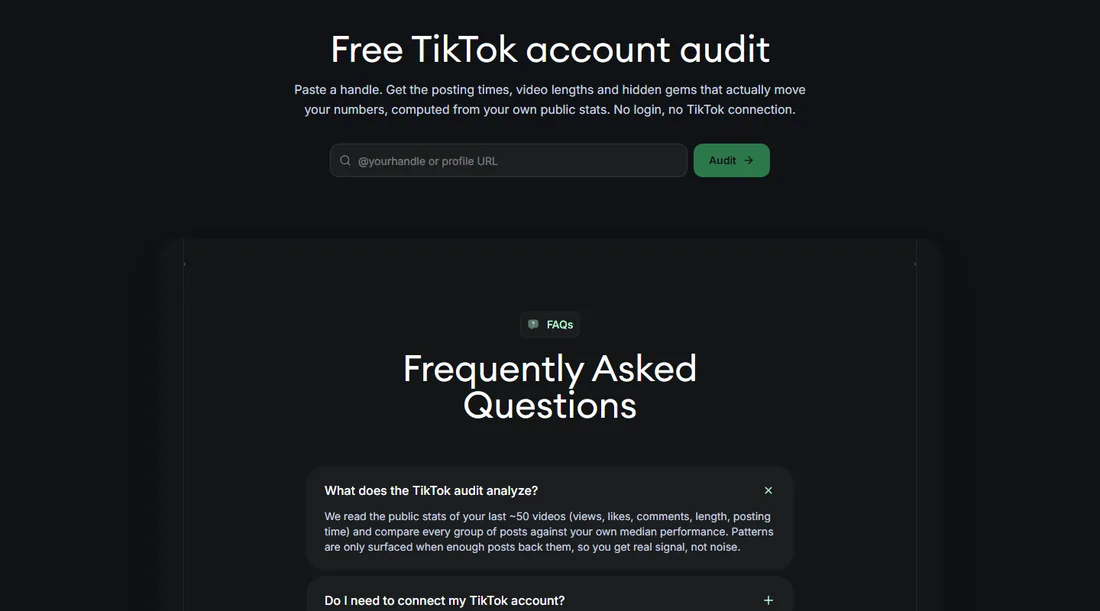
TikTok audit, trends and other free utilities
The TikTok account audit asks for a handle or profile URL, and Revid says it reads the public stats of your last 50 or so videos to compare posting times, lengths and “hidden gems” against your own median, with no login and no TikTok connection. Other pages are free as well: TikTok Worth, viral TikTok videos ranked by likes and refreshed every six hours, caption and hashtag generators, YouTube title and description generators, safe-zone guides, a BPM finder, a music video shot planner and small utilities like loop, resize, rotate and MP3 to MP4. All of this is available without paying, and we only opened and captured them.
What do free credits get you on Revid AI?
Creating a video needs an account. Signing up is free and does not ask for a credit card. New accounts get free credits, but Revid does not publish the amount. The free account we opened showed 70 credits on October 24, 2026. Revid’s documentation also says a free account can search the viral video library, and that its “deep analysis” of a video (why it worked, its hook and structure) is free for up to 60 a day. We read both claims and did not test them.
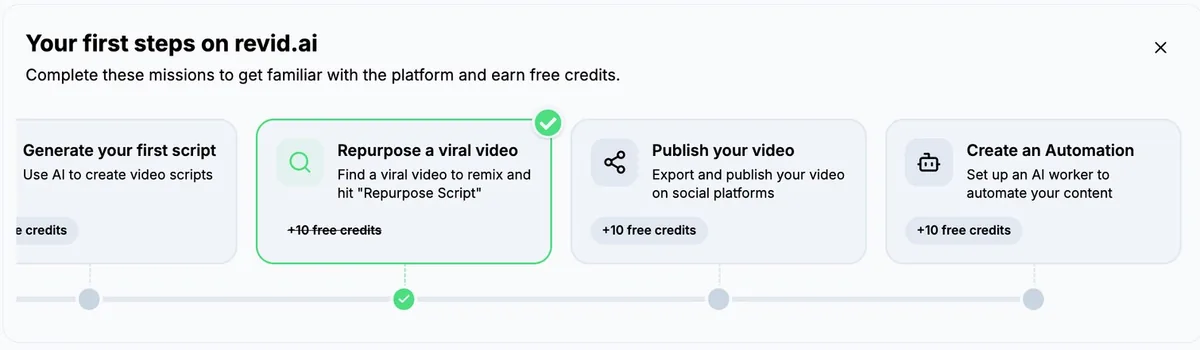
Inside the app, the home screen shows a “Your first steps” card with missions that earn free credits. In the screenshot Revid supplied (April 2026), the three fully visible missions each show +10 credits: repurpose a viral video, publish your video and create an automation. A fourth, generate your first script, sits partly off the edge. The screenshot is old, so the list may differ now.
What could 70 credits cover on paper?
Using Revid’s published rates and estimates from October 2026, here is what a balance like ours could cover (estimates, not renders):
| What you might make | Revid’s stated cost | Fits in 70 credits? |
|---|---|---|
| A 30-second video with Pro moving images and a voice | about 40 to 80 credits | Often one, sometimes not |
| The same video with Low AI video clips | about 100 credits | No |
| A script read by a voice, 70 words | about 10 credits for the voice | Yes, several |
| A music video | “about 45 credits” estimated on the tool page before any file | One, with margin |
| A UGC-style ad | 341 credits estimated on the tool page before any prompt | No |
| A 30-second video on Veo 3 | 600 credits or more | No |
The cost estimate sits next to the Generate button and changes as you pick a model, length and options, so check it each time. Our takeaway is practical: with a starter balance you can make about one finished short video in a cheap mode, not a week of content.
What are the limits of free Revid AI?
- No free monthly allowance. Starter credits are a one-time pile. Monthly credits arrive with a paid plan, and they do not roll over.
- Premium models eat credits. AI video costs 15 to 500 credits per 5 seconds depending on the model, so a starter balance disappears quickly on Veo 3 or Seedance 4K.
- Publishing and automation are paid features. Revid lists direct publishing to TikTok, Instagram and YouTube and Auto-Mode workers on the Growth plan. Whether a free account can publish is not stated in what we read, although the mission list suggests an early publishing step.
- Watermark is unclear. Revid does not say what a free export looks like, so check your first render.
- Scripts need editing. The free generators are good, but they invent stories and numbers.
- The free tools can change. Revid updates its pages often. The hooks page, for example, was dated October 2026.
A 30-minute plan to test Revid AI for free
If you want to judge Revid without spending anything, this is the order we would follow:
- Run the script generator on your real niche. Use a brief you would actually publish, pick two different styles, and compare the three scripts each run returns. Five minutes.
- Edit one script by hand. Delete every invented anecdote and every number you cannot source. Keep a note of how many lines you had to change, because that is your true editing cost per video.
- Borrow three hooks. Open the hooks library, personalize it with your topic, and rewrite three openers in your own words.
- Analyze a reference. Paste a short video you admire into the video-to-prompt tool, and compare its shot list with your script. This shows you whether Revid’s way of breaking a video into shots matches the way you think.
- Open a free account and read the balance. Write it down. Then set up your cheapest realistic video, with a short script, moving images and a voice, and read the estimated cost before you click anything.
- Spend the starter credits on one video. Export it, look for a watermark, play it on your phone with the sound on, and check the captions and the voice against your standard.
- Decide with numbers. If one video used half your balance and you would be proud to publish it, a plan can make sense. If the estimate surprised you, you just saved a month of subscription.
The seven steps cost nothing but time, and step 6 is the only one that touches credits.
Free credits versus the paid plans
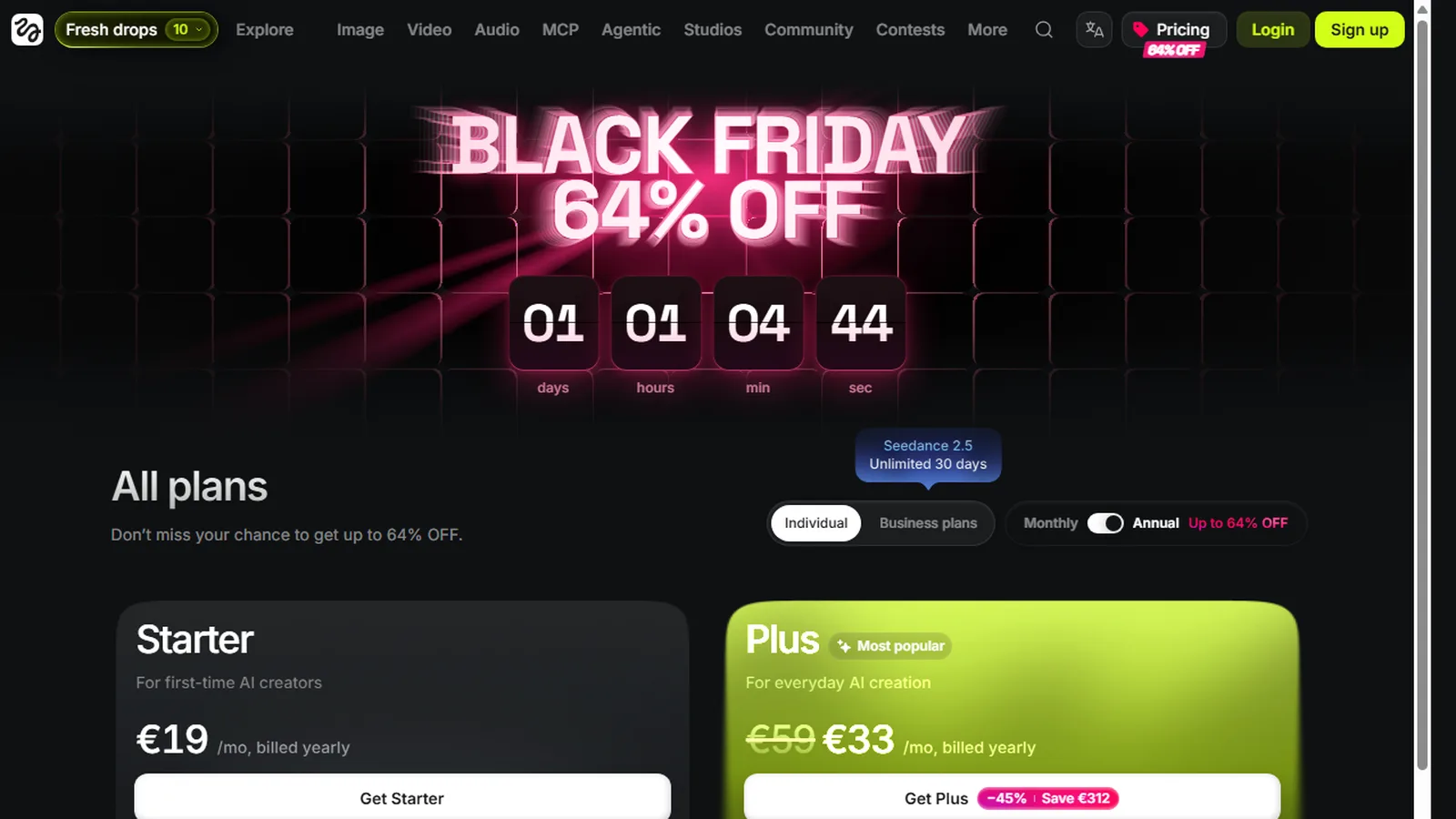
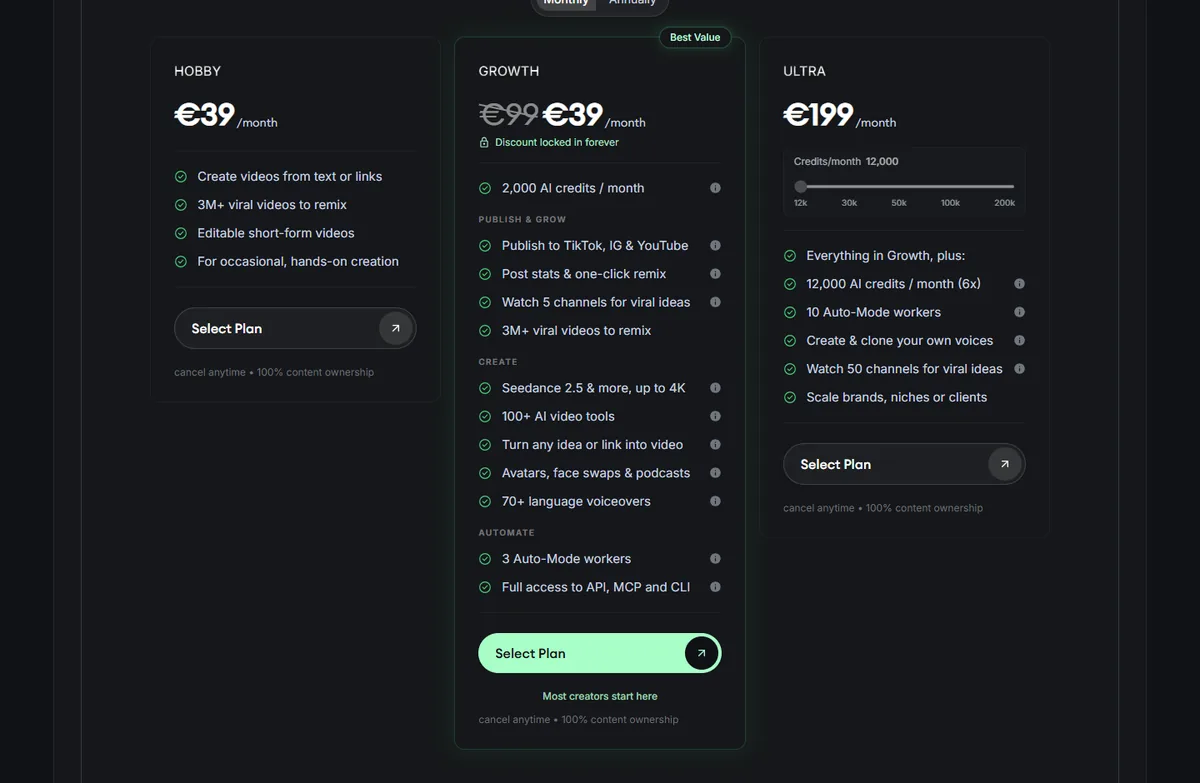
Here is what you buy when you move up, from the live pricing page on October 24, 2026. The page shows euros from Europe, and its FAQ gives the same amounts in dollars.
| Plan | Monthly | Billed yearly (per month) | Credits per month |
|---|---|---|---|
| Hobby | $39 | $32 | Not listed |
| Growth | $39 | $32 | 2,000 |
| Elite (existing subscribers) | $89 | $74 | 5,000 |
| Ultra | $199 | $166 | 12,000 |
Hobby and Growth show the same price, and only Growth lists credits and publishing, so Growth is the entry plan in practice. Booster packs start at $49 for 1,000 credits and are a poor deal next to a plan (about 4.9 cents a credit against about 1.6 to 1.95 cents on Growth, by our arithmetic). Our pricing walkthrough inside the Revid review goes through each plan, the credit costs per model, and the cost per credit.
When does paying for Revid AI make sense?
Pay when all three of these are true:
- You publish short-form video at least once a week, and the script and hook tools already help you.
- A 30-second video at roughly 40 to 80 credits fits your quality bar, since that is the stated range for Pro moving images.
- You want publishing, Auto-Mode or the API in one place, and not a collection of separate apps.
Stay free when you only need scripts, hooks, trend research or a prompt for another generator. The free tools cover that part completely.
If you do subscribe, a code is available for new subscribers: BEKOE takes 20% off the first month. It does not change later months. Revid’s credits do not roll over, so start with monthly billing, not yearly, until you know you will use the 2,000 credits.
Looking for music-video visuals specifically? See the Revid AI music video generator page.
Free alternatives to Revid AI
If your real need is cheaper than a full pipeline, three well-known tools have a free way in. Prices below come from each tool’s pricing page on October 24, 2026.
- CapCut has a free plan with free templates and basic editing tools, and paid plans from $19.99/month. Good for manual editing, not for generating a script-to-video pipeline.
- Opus Clip has a free plan, with watermarked animated caption templates and short export retention, and paid plans from $15/month. It clips long videos. Read our Opus Clip review.
- Submagic says “no credit card required” for its free start, with paid plans from $12/month billed yearly. It adds captions and polish to footage you already have. Read our Submagic review.
- NimbleVid gave us trial credits valid for 7 days with no card, enough for one 3 to 4 minute faceless video, in our own test. See the NimbleVid review.
For free AI video generation of another kind, our guide to Deevid AI’s free credits covers the 20 credits that come on signup.
Our verdict on Revid AI free
Use the free side of Revid for what it is good at: scripts, hooks, trend checks and prompts. It cost us nothing, needed no account, and produced three usable scripts per run. Open a free account only when you are ready to spend your starter credits on one real test video, and check the export for a watermark. Pay for Growth when the test video is good enough that you would publish another one next week.
Try the free tools first. Open the script generator with no account, then look at your estimated credit cost before you decide. New subscribers: code BEKOE takes 20% off the first month.
FAQ
Is Revid AI free?
Partly. Revid has no free subscription tier, but many of its tools work with no account at all: the TikTok and YouTube Shorts script generators, a library of 130+ TikTok hooks, a video-to-prompt tool, a TikTok account audit and more. Signing up is free, needs no credit card and gives starter credits. Regular video creation then uses the monthly credits of a paid plan, which starts at $39/month as of October 24, 2026.
How many free credits does Revid AI give?
Revid does not publish the number. The free account we opened showed 70 credits on October 24, 2026. Revid's onboarding card also lists missions that add free credits, and the three fully visible missions in a screenshot Revid supplied show +10 each: repurpose a viral video, publish a video and create an automation. Treat 70 as what we saw, not a promise.
Can I use Revid AI without signing up?
Yes, for the free tools. We ran the TikTok Script Generator and the YouTube Shorts Script Generator signed out, with no sign-up prompt and no credit used. Creating a video from a script needs an account, because the Create Video button opens the editor and uses credits.
Does Revid AI have a free trial?
Revid describes free sign-up with starter credits rather than a timed trial. There is no card on file to charge, so nothing renews unexpectedly. When the starter credits run out, you either pay for a plan, buy a one-time credit pack from $49 for 1,000 credits, or keep using only the free tools.
Do videos made with free credits have a watermark?
Revid does not say. Its documentation lists a watermark switch among creation options without saying what a free account defaults to. Test one short video on your free credits and look at the export before you plan to publish from a free account.
Is Revid AI free forever?
The free script, hook and analysis tools have no stated end date, and the hooks page is labeled free with no signup and updated October 2026. Starter credits are one-time and do not renew. Anything that renders video costs credits, so unlimited free video generation is not on offer.
What is the best free alternative to Revid AI?
It depends on the job. CapCut has a free plan with basic editing tools. Opus Clip has a free plan for clipping long videos, with a watermark on animated caption templates. Submagic offers a free start with no credit card. None of them replaces Revid's script-to-publish pipeline for free, so pick by the task you actually do.
When is it worth paying for Revid AI?
When you publish short-form video at least weekly and the free tools already save you time. Growth is $39/month ($32 billed yearly) for 2,000 credits, and Revid estimates 40 to 80 credits for a 30-second video with Pro moving images. If you only need scripts and hooks, stay free.