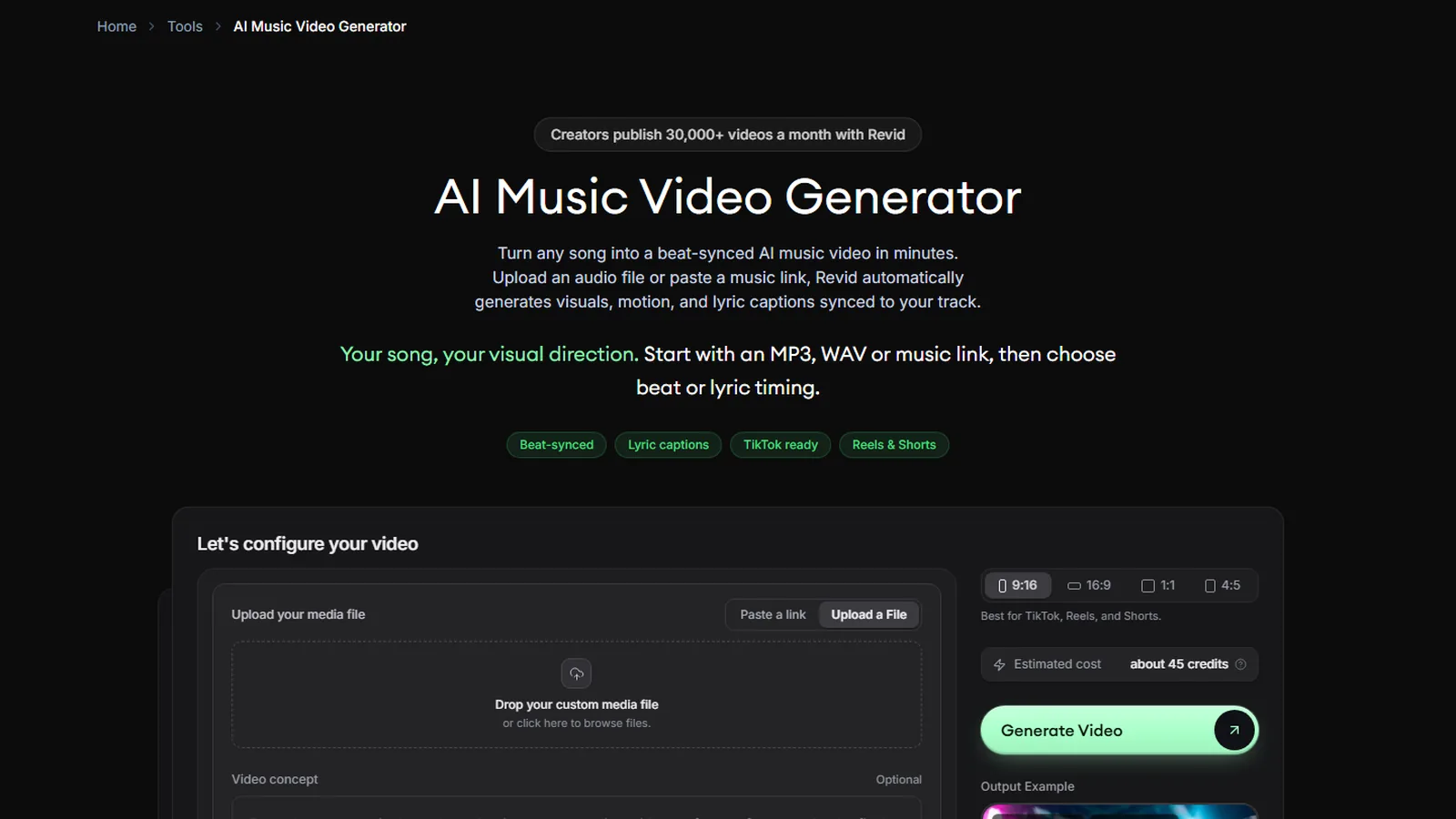
Short answer: to start a faceless YouTube channel with AI, pick a narrow niche, write a script that adds something original, generate the visuals and a voice, add captions, check every line by hand, then publish on a steady schedule. Revid covers the middle of that chain for Shorts and faceless TikTok: a free script generator, 70+ voice languages, caption presets built for faceless content, an estimated cost shown before you render, and direct publishing. For 10-minute faceless videos, use a long-form tool such as NimbleVid. Monetization is possible, but YouTube’s policy against mass-produced or repetitive content is the real constraint, not the camera.
Tested on October 24, 2026: Revid’s free YouTube Shorts script generator, plus its documentation and public tool pages. YouTube rules read on YouTube’s help pages the same day. This page contains affiliate links (disclosure).
Start with the free script generator. Write faceless scripts with no account, then see the credit cost of one video. New subscribers get 20% off the first month with code BEKOE.
What is a faceless YouTube channel?
A faceless channel publishes videos without the creator appearing on camera. The picture comes from stock footage, generated images or video, screen recordings, animation or text, and the voice comes from a recorded or synthetic narrator. Typical formats are explainers, history and “what happened to” stories, fun facts, listicles, motivation, news recaps and tutorials. On TikTok the same idea is a faceless account, with voice-led videos and large captions.
Faceless is not the same as anonymous or automatic. You are still responsible for the research, the angle and the accuracy. The cheaper the production gets, the more your edge comes from taste and from being right.
Can a faceless YouTube channel make money?
Yes, but read the rules before you build. On YouTube’s official pages, as of October 24, 2026:
- Eligibility. The YouTube Partner Program needs 1,000 subscribers plus either 4,000 qualified public watch hours in the last 12 months (long-form only) or 10 million qualified Shorts views in the last 90 days. You also need to follow the channel monetization policies, have no active Community Guidelines strikes, turn on 2-step verification and link an AdSense account. Meeting the thresholds does not guarantee acceptance, and a review typically takes about a month. YouTube also states that updated Partner Program terms start on February 1, 2027, so recheck the page.
- Inauthentic content. YouTube renamed its “repetitious content” policy to “inauthentic content” in July 2025. It describes generic or repetitive content as content that looks like it is made with a template, and it lists “AI-generated content made with generic or unoriginal templates giving the impression of mass production” and image slideshows or templated storylines with minimal narrative, commentary or educational value as not allowed. It also says that if you use automated tools or templates, the final product must still demonstrate your creative vision.
- Reused content. Channels that repurpose content already on YouTube need meaningful difference and added commentary, even with permission from the original creator.
- AI disclosure. Creators must disclose realistic AI-generated or altered content, for example a real person appearing to say something they did not. Using generative AI to create or improve an outline or script, captions or idea generation does not need disclosure. Disclosure alone does not restrict monetization, but repeated failure to disclose can bring penalties.
What that means in practice: a channel that publishes ten near-identical AI videos a day, with the same template and no original angle, is exactly what the policy describes. A channel with a clear voice, researched facts and varied structure is not. This is our reading of the policy, not legal advice, and YouTube decides.
Step 1: Choose a niche you can be right about
Pick a topic where you can check facts and add a point of view. Two quick checks help before you commit:
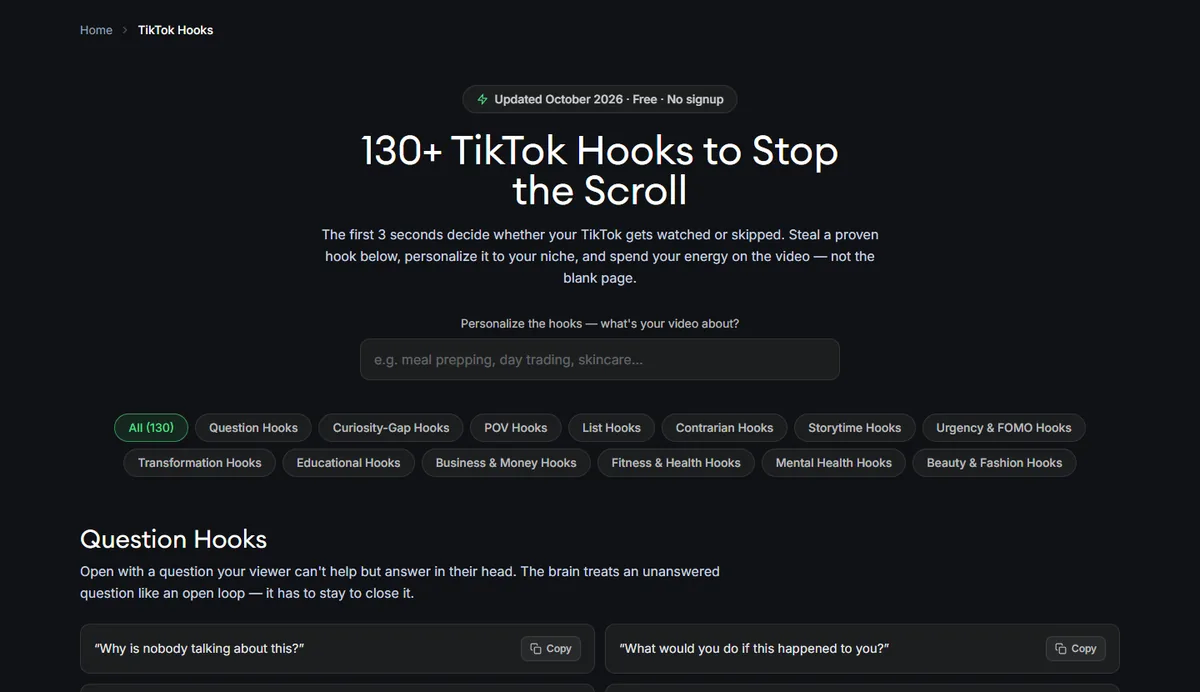
- Is there an audience that already watches it? Revid’s free hooks library and its TikTok trend and viral pages show what formats currently perform. The hooks page lists 130+ hooks in 14 categories and was dated October 2026. The viral videos page ranks recent TikToks by likes.
- Can you make 30 different videos without repeating yourself? If not, the niche is too thin. Repetition is both a viewer problem and a policy problem.
If you already run a TikTok account, Revid’s free audit reads about 50 recent public videos and compares posting times and lengths against your own median, with no login. Again, we captured the page, not ran it.
Step 2: Write the script with the free generator
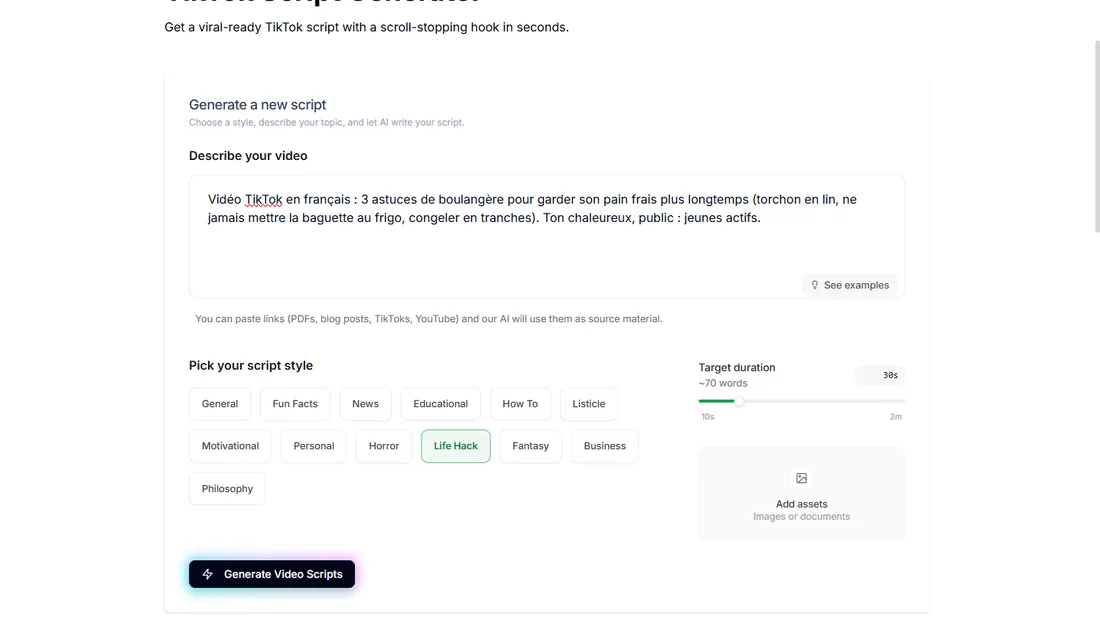
Open the YouTube Shorts Script Generator, which needs no account. Describe the video, pick one of 13 styles, set a duration from 10 seconds to 2 minutes and click Generate. Our English brief was “Faceless YouTube Short: why octopuses have three hearts and blue blood. Educational, surprising, for a general audience”, style Fun Facts, 30 seconds.
In about 30 seconds we got three scripts of 70 to 80 words. The facts were right: two branchial hearts, one systemic heart, copper-based hemocyanin, and a systemic heart that pauses during swimming. The first opened with “Three hearts sounds like a superpower, but for an octopus it’s a patch for a design flaw.” The third added “I found out at an aquarium, staring at one squished against the glass”, which is an invented personal story.
That is the habit to design around. On a faceless channel, a made-up first-person anecdote is a small lie told in your voice, and an unsourced number is a risk to your reputation. Our edit pass for every script:
- Delete invented first-person stories and invented characters.
- Verify every number against a source you could cite.
- Add one angle that the generator did not give you, such as a comparison, a counterintuitive detail or a concrete example.
- Read it aloud and cut anything you stumble on.
Step 3: Pick the format and length
For Shorts and TikTok, use 9:16. For a normal YouTube video, 16:9. Revid supports 9:16, 4:5, 16:9 and 1:1, and says videos can be longer than 60 seconds, with a target duration set through its API up to 30 minutes, though it describes itself as optimized for short-form. In practice, we suggest:
- Shorts under 60 seconds: Revid.
- 2 to 5 minute explainers: Revid with a careful editor pass, or an alternative.
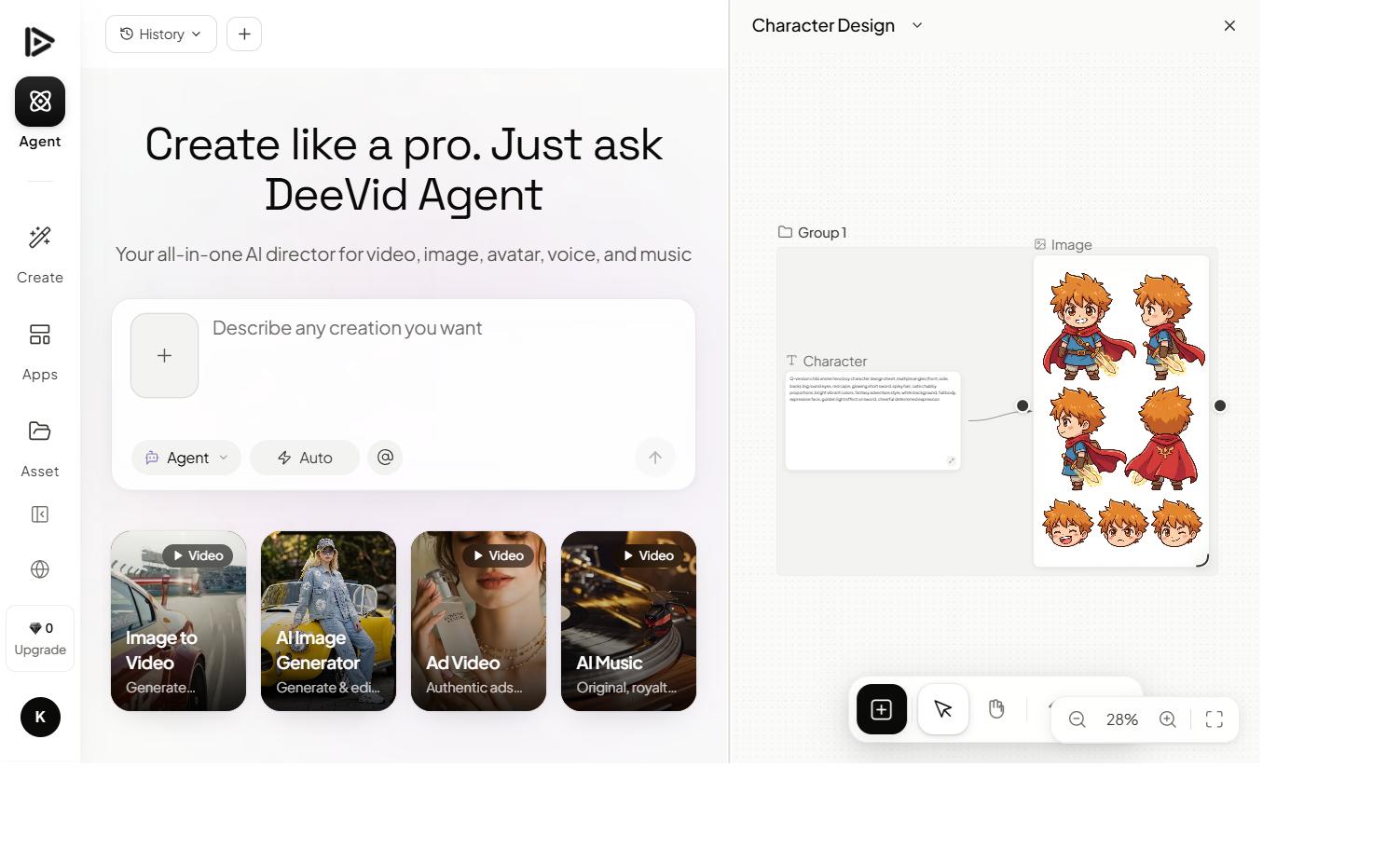
- 8 to 15 minute documentary-style videos: a long-form tool. We tested one, NimbleVid, which produced a 9-minute 05-second video for 1,089 credits. See our NimbleVid review. For a general comparison of generators for long-form, see the best AI video generator for YouTube, and our guide to Deevid AI for YouTube.
Step 4: Generate the visuals and know what they cost
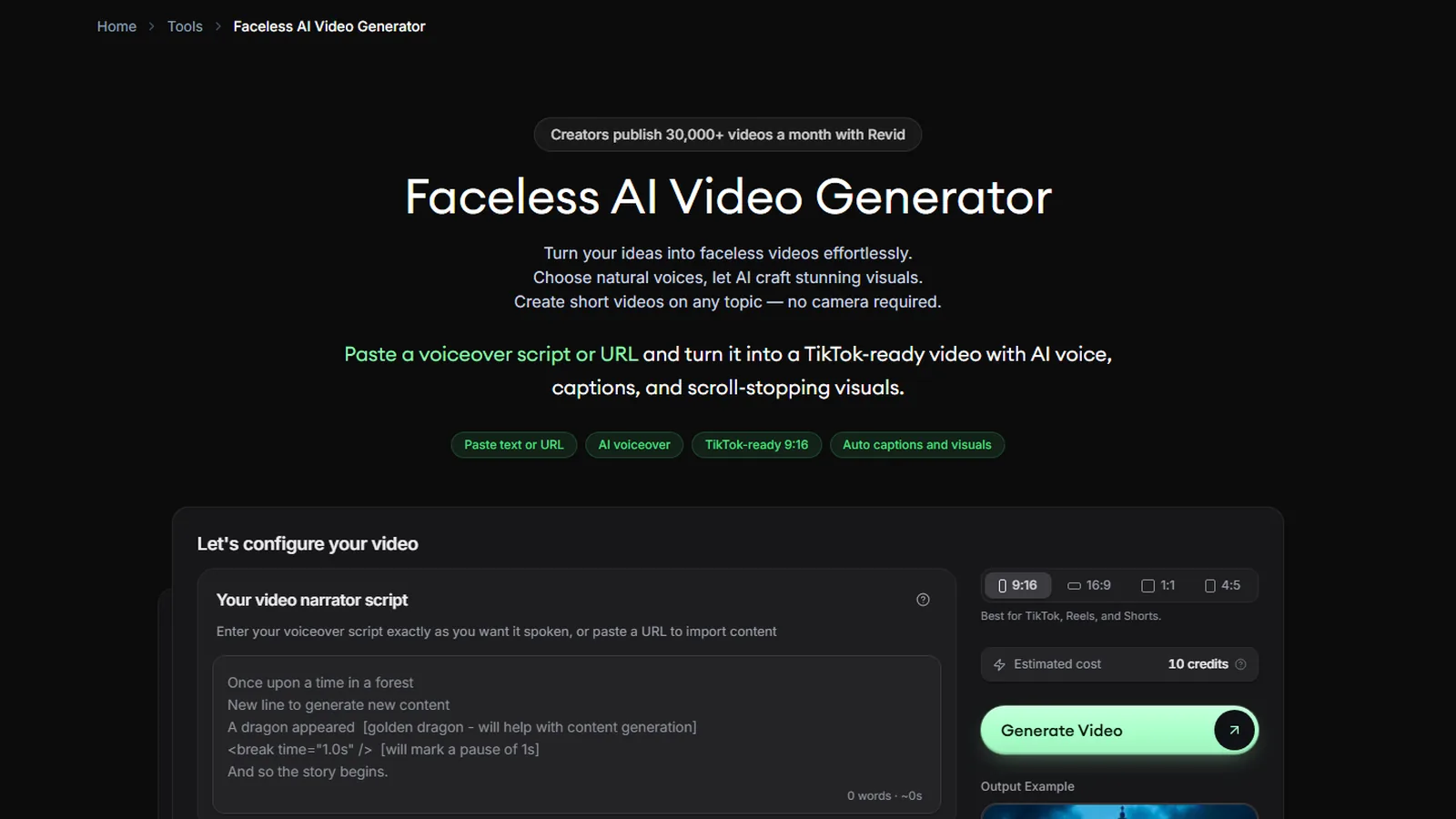
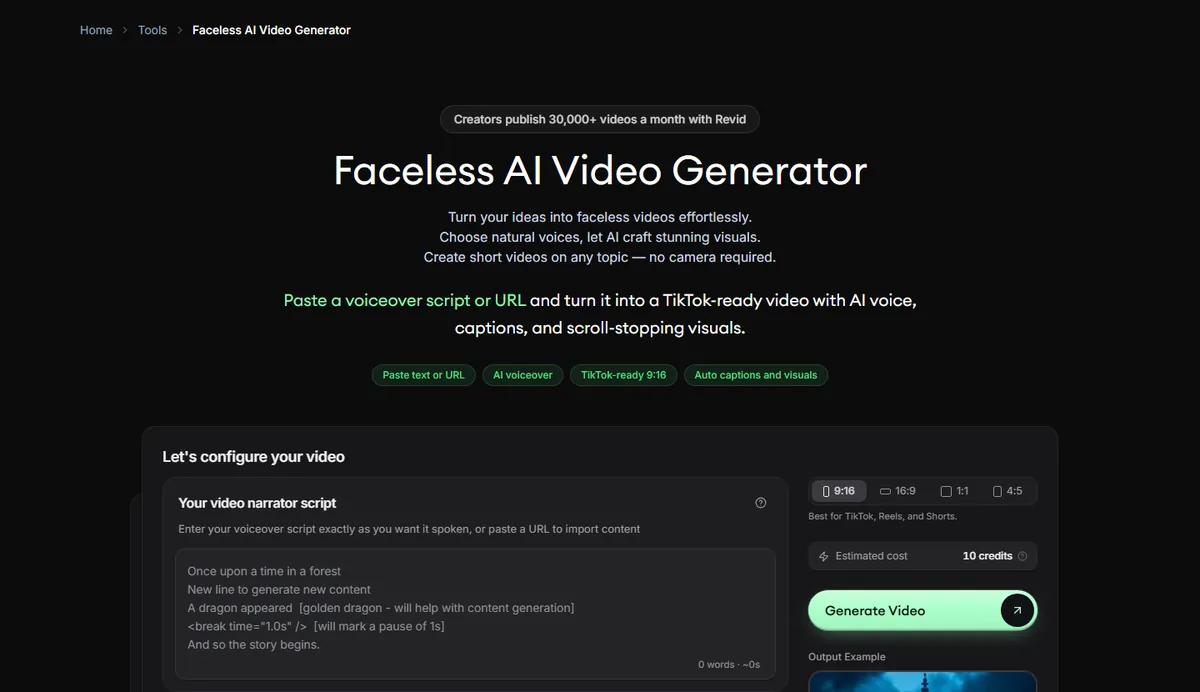
In Revid you paste the script into a script-to-video tool or use Prompt to Video. The faceless generator page shows the idea: paste a voiceover script or URL, pick a ratio and see an estimated cost next to the button. When we captured it, with the box empty, it read 10 credits.
The media type is the main cost lever. According to Revid’s documentation:
| Media choice | Credits | Real cost at Growth’s monthly price (our arithmetic) |
|---|---|---|
| 30 s, Pro moving images and voice | about 40 to 80 | about $0.80 to $1.60 |
| 30 s, Low AI video clips | about 100 | about $2 |
| 30 s, Veo 3 | about 600 or more | about $12 or more |
| One AI image, Low / Pro / Ultra | 1 / 4 / 16 | pennies to about 30 cents |
| 5 s of AI video, Low / Pro / Ultra | 15 / 50 / 100 | about 30 cents / $1 / $2 |
Growth is $39 a month for 2,000 credits ($32 billed yearly). If you publish 30 Shorts a month at 40 to 80 credits each, you spend 1,200 to 2,400 credits, so the top of the range overshoots a Growth month. Credits do not roll over, so keep most videos on Pro moving images and use premium models rarely. Revid also removed Sora 2 on September 24, 2026, when OpenAI shut its API, and bills old Sora 2 requests as Veo 3.
For a faceless channel, the cheap moving-image mode is usually enough, since pacing, captions and the script carry the video. Use AI video clips where motion is the point.
Step 5: Choose a voice and music
Revid’s voice library runs on ElevenLabs and offers 70+ languages, with filters for language, gender, age, accent and use case. You can adjust speed from 0.7x to 1.2x and choose a stable, balanced or expressive setting, and you can record your own voice with a teleprompter. Voice costs 10 credits per 500 characters, so a 70-word script is about 10 credits. Custom voice cloning requires the Elite plan or above, per Revid.
A few script tricks from Revid’s guide help a faceless voice sound natural. Short sentences with proper punctuation make AI voices more natural. A tag such as <break time="1.0s" /> inserts a timed pause, and text in square brackets is never spoken but guides the visuals, for example [close-up of a cat] Did you know.... Each paragraph after a blank line becomes a new scene.
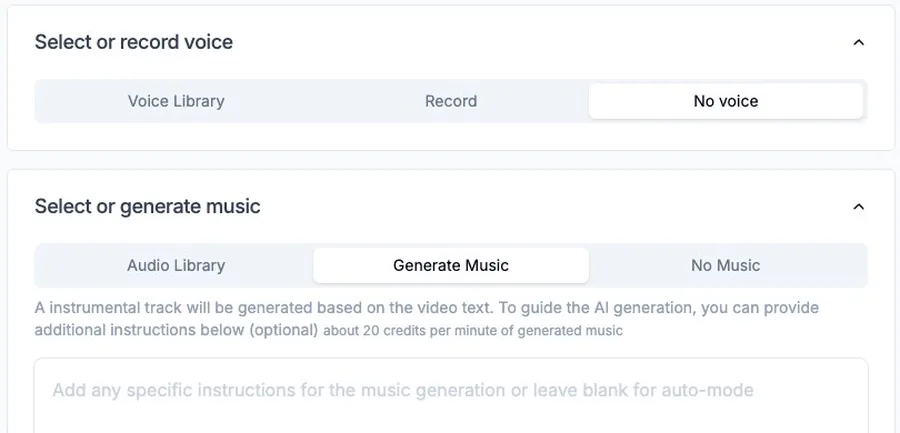
On the April screenshot Revid supplied, the voice and music panels offer a voice library, a record option or no voice, and music from a library, generated music or none, with generated music priced there at about 20 credits per minute. The library lists 199 tracks at no extra cost, per current documentation.
Step 6: Add captions that fit a faceless video
Captions are on by default and synced word by word with the voice. Revid has 16 presets, including Faceless, Hormozi, Bold Punch, Beat, Elegant and Movie. Its guide recommends Faceless, Hormozi and Bold Punch for retention-focused vertical content. Top, middle or bottom alignment is adjustable, and the fonts and colors are customizable. Check that your captions sit inside the safe zone for each platform, since Revid also publishes safe-zone guides for TikTok, Reels and Shorts.
Step 7: Review in the editor before you publish
Every generated video opens in a timeline editor where you can edit each slide, regenerate media from a prompt, add sound effects, and export at 720p, 1080p or 4K. Check three things on every video:
- Does each image match what the voice says? Mismatches are the most visible AI giveaway.
- Is there any text on screen that could be wrong? Image models can invent text. In our NimbleVid test we caught an inventor who does not exist.
- Would a viewer learn something from this that they could not get from the title? If not, add an example.
This review is also your protection against the inauthentic-content policy. The “creative vision” YouTube asks for lives in these edits.
Step 8: Publish and automate carefully
Connect YouTube, TikTok and Instagram in account settings, then use the Publish button after export, or the queue to schedule a time. Publishing itself does not consume generation credits.
Auto-Mode lets a worker generate one video a day from a tool and a content source, with 3 workers on Growth, 5 on Elite and 10 on Ultra. It is tempting for faceless channels, and it is the exact setup that risks looking mass-produced. If you use it, keep these limits:
- Run it as a draft generator, and review each video before it goes live. Revid’s newer Auto-Mode page says nothing posts without your approval, but check each worker’s setting.
- Use a different angle for every video, not a template with the topic swapped.
- Start with one worker on one channel and watch your retention before you scale.
What does it cost to start, per month?
A realistic starter budget, using the prices we captured on October 24, 2026:
| Item | Cost |
|---|---|
| Revid Growth (2,000 credits) | $39 a month, or $32 billed yearly |
| Revid free tools for scripts, hooks and audit | $0 |
| Thumbnail tool of your choice | $0 to your budget |
| YouTube and AdSense | $0 |
If you only publish four Shorts a week, 16 a month at around 60 credits is about 960 credits, so a Growth plan covers it with room. The free tier of Revid cannot sustain that, since starter credits are one-time. Our Revid AI free guide explains what you get without paying, and the pricing table in our Revid review covers every plan.
What about faceless TikTok?
Everything above applies, with different priorities: shorter videos, bigger hooks and faster pacing. Revid’s free TikTok Script Generator and hooks library are built for it. Revid also published its own study of 176,367 TikToks with 1,000+ likes, posted between October 2025 and October 2026, where faceless videos had higher median views than videos of one person on camera, 114K against 67K, with three to four hashtags performing best. Remember the limits: only videos that already cleared a likes bar are included, and it is the vendor’s study. For TikTok-specific tool picks, see our AI video generator for TikTok guide and the YouTube Shorts comparison.
Other tools for a faceless channel
- NimbleVid: best for 10-minute faceless YouTube, tested by us. Review.
- InVideo AI: prompt to video with stock and generated clips, seat-based pricing. See the seven Revid alternatives.
- Crayo: a clip-focused editor for faceless and brainrot channels, also covered in the alternatives.
- Syllaby: ideas, scripts and scheduling for faceless and avatar videos. Review.
- Opus Clip: if your faceless channel includes long recordings to cut. Review.
Common mistakes to avoid
- Publishing the script as generated. Invented anecdotes and numbers are the first thing a sharp viewer spots.
- Using one template for everything. It is the pattern YouTube’s policy describes.
- Spending credits on premium models for filler scenes. Use Low or Pro moving images for most of the video.
- Scaling automation before you have a format that works. Test manually for a month.
- Ignoring disclosure. If a video includes realistic synthetic people or events, disclose it, as YouTube requires.
- Forgetting the rules change. YouTube already announced Partner Program updates for February 2027.
Start with the free script generator. Write three faceless scripts for your niche with no account, edit them by hand, then check the estimated credit cost of one video before you subscribe. New subscribers: code BEKOE takes 20% off the first month.
FAQ
Can you monetize a faceless YouTube channel?
Yes. YouTube's Partner Program does not require you to appear on camera. It requires 1,000 subscribers plus either 4,000 qualified public watch hours in the last 12 months or 10 million qualified Shorts views in the last 90 days, and your channel must follow the monetization policies. Those include the policy on inauthentic content, which rules out mass-produced, repetitive or template-looking videos. Page checked on October 24, 2026.
Does YouTube allow AI-generated content?
Yes, with conditions. YouTube's monetization policy says that if you use automated tools or templates, the final product must still show your creative vision, and it lists AI-generated content made with generic or unoriginal templates, giving the impression of mass production, as ineligible. Separately, creators must disclose realistic AI-generated or altered content, while using AI for scripts, outlines, captions or idea generation does not require disclosure.
Is a faceless YouTube channel still profitable?
It can be, but it is not guaranteed and YouTube publishes no income figure for it. Revenue depends on views, niche, audience location and whether your channel passes the Partner Program review. The risk in 2026 is quality: channels that look mass-produced can be refused or demonetized under the inauthentic content policy. Treat the first three months as a test of format, not income.
How do you make a faceless YouTube video with Revid?
Write or generate a script, paste it into Revid's script-to-video tool, choose a 16:9 or 9:16 ratio, pick a media type such as moving AI images, choose a voice and a caption preset such as Faceless, check the estimated cost next to the Generate button, then edit in the timeline and publish. The render steps follow Revid's documentation.
How much does a faceless video cost in Revid credits?
According to Revid's credit reference, a 30-second video with Pro moving images and a voice costs about 40 to 80 credits, a 30-second video of Low AI video about 100, and 30 seconds on Veo 3 about 600 or more. Growth is $39 a month for 2,000 credits, which by our arithmetic is about 80 cents to $1.60 for the first case.
What is the best tool for long faceless YouTube videos?
For 10 minutes or more, we recommend NimbleVid, which we tested by producing a 9-minute 05-second faceless video for 1,089 credits. Revid is optimized for short-form, although its API supports target durations up to 30 minutes. For Shorts and faceless TikTok, Revid is a strong fit.
Do faceless TikTok videos perform worse than videos with a face?
Not necessarily. Revid published a study of 176,367 TikToks with 1,000+ likes, posted from October 2025 to October 2026, where faceless videos had higher median views than videos of one person on camera, 114K against 67K. The data only includes videos that already cleared a likes bar, and it is the vendor's own study, so read it as a hint, not proof.