Short answer: the best Sora alternatives in November 2026 are Google Veo and Kling AI for cinematic text-to-video, Runway for editing, Luma for 3D-feeling camera work, and Higgsfield or Deevid AI if you want several models on one balance. OpenAI announced Sora’s shutdown on March 24, 2026, and its help center says the app and web closed on April 26 and the API on September 24, so replacing it is no longer optional for most people. Entry prices read from the official pages on November 18, 2026 run from $4.99 (Google AI Plus) to $30 (Luma Plus), and no free plan we read comes close to what Sora offered.
Analysis based on each tool’s official pages, read on November 18, 2026 (Luma’s page was captured again on November 19). Parts of this page draw on our own tests of Higgsfield, October 26 and 27, 2026. This page contains affiliate links (disclosure).
Sora alternatives at a glance
- Sora’s status: announced as shutting down on March 24, 2026. App and web discontinued on April 26, API on September 24, per OpenAI’s help center (read November 20, 2026).
- Cinematic look, pay per clip: Google Veo 3.1 (40 credits for 4 seconds in our Higgsfield test) and Kling 4.0.
- Editing and control: Runway, with Gen-4.5 at 60 credits per 5-second clip on its pricing page.
- One balance, many models: Higgsfield (Starter 270 credits) and Deevid AI (Lite $10 a month, 200 credits).
- Cheapest sticker price: Google AI Plus at $4.99 a month, with an unclear video allowance.
- Free plans: every one we read is a trial, not a way to make finished videos.
Not sure which model fits your prompt? Test the same prompt on two or three of them before you subscribe. A multi-model balance such as Higgsfield lets you do that without opening three accounts.
Is Sora shutting down?
Yes, and it is done: OpenAI’s help center confirms both closing dates. On March 24, 2026, TechCrunch and NBC News reported that OpenAI said it is shutting down Sora, its video app, a little under six months after launch. NBC quotes the company’s post on X, “We’re saying goodbye to Sora”, and says OpenAI promised to share timelines for the app and API, plus details on preserving users’ work.
Those timelines came later. The Decoder, in a piece dated March 28, 2026, reports a two-stage plan: the web and app versions close on April 26, 2026, the API on September 24, 2026, with users advised to export videos and images before those dates and data deleted after the deadlines. We read those articles on November 18, 2026.
The dates come from OpenAI’s help center, which we read on November 20, 2026: the Sora web and app experiences were discontinued on April 26, 2026, and the Sora API on September 24, 2026. The early TechCrunch piece noted that the underlying Sora 2 model was still reachable through ChatGPT’s paid tier at the time; that window has closed with the API. Some multi-model apps may still list Sora 2 on their marketing pages, so check the model picker before you pay for it.
This matters for older pages, ours included. We used to run separate guides on Sora pricing, free access, invite codes and the watermark, all written while access was open. Those questions no longer have a useful answer, so this page replaces them.
How we compared the alternatives
Each tool below was checked against its own official page on November 18, 2026. We wrote down the entry price, whether a free plan exists, the clip length and resolution the page states, and whether sound is generated. Where a page did not say, we write “not listed on the page we read”. Higgsfield is the only tool we have paid for and tested, in October 2026, and we say so each time we use that evidence. For everything else this is a document analysis, not a hands-on test.
Two caveats. Credits are not comparable across tools, so a “625-credit” plan and a “10,000-credit” plan say nothing until you convert them into seconds of video. And Kling, PixVerse and Google show different information depending on where you are and whether you are signed in, so your page may differ from ours.
| Tool | Entry price (page read Nov 18, 2026) | Free plan | Clip and resolution on the page | Sound | Pick it if |
|---|---|---|---|---|---|
| Google Veo | AI Plus $4.99 a month; AI Pro $19.99 | Free tier lists no video credits | 4, 6 or 8 seconds, 720p in our Higgsfield test | Native audio in our test | You want the most cinematic single shot |
| Kling AI | Not shown publicly; $6.99 in our May 2026 dataset | Daily credits in May dataset | 5 to 10 seconds, up to 4K on Higgsfield’s list | Optional | You want long, detailed shots and motion control |
| Runway | Standard $12 a month billed yearly (list $15) | 125 credits once | Gen-4.5: 60 credits per 5 seconds | Music, voice, effects generation | You edit and iterate on clips |
| Higgsfield | Starter 270 credits, €19 a month billed yearly | Limited use | Seedance 2.5: 35 credits per 5 seconds at 720p | Varies by model | You want many models on one balance |
| PixVerse | Plan prices not listed on the pages we read | Not listed | Not listed | Lip sync, sound effects | You want an app-first, social-ready tool |
| Luma | Plus $30 a month ($25 yearly) | Not listed | Ray3.2: 5 or 10 seconds, up to 1080p | Not listed | You want camera control and commercial use |
| Deevid AI | Lite $10 a month, 200 credits | 20 credits once, watermarked | Lite 720p, Pro and Premium 1080p | Not listed | You want a cheap multi-model entry |
Which Sora alternative for which job?
Choose by the thing you were using Sora for, not by a ranking. The honest answer to “which is best” is that the leaders swap places every few weeks, and our own same-prompt test showed it: on one wine-glass scene, the five models we tried ranked differently on cost, faithfulness to the prompt and drama. Our same-prompt comparison of five AI video models has the clips and the credit counts.
- Cinematic, one striking shot: Veo 3.1 or Kling 4.0.
- Cheapest way to try a prompt: Deevid AI Lite, Runway Standard, or a low-cost model on Higgsfield.
- Image-to-video: Kling and Runway, and most tools listed here accept a start image.
- Longer clips: check duration limits per model. Higgsfield displayed 10 seconds at 1080p for Kling 4.0 in our October test.
- Sound included: Veo 3.1 in our test, and Runway’s separate audio tools.
- Commercial use: Deevid AI and Luma state it on their plan pages.
Google Veo: the closest on pure cinema
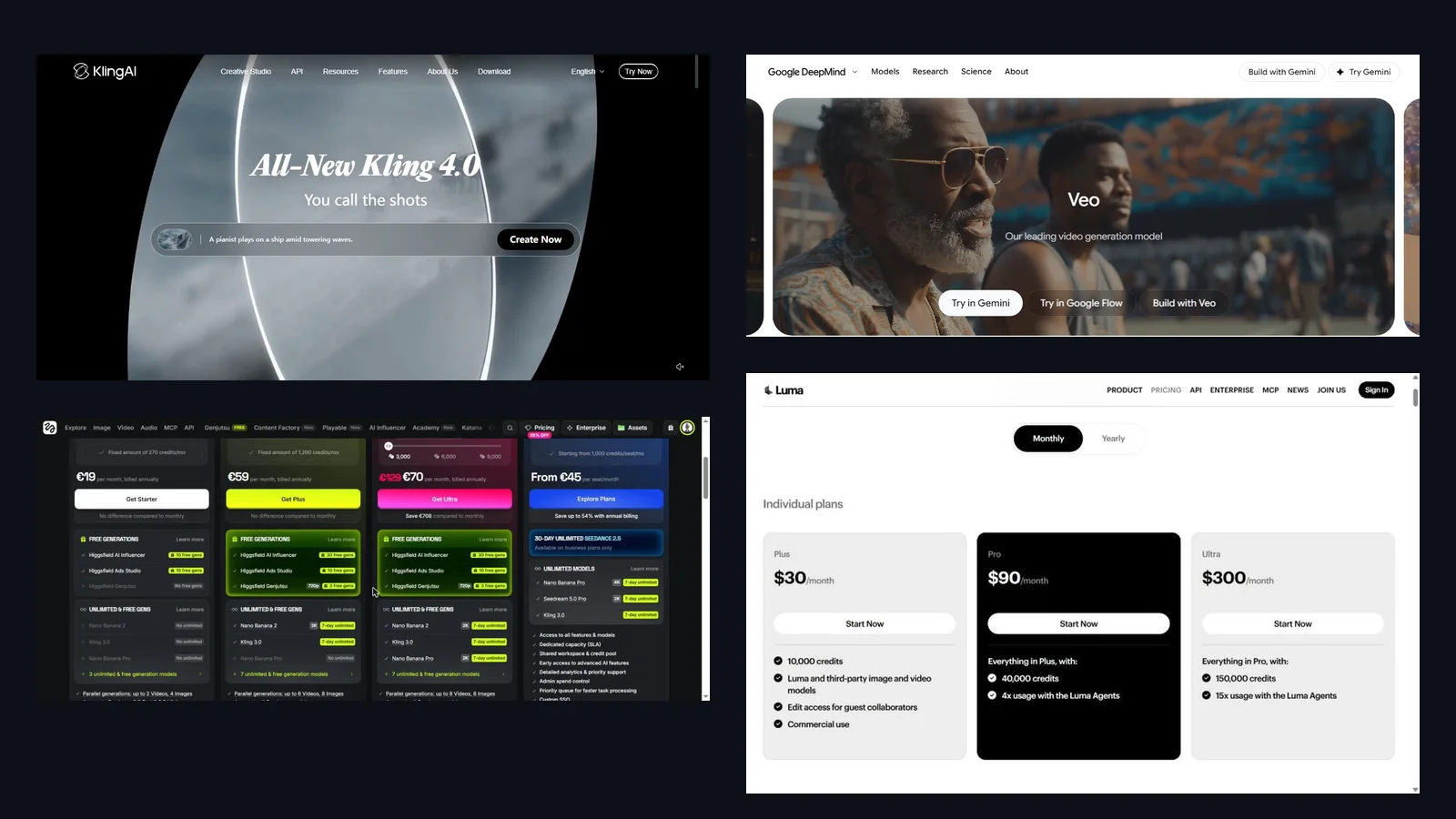
Veo is Google’s video model, sold through Gemini and Google Flow. The DeepMind Veo page describes it as “our leading video generation model” and offers three entry points: Gemini, Flow, and an API. We read it on November 18, 2026.

For price, Google’s subscriptions page (read on November 18, 2026) lists Google AI Plus at $4.99 a month, AI Pro at $19.99 and AI Ultra from $99.99, with a $199.99 tier. Flow credits rise with the plan: 200 on Plus, 1,000 on Pro, and 10,000 or 25,000 on Ultra. The page’s FAQ mentions “a limited trial of Veo 3.1 Lite” for Pro. It does not say how many seconds of Veo video each plan buys, so $4.99 is a sticker price, not a price per clip. One more oddity: Google’s plan table on another page names “Omni Flash” as the video model inside the Gemini app, so the Veo name is not the whole product line.
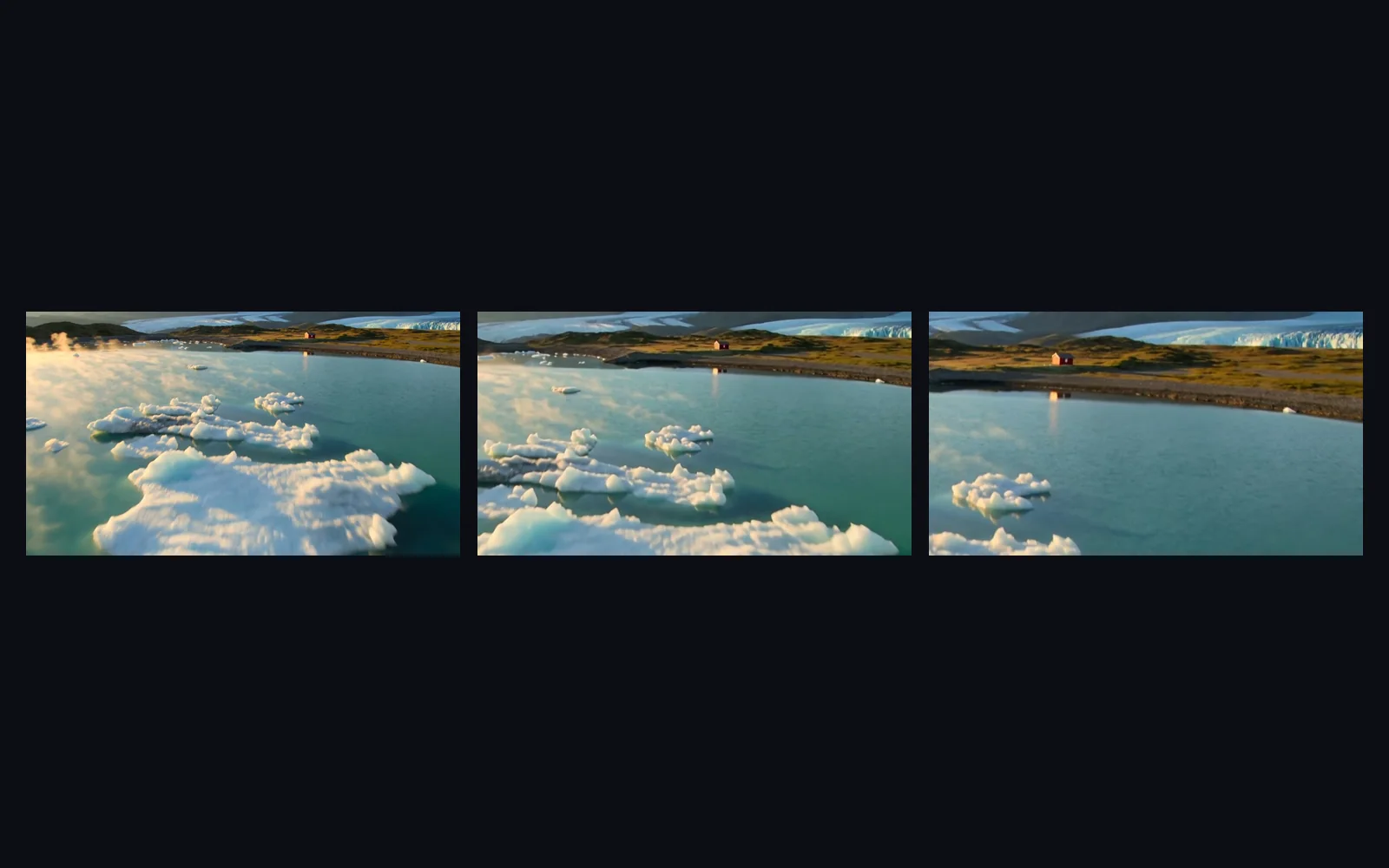
What we know firsthand comes from Higgsfield, where we ran Veo 3.1 once on October 27, 2026. It cost 40 credits for 4 seconds at 720p (the button showed 80 for 8 seconds) and came back with an audio track. It made the most dramatic splash of the five models we tried. For the official routes and what each costs, see our Veo pricing guide. The official page is Google Veo.
Pick Veo if the shot matters more than the volume and you can live with short clips.
Kling AI: the strongest value for cinematic motion
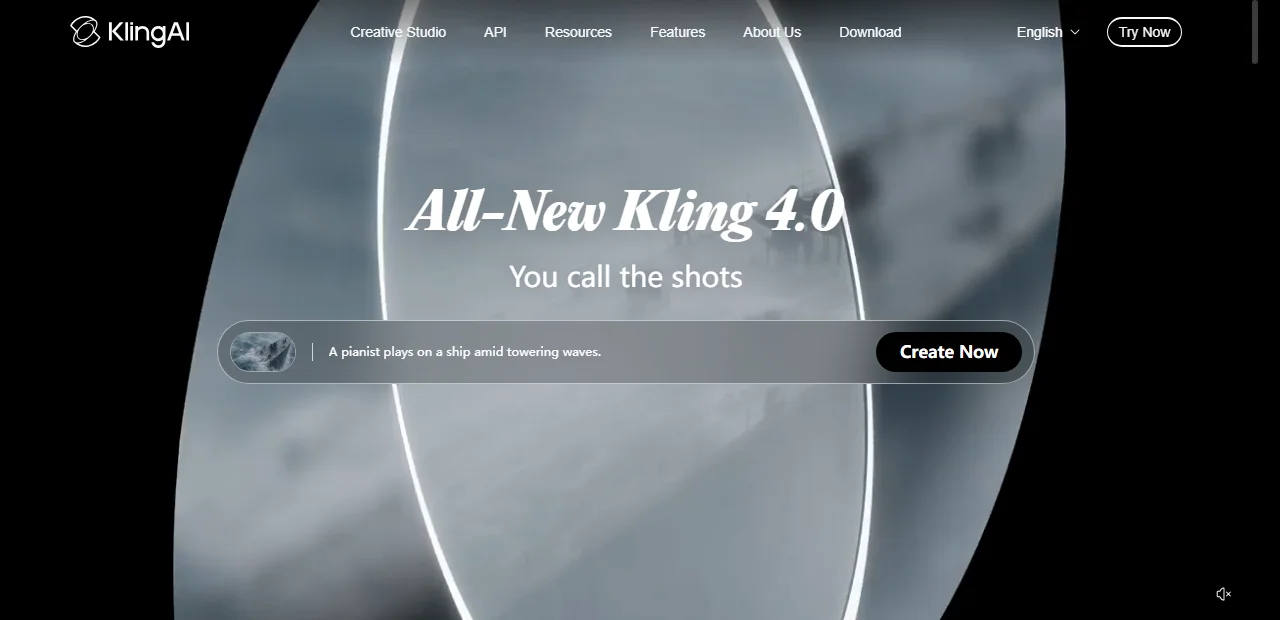
Kling’s homepage, read on November 18, 2026, leads with “All-New Kling 4.0”. That is the current model, and it appears across the tools below: Higgsfield lists Kling 4.0 at 11.25 credits per 5 seconds at 720p and 16.25 at 1080p, and Runway lists it at 118 credits per 5 seconds at 1080p.
What we could not read is Kling’s consumer plan grid. The public pricing page we opened is the developer one, with prepaid API packages starting at $500, and the member plans sit behind sign-in. Our own pricing dataset, a May 2026 snapshot that is now out of date, listed $6.99 a month for 660 credits and a free allowance of 66 credits a day. Treat both as a guide and check the live page.
From our Higgsfield test: Kling 3.0 at 720p was the cheapest clip we generated (7.5 credits for 5 seconds), though it drew a hand pouring the glass that the prompt never mentioned, and the 4K default cost 30 credits. Our Kling guide covers the model, and Kling Motion Control covers the feature that moves a character with a reference video. Side by side with Deevid, the Deevid vs Kling page has the plan comparison.
Kling 4.0 is where the official app starts. Open the app to see the current plan grid and your own free credits, since the public pages we could read do not show them.
Pick Kling if you want long, detailed motion and the option to drive a character from a reference clip.
Runway: the one built for editing
Runway’s pricing page, read on November 18, 2026, is the most complete of the group. The Free plan is $0 with 125 credits, one time, and a selection of generative models. Standard is $12 a month on annual billing (list $15) for 625 credits a month, with no watermarks, 4K upscaling and music, voice and sound effects generation. Pro is $28 a month for 2,250 credits, Max $76 for 9,500.
On models, the page lists Gen-4.5 at 60 credits per 5 seconds, Aleph 2.0 at 140 per 5 seconds, plus third-party models: Kling 4.0 at 1080p (118 credits per 5 seconds) and Seedance 2.0 Pro at 1080p (160 per 4 seconds). By our arithmetic, Standard’s 625 credits are about ten Gen-4.5 clips a month, and the free 125 credits are two. The page does not state a free-plan watermark policy, a maximum clip length or a maximum native resolution in the text we read.
What Runway does that the others do less well is working on footage you already have. That is the reason Runway belongs on this list even if its raw text-to-video is not the cheapest. Our longer Runway review goes through the editing tools, and the Deevid vs Runway page compares pricing.
Pick Runway if you edit, extend or restyle clips more than you generate from scratch. See the official Runway pricing page.
Higgsfield: one balance for many models
Higgsfield is not a model, it is a hub: Kling, Seedance, Veo, Wan and its own models behind a single credit balance. We tested it for real on October 26, 2026, with four generations on an Ultra plan Higgsfield provided for a month, and every debit matched the price on the button. Our full Higgsfield review lists what we liked and disliked, and Higgsfield pricing covers the plans.
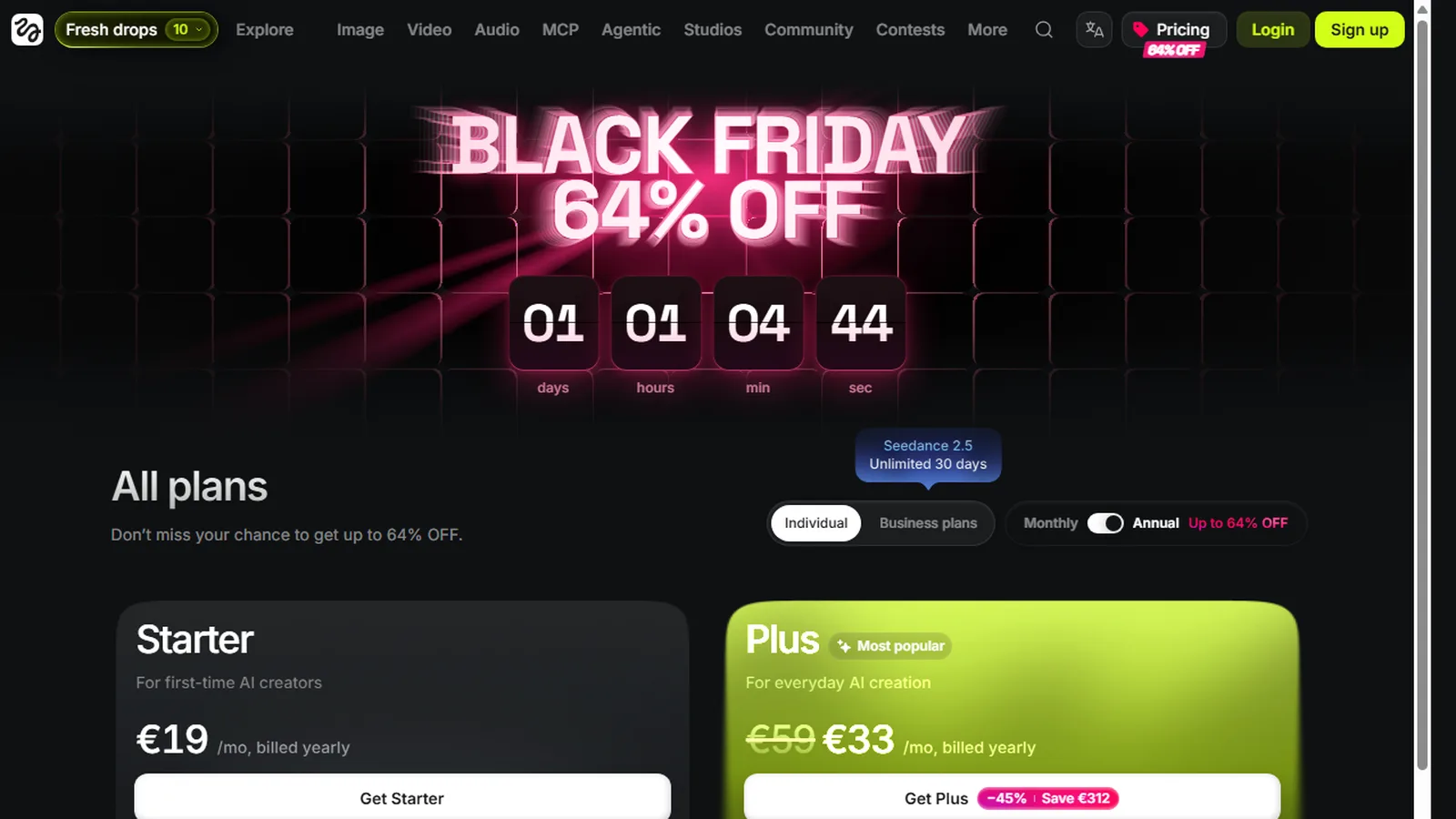
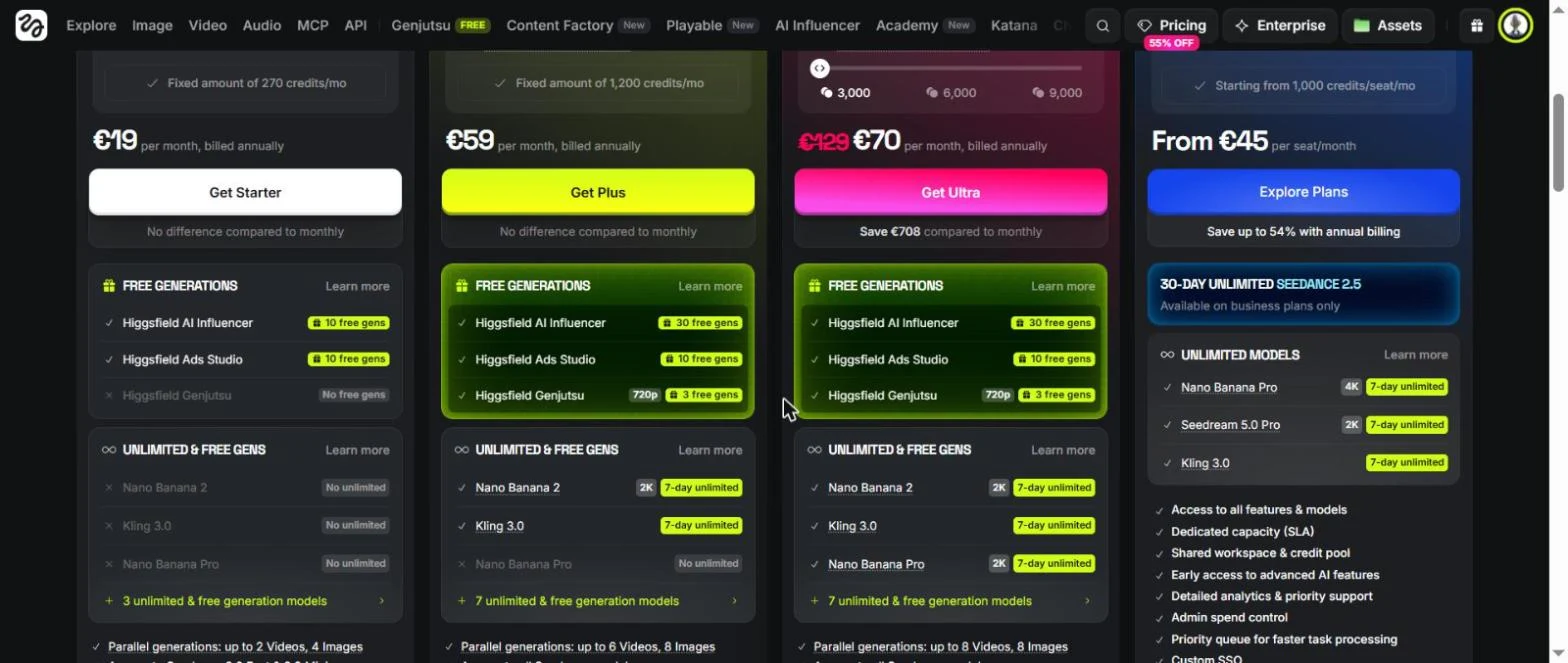
On the pricing page we read on November 18, 2026, Starter is shown at €19 a month billed yearly for 270 credits (our region displays euros; the dollar list price we read on October 26 was $19), Plus at €59 listed and €33 under a Black Friday banner for 1,200 credits, and Ultra at €129 listed and €50 for 3,000 credits. The Free plan shows “Limited use”. The same page lists Seedance 2.5 at 35 credits per 5 seconds at 720p and 80 at 1080p, matching what we paid in October.
The weaknesses we found in October still read as our verdict: the displayed price is the real price, but the app was heavy and the upgrade prompts were constant. Compared with a single-model tool, you pay a small premium for flexibility. See the full numbers in our AI video pricing research.
Pick Higgsfield if you do not yet know which model suits your prompts and want to compare them on one balance.
PixVerse: the quick, app-first option
PixVerse’s English homepage, read on November 18, 2026, lists PixVerse V6 and R2 next to Seedance 2.5, Seedance 2, MiniMax H3 and Flux 3, and mentions lip sync, text to speech, a sound effect generator and a “multi-sensory sync” feature for V6. The only price we could read is on a developer chart, where V6 is $4.80 per minute through the API. The subscription page we tried returned “Page Not Found” and the plan pages sit inside the app, so entry price, free credits and resolution caps are not listed on the pages we read.
That makes PixVerse the one tool here where we can describe the product but not the plan. If you want social clips quickly, with lip sync and sound effects in the same place, it is worth opening the app and checking the live plan grid before you decide.
Check the live plan grid before paying. PixVerse shows its subscription tiers inside the app, so the free credits and watermark rules you get depend on your account and region.
Pick PixVerse if you make short vertical clips with speech and effects and prefer an app to a studio.
Luma: camera control and commercial use
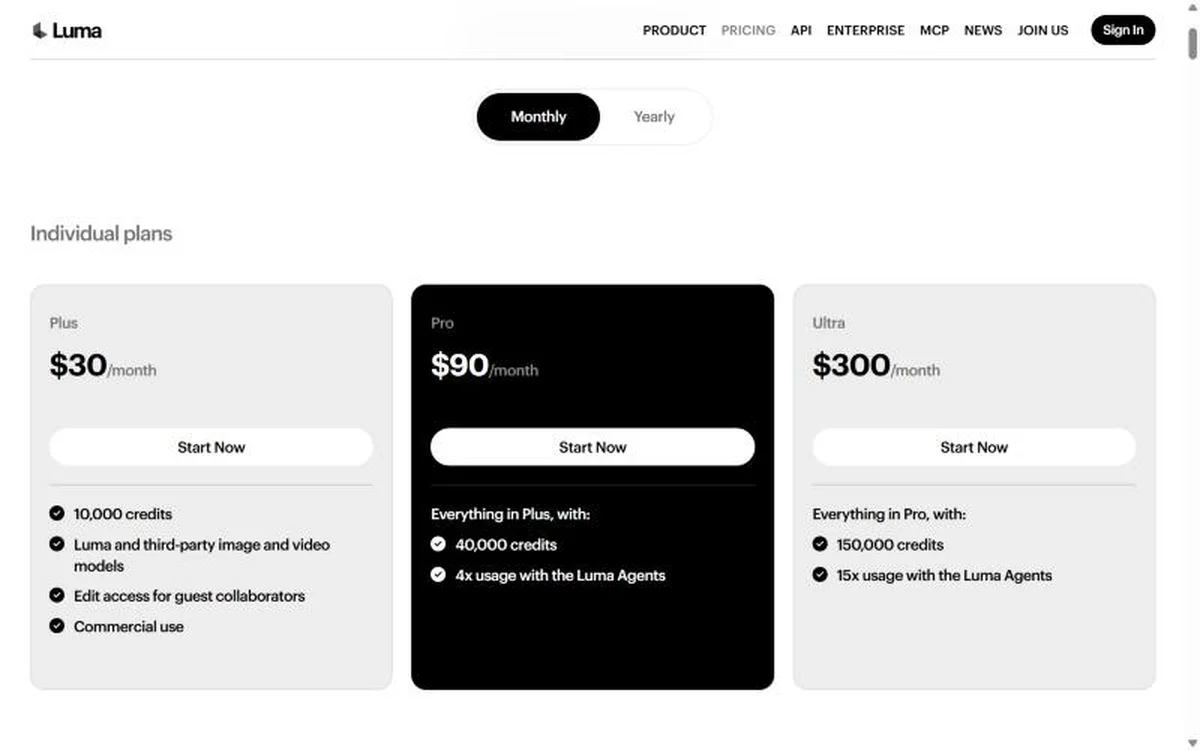
Luma’s pricing page (read on November 18, 2026, screenshot retaken on November 19) lists three individual plans: Plus at $30 a month ($25 on yearly billing) with 10,000 credits, Pro at $90 with 40,000 and Ultra at $300 with 150,000. Plus includes “Luma and third-party image and video models” and commercial use. A free plan is not listed on that page, nor is a watermark policy.
The cost tables on the page are where the real information is. Luma’s own Ray3.2 model costs 20, 50, 100 or 400 credits for a 5-second clip at 360p, 540p, 720p and 1080p, and 60, 150, 300 or 1,200 credits for 10 seconds. By our arithmetic, Plus’s 10,000 credits cover 25 clips of 5 seconds at 1080p, or 100 at 720p. The tables also list third-party models, among them Seedance 2.0, Kling 3.0 and Veo 3.1. That makes Luma a hub of sorts, at a higher entry price than Deevid or Runway. See our Deevid vs Luma page, and the official Luma pricing page.
Pick Luma if you want to choose resolution and length per shot and need commercial rights stated up front.
Deevid AI: the cheap multi-model entry
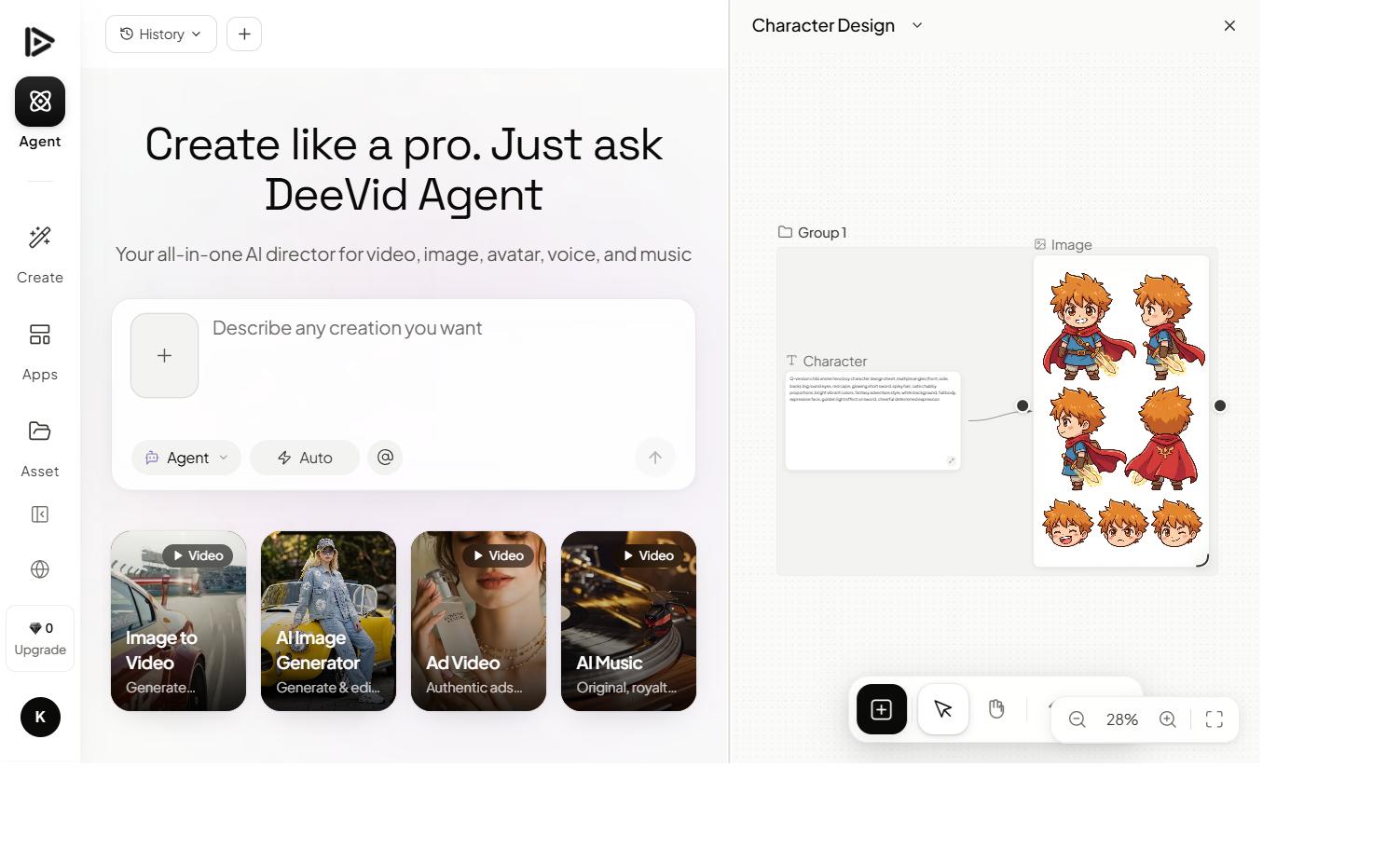
Deevid AI’s pricing page, read on November 18, 2026, lists three paid plans: Lite at $10 a month for 200 credits (up to 40 videos or 100 images, 720p), Pro at $25 for 600 credits (up to 120 videos, 1080p) and Premium at $119 for 3,000 credits (up to 600 videos, 1080p). Annual billing is $120, $300 and $1,428. Paid plans show no watermark and full commercial use. Free users get 20 credits on registration, about four videos, and those videos carry a watermark. The page also shows crossed-out prices of $14, $35 and $159, unlabeled. It does not say which models you get or how long a clip can be.
We run this site as an independent review publisher with a Deevid affiliate link, and we have written a lot about the tool, so weigh that. Our Deevid pricing explainer breaks down the credit math. For this page, the point is narrow: at $10 a month, Lite is the lowest entry with a stated allowance in this group. If you want to try it, the Deevid AI plans are on the page we read.
Pick Deevid AI if you want a low-cost way to try several models and keep videos watermark-free.
What does each alternative cost for a typical clip?
Because credits mean different things everywhere, here is the arithmetic we can do from the numbers read on November 18, 2026. It is rough, and it assumes the clip uses the model and settings named.
| Tool | Plan | Credits per month | Clip cost from the page | Clips a month, our arithmetic |
|---|---|---|---|---|
| Runway | Standard | 625 | 60 per 5 s (Gen-4.5) | About 10 |
| Luma | Plus | 10,000 | 400 per 5 s at 1080p (Ray3.2) | 25 |
| Luma | Plus | 10,000 | 100 per 5 s at 720p (Ray3.2) | 100 |
| Higgsfield | Starter | 270 | 35 per 5 s (Seedance 2.5, 720p) | About 7 |
| Higgsfield | Starter | 270 | 11.25 per 5 s (Kling 4.0, 720p) | About 24 |
| Deevid AI | Lite | 200 | “up to 40 videos” per its page | Up to 40 |
The pattern is that cost per clip varies by a factor of ten depending on the model you pick, more than it varies by plan. A cheap model on a cheap plan is the way to test prompts, and an expensive model is for the shot you have already rehearsed. The AI video pricing research lists thirteen tools side by side, and the cheap AI video generator guide goes further on budget picks.
Is there a free alternative to Sora?
Not one that does the same job. None of the free plans we read is more than a trial. Runway gives 125 credits once. Deevid AI gives 20 credits at sign-up and watermarks the output. Higgsfield’s Free plan shows “Limited use”. Google’s plans page lists “limited access to Nano Banana Pro” for the free tier and says nothing about video. Kling’s daily credits appear in our May dataset, which we have not re-verified.
If free is the constraint, Seedance 2.0 free access and the Pika Labs guide cover two more routes. Still, a free credit pool is a way to learn which model fits, and the clip you publish will almost always need a paid plan.
What did Sora do that the alternatives do not?
Sora’s appeal was a single prompt box, a social feed and good physical coherence in one place. No tool above is exactly that. In our reading, Veo and Kling come closest on realism, Runway on control, and the hubs on choice. The trade-off you accept by moving is that you now pick the model yourself, and that changes weekly. That is why we lean toward a hub or a short list over committing a year to one tool: annual plans save money, but a model that tops charts in November may be second best in January.
Our verdict
If you need a replacement this week, here is how we would choose. For one standout shot, open Veo in Gemini or Flow. For long motion, Kling. For editing existing footage, Runway. For comparing models without opening four accounts, Higgsfield, the one hub we have actually paid for and tested. For the cheapest entry with a stated allowance, Deevid AI Lite at $10. Luma suits you if camera control and written commercial rights matter, and PixVerse if you want the app first and are willing to check the plan grid yourself.
The common thread is to stop treating a single model as the answer. Test your actual prompt on two tools, compare the credits spent, and only then pay for a month. If Sora was part of your workflow, export whatever you still can from your old account.
Start with a hub, then narrow down. Running the same prompt across Kling, Seedance and Veo on one balance costs a few dollars and tells you which tool to keep.
More choices in one place are on our alternatives hub. Prices change often, so check the live page of any tool before you pay.
FAQ
Is Sora shutting down?
OpenAI announced on March 24, 2026 that it is shutting Sora down, according to TechCrunch and NBC News on the same day. OpenAI's help center now confirms the two-stage plan: the web and app experiences were discontinued on April 26, 2026 and the API on September 24, 2026.
What are apps that are similar to Sora?
The closest in capability are Google Veo (through Gemini or Flow), Kling AI, Runway and Luma. Higgsfield and Deevid AI are hubs that put several models behind one balance, and PixVerse is a cheaper app-first option. Prices and limits for each are in the table above, read from their official pages on November 18, 2026.
What is an alternative for AI video like Sora?
It depends on the job. For cinematic text-to-video, start with Veo or Kling. For switching between models without juggling subscriptions, a hub such as Higgsfield or Deevid AI. For editing an existing clip, Runway. Treat any single answer with caution: models change every few weeks.
Which Sora alternative is cheapest?
On sticker price, Google AI Plus at $4.99 a month, but Google's page does not say how much video that buys. With a clear allowance, Deevid AI Lite is $10 a month for 200 credits (up to 40 videos at 720p) and Runway Standard is $12 a month billed annually for 625 credits. Kling's public pages do not show consumer prices without signing in.
Which free AI video generator is closest to Sora?
No free plan we read matches what Sora did. Runway's free plan gives 125 credits once, which is about two Gen-4.5 clips by our arithmetic. Deevid AI gives 20 credits on registration, with watermarked videos. Google's plans page lists no video credits for its free tier. Use free plans to test a prompt, not to produce work.
Can I still use Sora?
No. OpenAI's help center says the Sora app and web version were discontinued on April 26, 2026 and the API on September 24, 2026. If you have an old account, check OpenAI's help center for what is still available and export anything you want to keep.
Which alternative makes video with sound?
Google Veo 3.1 returned a file with an audio track in our same-prompt test, as did Grok Imagine 1.5 on Higgsfield. Runway's Standard plan lists music, voice and sound effects generation. PixVerse lists lip sync and a sound effect generator. Check the plan page before paying, since audio options differ by model.
Can I use these videos commercially?
Deevid AI lists full commercial use on all paid plans and Luma lists commercial use from the Plus plan. Runway's page does not state it in the text we read. Always read each tool's terms before a client project and label AI-generated media where transparency matters.